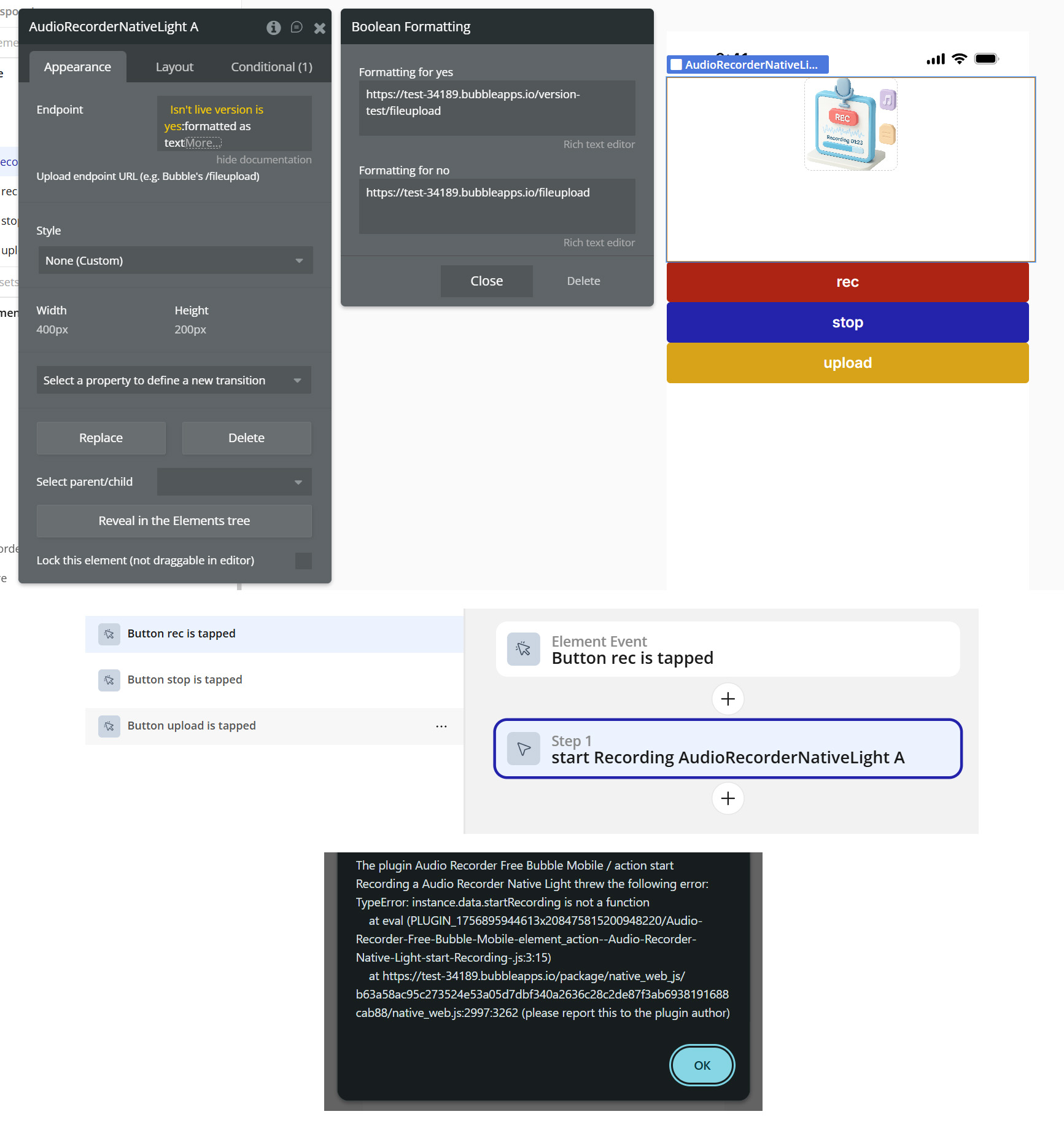
Unfortunately, I'm unable to use your plugin at the moment. I get an error when trying to use it in both the project and the demo version. What could be wrong?
Thanks for reporting this. The errors in your screenshots - “Cannot read properties of undefined (reading ‘prepare’)” and “instance.data.startRecording is not a function” - usually happen when the recorder element hasn’t been initialized by the environment. This plugin is a native-mobile one, so it needs to run on a real device (Bubble’s native wrapper/Bubble Go or any webview wrapper) with mic permissions granted. Running it in a desktop browser or triggering the action before the element is ready can cause exactly those messages.
Before anything else, please simplify the setup:
In AudioRecorderNativeLight → Upload endpoint URL, use a plain text URL (no “formatted as text”, no data-type conversions):
Quick check - were you able to try the steps in our previous message (test on a physical phone with mic allowed, set the Upload endpoint as plain text, and keep only one visible recorder element)?
Did that remove the errors or improve the behaviour?
If it still fails, please share:
How you’re previewing (Bubble Go / webview vs desktop) and device + OS.
A minimal test page link + full screenshots of the element setup (Appearance / Conditional).
The exact workflow steps calling Start recording and Upload to Bubble.
As a follow-up, I temporarily subscribed to the paid PRO version and it does work with all the same settings. I don’t need any of the pro features and I believe this is an issue with the free plugin.
I would prefer the free plugin to be fixed rather than stay with the pro plugin.
Thank you for the detailed explanation — that really helps. We’ve forwarded this issue to our development team for immediate investigation, since the behavior you’re seeing (double .mp4 extensions, unplayable audio files, and the free version producing unusable output while the PRO version works) requires their involvement. We’ll do our best to get this sorted quickly.
In the meantime, it would be very helpful if you could share a bit more information so we can narrow the cause faster:
When did this workflow stop working — was it after a recent Bubble or plugin update?
Do all audio files behave this way, or only specific sizes?
Anything you can share will help our team reproduce the exact scenario and resolve it quicker.
Thanks again for reporting this — we’ll keep you updated as soon as we have news from the dev team.
We’ve just released an update for the Audio Recorder Free plugin that addresses the issue with recordings being saved with a double .mp4 extension and failing to play back.
The fix is now live in version 1.8.0.
Please update the plugin from your Plugins tab in the Bubble editor, refresh your app, and test your workflow again.
Let us know if everything works smoothly on your end, or if you notice anything unexpected — we’ll be here to help!
Usually this error shows up for one of two reasons:
A value isn’t being passed correctly somewhere in the workflow (so the element ends up trying to work with null/undefined), or
There’s a library conflict with another plugin that uses similar native/web capabilities.
Could you please check whether either of these might be the case on your app?
Do you have any other plugins/elements that also use the microphone, record audio/video, or handle file uploads (e.g., camera/recorder plugins, uploader elements, media capture, etc.)?
The quickest way to verify a conflict is to test on a clean page:
Create a new blank page
Add only the Audio Recorder element + the minimal workflow (start/stop)
Use the same endpoint value
Test again
If it works on the clean page, then we’re likely dealing with a conflict or a workflow/value issue on the original page. If it still fails, please share your plugin list (or a screenshot of installed plugins) and we’ll narrow down which one might be interfering.
On that same page I have a workflow that opens the camera.
It’s actually pretty important for my use case to be able to use both the microphone and the camera on the same page. Are there any workarounds that you know of?
Thank you for your patience while we reviewed your setup. I checked your workflow, and it appears to be configured correctly—both the recording and the “spot” actions align with what’s recommended in the documentation and the demo page.
The main difference between the working version and yours is that your implementation doesn’t trigger an explicit microphone-permission request. You mentioned that you’ve granted microphone access, but on many modern devices/browsers microphone access still requires an explicit user interaction (for example, a button click) to prompt the permission request. Granting permission only in the device settings is often not sufficient.
When I previewed your app in the browser, it didn’t prompt for microphone access at all.
Could you please check this first and ensure the permission request is triggered on your test page? Once implemented, let us know whether the issue is resolved on your end.
@ZeroqodeSupport as far as I’m aware there isn’t a workflow to trigger the microphone permission. Is there some other way to trigger the mic permission, other than initiating a recording, that you’re aware of?
If you look on the page I am displaying whether mic permission is granted. When you loaded it, does it say “MicPermission:yes” or “MicPermission:no”? For me it says yes.
Apologies for the delayed response. We’ve just received an update from our development team regarding a newly published release—version 1.10.0 of the Audio Recorder Free plugin for Bubble Mobile.
This update includes several improvements, including a fix related to recording via the microphone library, which may have been the cause of the issue you experienced.
Please update the plugin to the latest version. After doing so, the action to request microphone permissions should be available on your end.
As mentioned earlier, modern devices may require explicit permission requests to prevent unauthorized background microphone access—this is a built-in security measure to protect users.
We’ve also rechecked your demo page and reviewed the project’s Permissions tab, confirming that microphone access is enabled. At this point, there are no differences between your setup and ours, so the issue should now be resolved.
Please let me know once you’ve had a chance to test it.
We’re glad to hear the previous update resolved the earlier issues.
Regarding the newly observed behavior, what you’re describing may occur because the file is not yet ready for upload when the plugin stops recording.
To help prevent this, you could try adding a small delay using Bubble’s “Add pause before next action” workflow option, or apply an “Only when” condition based on the exposed state is Stopped.
If neither of these approaches resolves the workflow issue, please let us know and we’ll take another look into the problem.

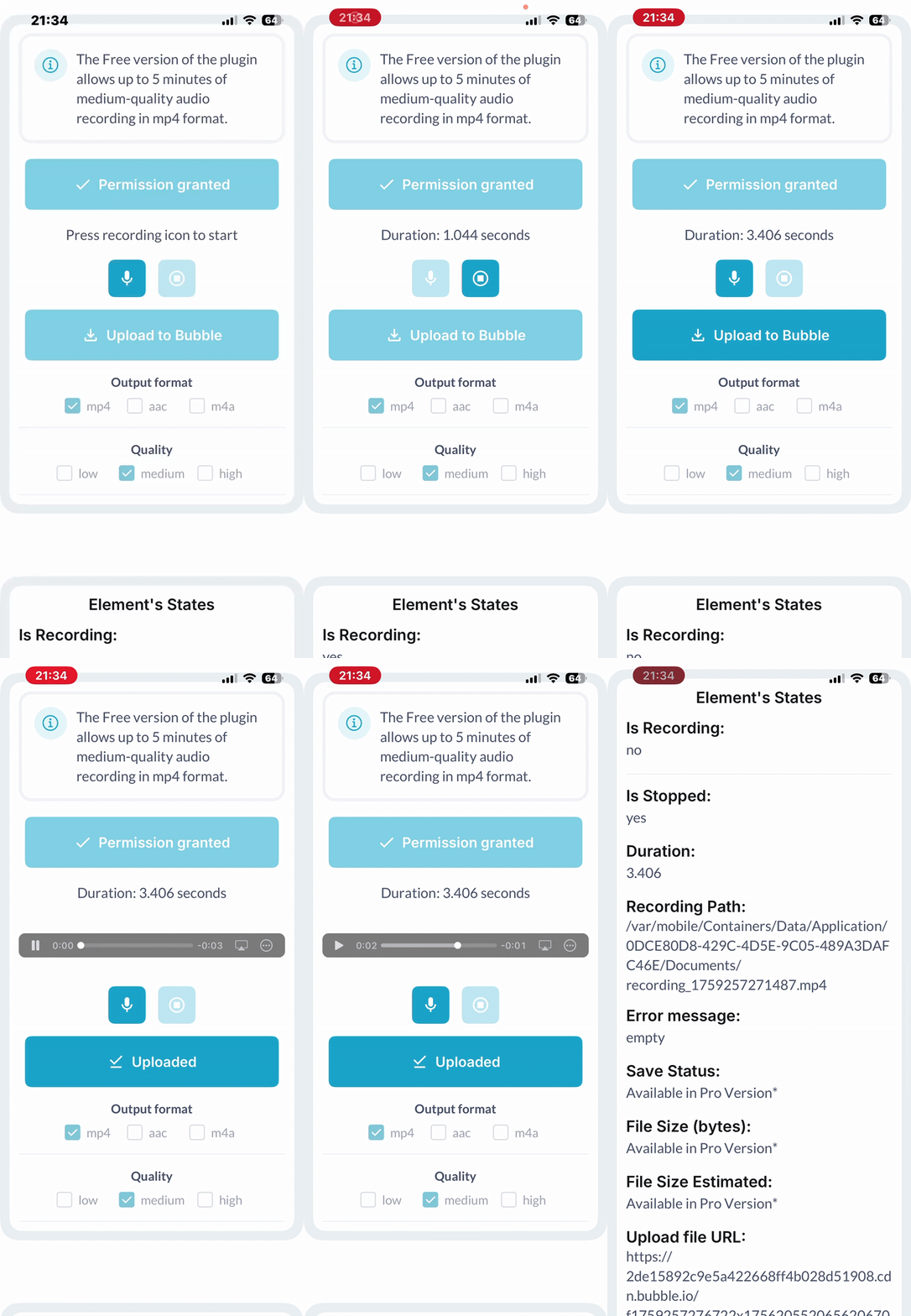
 Key Features:
 For advanced recording options, higher-quality formats and extended functionality, check out the Audio Recorder Pro Bubble Mobile plugin.