We’re thrilled to launch the Tags Native Mobile Plugin - an easy-to-use yet highly flexible tool for adding interactive tag selection to your Bubble Native mobile app!
Whether you’re building onboarding flows, filters, or category pickers, this plugin makes it effortless to let users choose from single or multiple tags with a beautifully responsive interface.
Key Features:
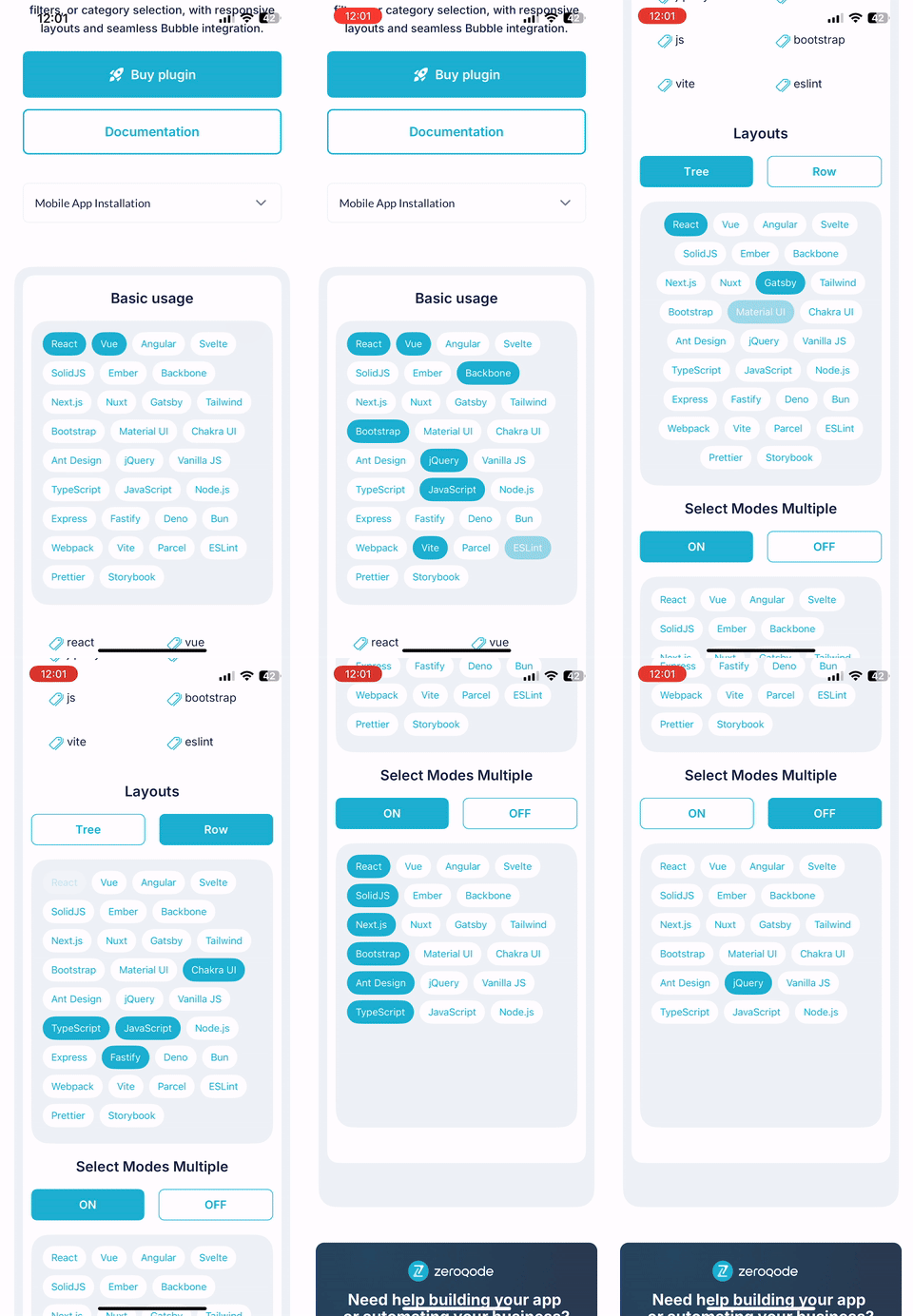
Single & Multi-Select Modes: Give users the freedom to choose one or many tags based on your use case.
Dynamic Tag Lists: Load tags dynamically from your database or workflows—perfect for adapting to changing user data or preferences.
Fully Customizable UI: Style tags to match your brand with custom colors, fonts, borders, spacing, and more.
This plugin is ideal for creating polished, native-feeling experiences that enhance user interaction with minimal setup. From filtering content to collecting preferences, Tags Native Mobile brings flexibility and design control to your fingertips.
Could you please provide a bit more detail about what you’re trying to achieve with the tag alignment? Are you referring to aligning the tags to the right side of the container, or something else?
Any screenshots or examples would also be very helpful so we can better understand your request.
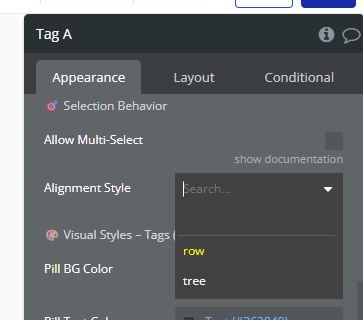
I’m referring to the option “Alignment Style” in the element properties, there are two options to choose from: row and tree. Can we have a third option to set it right to left? so instead of row and tree, we’d have left, center and right?
Is it possible to add a data type instead of tag labels and tag values. i just came across a use case where I’m dealing with option sets. Since option sets cannot be filtered from a text value, i.e. cannot match the tag value to an option set item.
As for your second question about using a data type instead of tag labels/values, the developer wasn’t quite sure what you meant. Could you please clarify the use case a bit more? Especially how you’re trying to work with option sets and what exactly is blocking you (e.g. filtering, matching tag value, etc.). A concrete example would really help!
Ah yes this is exactly what i want a right to left alignment as your attached screenshot.
as for my use case, from the plugin I can only use option set being displayed as text values, and i have a data field in the database to save that option in the database record. in the workflow i want to save the selected option sets items but i cannot since it will only be a text value. I tried to use filtered in the workflow to filter this option based on the text value, but no matter how i tried, i get error the filtered values should be yes or no… in short i cannot match between a text value and an option. I figured why go around finding ways and workaround when it could easily be solved if the tags have it’s own data source
Our team has discussed ideas that you would like to see in our plugin and we will soon start working on adding them in our next update!
But before it, please, we still need more details, namely screenshots/videos and explanation about the second point, so that our developers will understand your idea exactly.


 Key Features: