Hi @gaurav
I having issue: missing element.
The inspector said haven’t permission, even subscribed to the plugin again, but nothing works
please help
P.S. I sent an email too
Thks
Hi @gaurav
I having issue: missing element.
The inspector said haven’t permission, even subscribed to the plugin again, but nothing works
please help
P.S. I sent an email too
Thks
Hi @RonyjM,
Plugin subscriptions are handled entirely by bubble team. Please reach out to their support.
Cheers,
Gaurav
Hey! I am having an issue updating the @mention user list. Case use: We are having users assigned projects in groups. A user can have multiple project with different users per project.For each project I’d like to have users be given specific @mention users[Users working on that particular project can be mentioned] . Unfortunately the @mention sticks to the first project the user opens a chat on though I am updating the @mention list to parent-group project users-assigned
Hi @gaurav! Is it possible to give me another color option for the hashtags? Red has a negative connotation when using it for my purpose (staff evaluation). Any way it could be green or purple even?
Also, I actually have one sentence phrases I wanted to use with your plugin. However, the phrases get jumbled. Could you expand the box a bit?
It’s already available in the plugins tab no?
Hmm yeah the dimensions of each item are constrained at the moment (its actually a pretty standard thing for quality user experience). I’ll see if I can accommodate texts longer than the width of the selector
I understand. In the meantime, I can use another plugin to accomplish the goal. But I’ll be ready to jump into this plugin in the future.
Awesome plugin! Have used it for a few different projects now.
Is there any possibility of adding linking to @ # and / tags in the future? What I mean is when you set the @ mentions source type and list - another option called “linked page” would be handy so when a user clicks the @ mention it takes them to the predefined page and sends the unique ID of the @ mentioned data.
Thanks
Thanks @keedanpunch!
That’s a great idea. I’ll see if I can implement it… Would probably require a bit of hacking into the underlying library but I can see the significant potential applications it will have. Thanks!
Hi @gaurav and other BDK Text Editor users,
I’m facing two issues with images and I was hoping to get some help:
When I upload an image with the editor set to “stretch to fit content”, the editor doesn’t stretch until I press enter, so the image expands beyond the editor until I do, which is visually very unpleasant.
Not sure this is specific to this plugin, but when I send an email with the HTML content from the editor, the base64 images do not display on Chrome and Firefox but do display as expected on my mobile (iOS/Mail app).
Any clue how to solve these two issues?
Thanks 
Glad I could suggest a useful feature! Look forward to it being implemented
@gaurav I’d love to use this plugin for further advancement of my Nucode.co/community page posts (I’d like to add inline images and mentions).
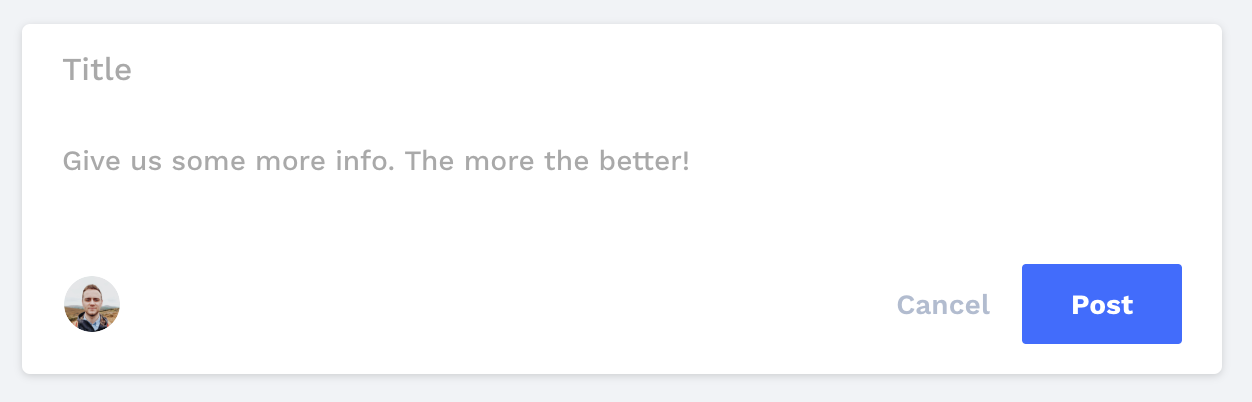
is there an option to hide the toolbar for the most part? Here is what my current “New Post” form kinda looks like:
Hi @joe5!
Yep enabling the ‘air mode’ in the plugin will hide the toolbar
Hi @gaurav,
Any plans to make this a onetime purchase instead of monthly?
thanks @gaurav! Just purchased and it was the perfect choice. I am looking to change the default font though so it immediately looks like the post Title input. Is this possible?
bumping this @gaurav any way to set a default font/text colors/etc?
> Plugin Update : October 17, 2019
 Fonts & Colors: Added support for setting default font, font size, font color, background color, bold, italic and underline
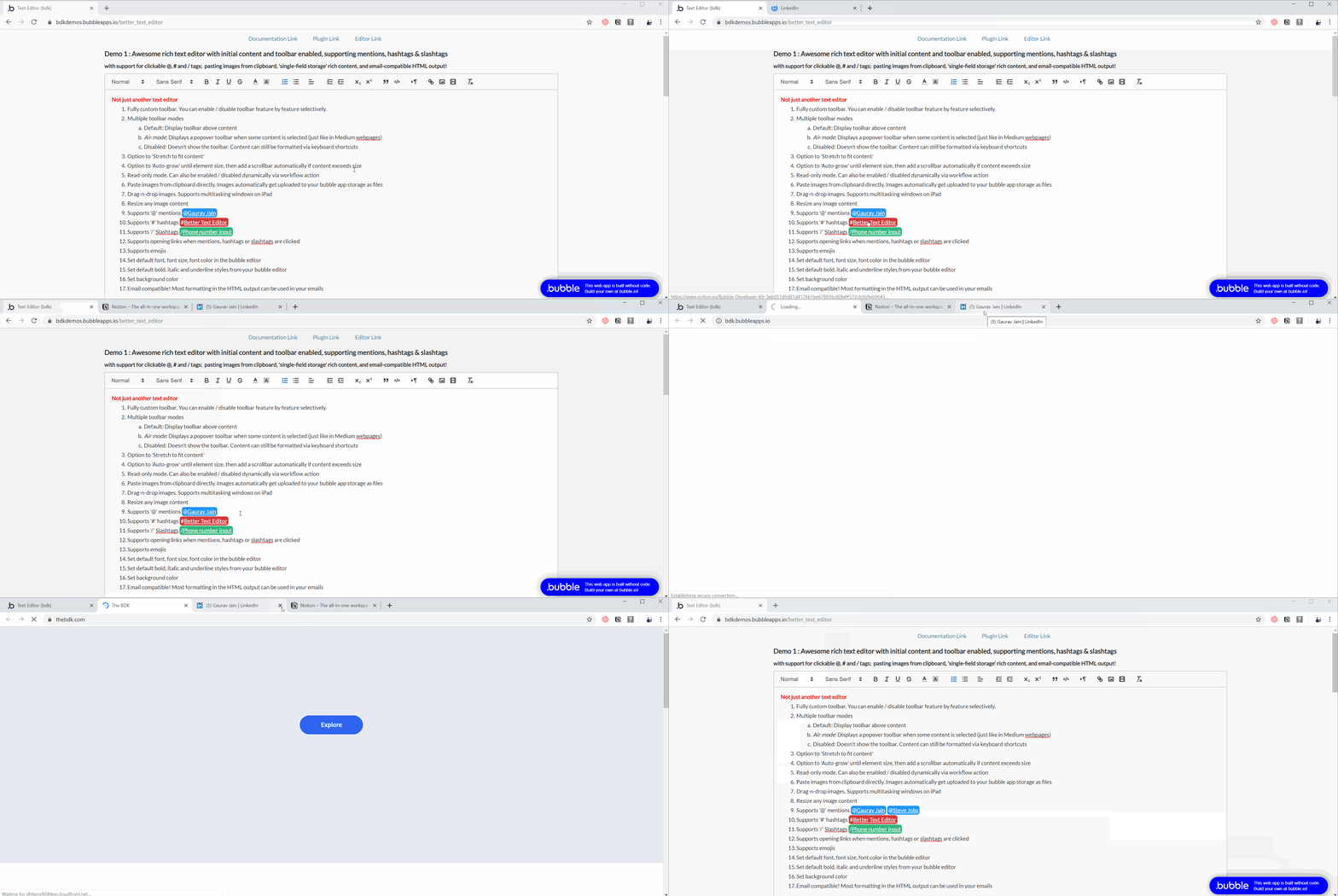
 Bubble storage : Pasted images get stored as files into your bubble app storage. No endpoint setup required
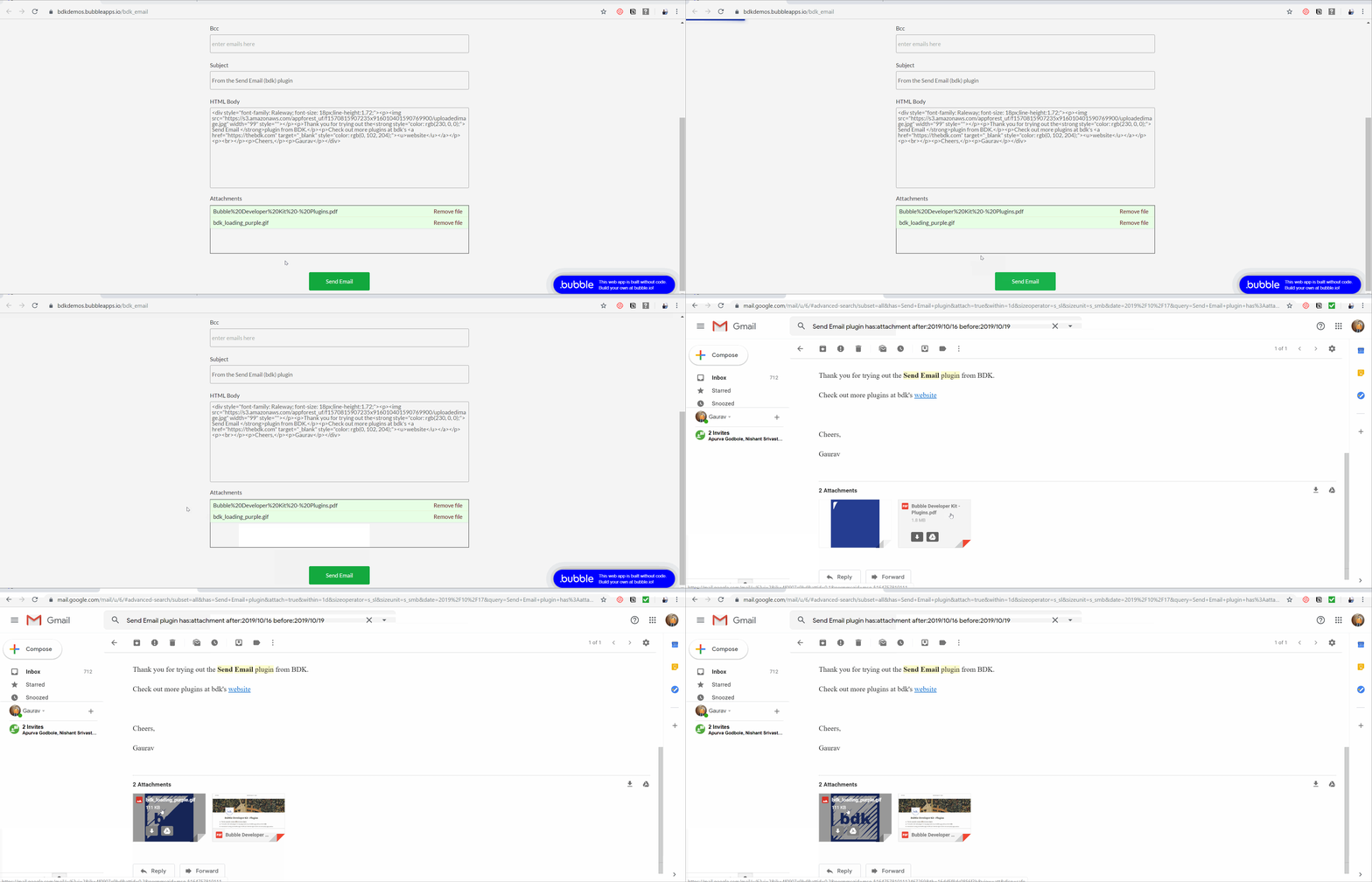
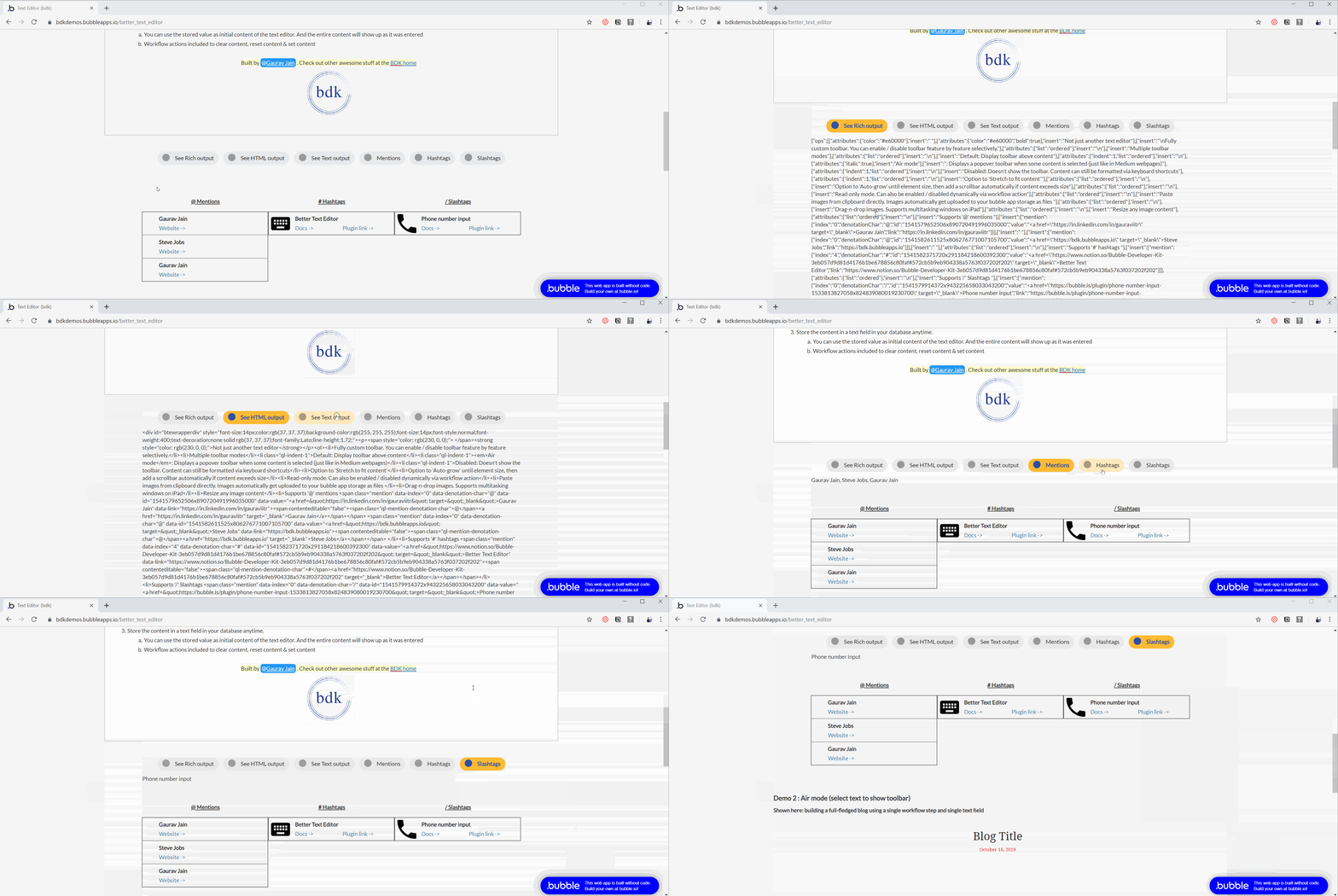
 HTML output : Editor now outputs inline HTML, making it compatible with Emails, HTML elements etc.
 Clickable @, #, / tags : Open links when @ mentions, # hashtags or / slashtags are clicked
Play below video to see these in action and/or try out the demos yourself here 
Special thanks to @Lucien @keedanpunch @joe5 @hi1 for suggesting features & useful changes 
Happy Bubbling !
Cheers,
Gaurav
going to go test right now! you’re amazing!!
Is there a way to turn off italics for the default font and add a placeholder font color too? Sorry for asking for more when you just delivered so much!