Top work here. Looks nicely customizable too. Something built with bubble elements to match would take hours and not function as smooth as this plugin.
Hi @JohnMark.
I didn’t get any issue from my testing on mobile (Android). This is not a select input, so this doesn’t show as a “normal” select input that popup and you scroll the menu. This look more like you use on desktop. When you open the dropdown, automatically, the focus to search is there and the keyboard appear on mobile and let you search directly. You can scroll also in the dropdown and the keyboard will remain until you click on it. Also, the input will use the responsive setting from Bubble. The reorder function is not available on mobile however
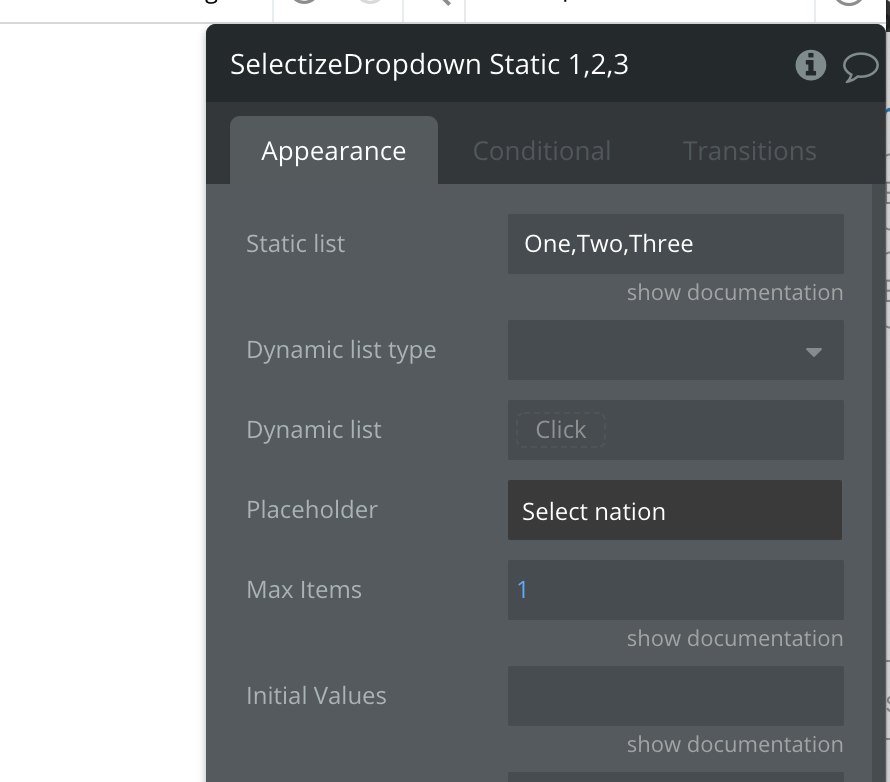
Is it possible to access the index of a static list item?
I can see we can access the actual item but not sure how to get the order index, in this example Two is index 2 (or 1 if you start from 0). I tried All values ID but I got a blank.
Really been having a play around with this and it’s been quite a promising plugin. Thanks. When you take a look at the index, can you please check the conditional tab as I cant seem to affect the drop down using conditions.
My question is : if I have a profile page displaying tags, can I highlight tags in common with the current’s user tags (different user than the profile page) tags ( maybe make tags red?) ?