I am struggling for some time with this apparently simple setup. In my app admin dashboard there is a list of users. By clicking the settings button a User page will open, Up until this it works fine and I can display all relevant user data. However, the app has a separate thing called “Equations”. Every user can create as many equations as they want. On their page I would like the admin to see the list of user’s equation.
At this point, it always displays only the “Equations” that belong to a logged user (in this case me, the Admin), an not of the user whose page this is. I have used a User data source for the page, and for the element that lists user data. For the second part, the elements data source is “Equation” and I use Search for Equation as data source, with constraint “Created by User”.
This is where I am blocked. Needles to say I am a newby to Bubble.
It sounds like you might just need to change the constraint on your search for equations from Created by = Current User to Created by = Current page's User. Have you tried that already?
Also, make sure you don’t have any privacy rules that prohibit the admin from seeing data created by other users.
Hello, I am attaching here few screenshots in hope it might clarify the issue.
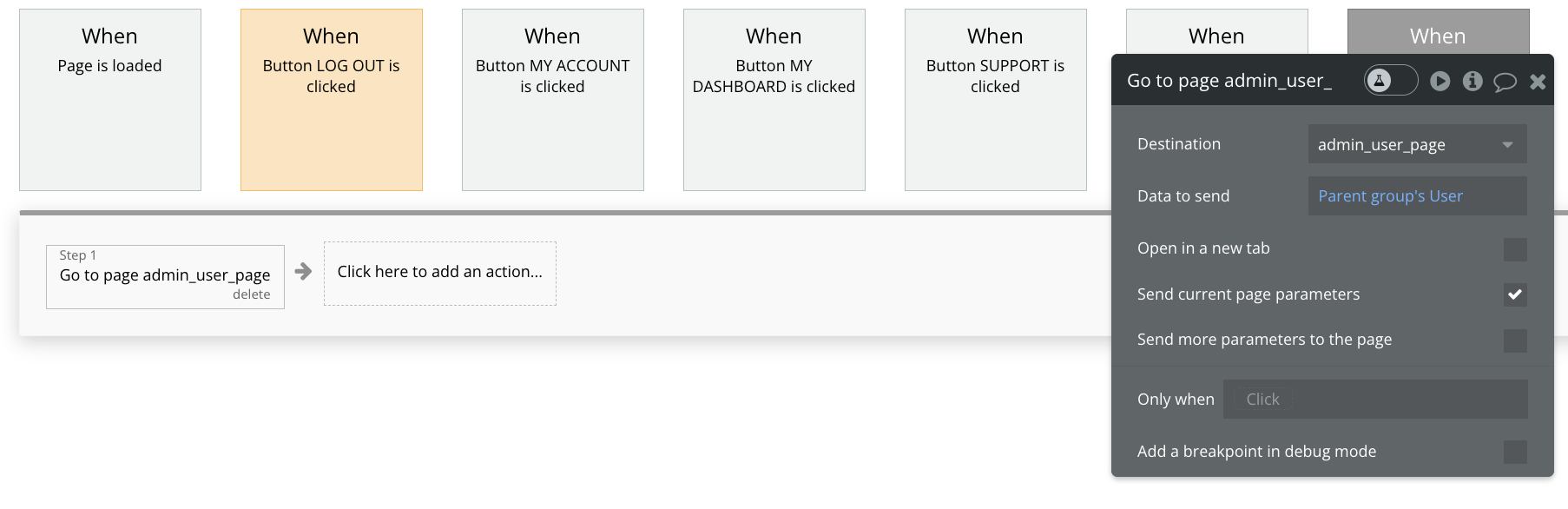
First of all, it all starts will all users listing at the admin dashboard page, please see the picture. You can see the setting of the repeating group.
Now at the user page there are two parts. Top one with the user details which works fine, and bottom where I need to list information from a thing called “Equation”.
Following images shows the settings for the repeating group supposed to list Equations, one that does not work.



 As
As