
Probably not if you want them to be navigated to another page. But if you just want to change the URL parameter value, then yes, that would be fine.
Never waste your time with custom states in conjunction with URL parameters. If you are using URL parameters use them alone. I’ve seen too many people use custom states when also using URL parameters.
Create an option set for each of your url parameters that you will use. Make the display value all lowercase. For example, if I have a URL parameter of mode, and another of reference, I will have two options in the set, one is mode and the other is reference. This way, whenever I use the Get data from URL I can reference my option set as the parameter name so I don’t have to try and remember what they are.
If you are going to use option sets for the value of a parameter (ie: not the key name) make sure you have the display value all lowercase, and if you have a space, you could change it to a -…this will make it easier to read the URL values as the encoded values for a space can be difficult to shift through and the proper structure of URL is no uppercase letters, so should use lowercase. Additionally, Bubble has a bug that when you continuously refresh the page with parameter values in the URL and those values are special characters, such as a +the url encoded value of that special character can become messed up and reverts to the url encoded value of a space. So, in the display value, avoid special characters.
When you have a group on the page, that is supposed to be shown based on the URL parameter value that is an option, set the data type of the group to the option set type, and set the source to the option it is to be visible for. Then set the conditional to be Get data from URL is this groups option value. Change parameter to make it visible when condition is true. Set the ‘visible on page load’ to no and collapse when hidden. Then after you set up the first, simply copy and paste and change the datasource for the next…this makes it so you do not need to keep setting the conditionals, especially useful for a SPA or dashboard page with multiple groups.
When you use the Get data from URL which is for the parameter, and the value of the parameter is an option, do not leave the type as text, but instead declare it as the option set…this way Bubble will URL decode the value and it will match your option display value. This is especially helpful when you go to save the URL value as an option into a data field that is an option.


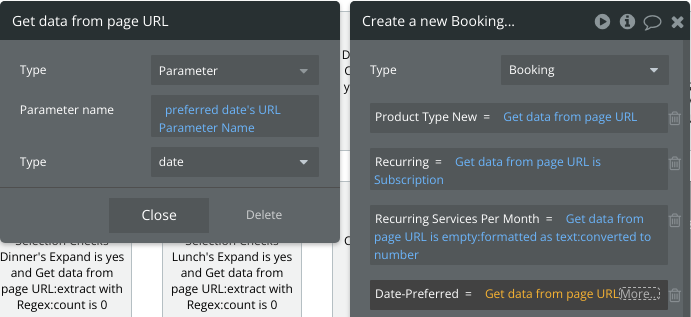
The only time to leave the type as text when using the Get data from URL is when you want to determine if it is empty or not, otherwise, you would likely always want to set the type to the proper type of data that it is.
For more advanced usage of URL parameters check the other posts below