
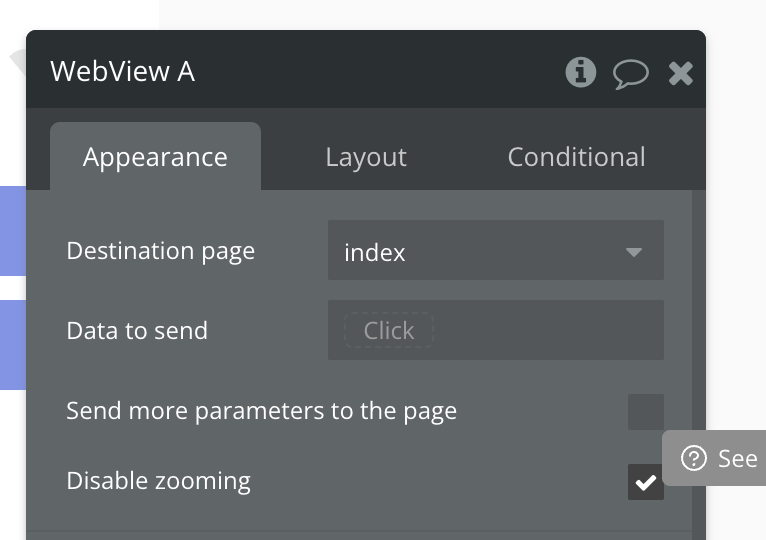
Hey everyone - you can now disable the pinch to zoom gesture on scrollable views and web views with a new Disable zooming setting (default checked).

Hey @nick.carroll, is there a way to prevent zoom when focusing a text input field in webview?
I have a small webview element embedded in a mobile view and when I click in the input field, the view becomes almost unusable because it zooms in, plus vertical and horizontal scroll bars appear.
Thanks a lot!
Hey is the font size in the input field below 16px? If so I think mobile browsers tend to zoom in automatically. Try beefing the font size up and see if that helps.
@nick.carroll Is the webview already opening an external link calling WhatsApp directly? I can do it in the web version. It doesn’t work in the native webview
whatsapp://send?phone=99999999999
@dantidmas88, Thanks! Yes, that was the issue. Problem solved.
@nick.carroll, the zoom checkbox works great, but unfortunately didn’t have an effect on the Inbox element zoom upon focus. Not sure if that is intended or not, but in my case I didn’t want anything to trigger zoom.
An exception would be images or PDFs in a webview. In that case I might want to zoom into a PDF/image but don’t want the page itself to zoom.
Glad it helped, it’s caught me out so many times over the years developing web apps too!