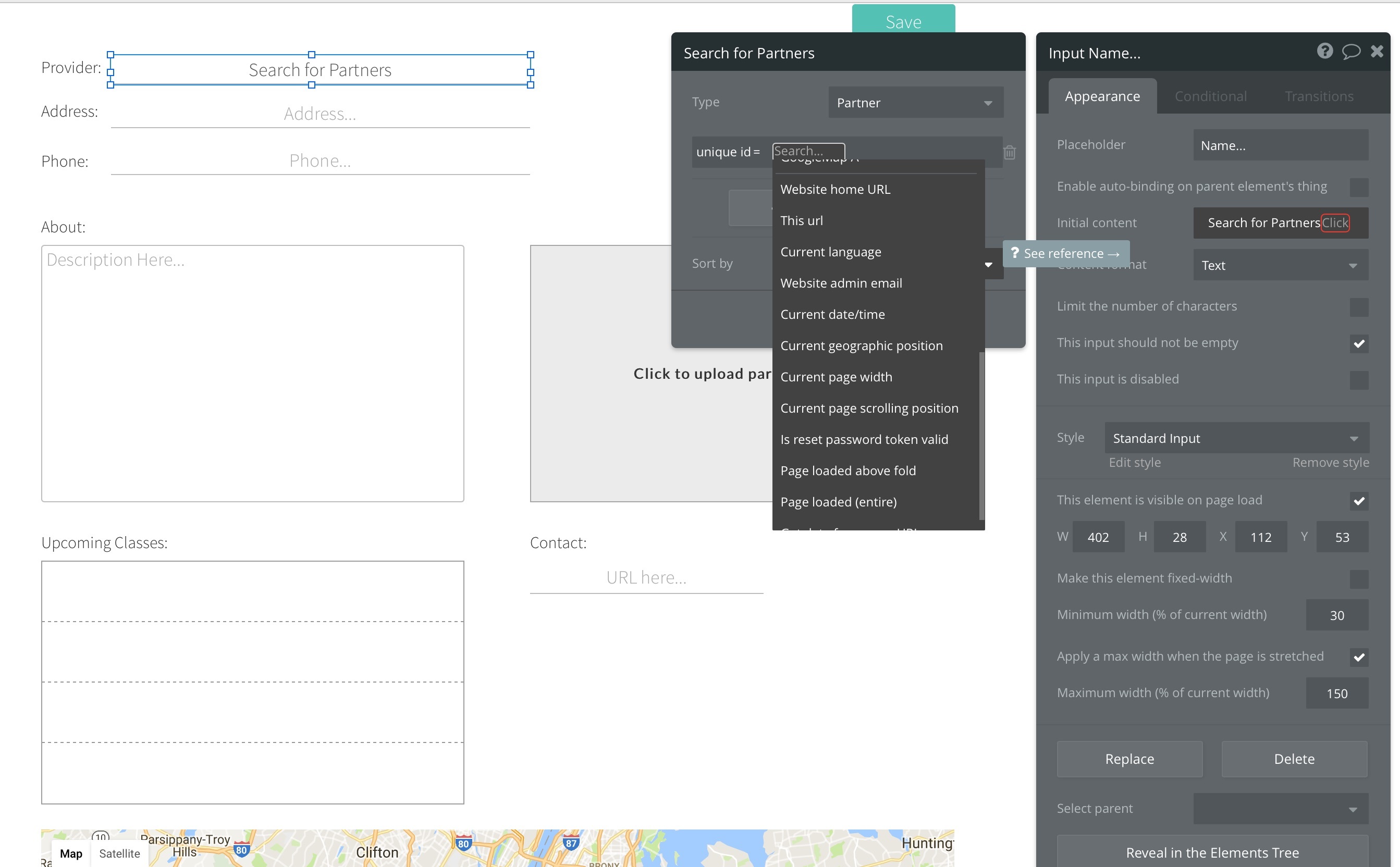
I’m passing the id of a Partner object to this page and trying to extract its properties as initial values in a bunch of fields. I’m a bit stumped though as I don’t see a path to actually getting the id I’m passing along with the URL. See attached image.
Perhaps there is a better method of doing this. Note the URL form is:
I have https://domain.com/soe?user=1#token=23 I can surely get the first user = 1 from the url but I can’t get the token. Am I missing something? I want to save both in the database and use later
Hash parameters aren’t available like that in Bubble I don’t think (tried to use them in a link from an OAUTH2 signup and ended up having to use an external API to Parse them). They are not available to the back end, only the front end.
I have hacked it though…Did the search and replace thanks @romanmg then passed the value obtained in next command to open a new website, then was able to obtain the token value…using the Get Data from URL Method. Thanks to the provider they don’t reply with a redirection or error message @NigelG I am not sure about the sustainability of this though.
Even using a Regex I couldn’t get it to work reliably (it was a big auth token) but had not thought about then using that parameter to open another webpage to get the parameter in again.