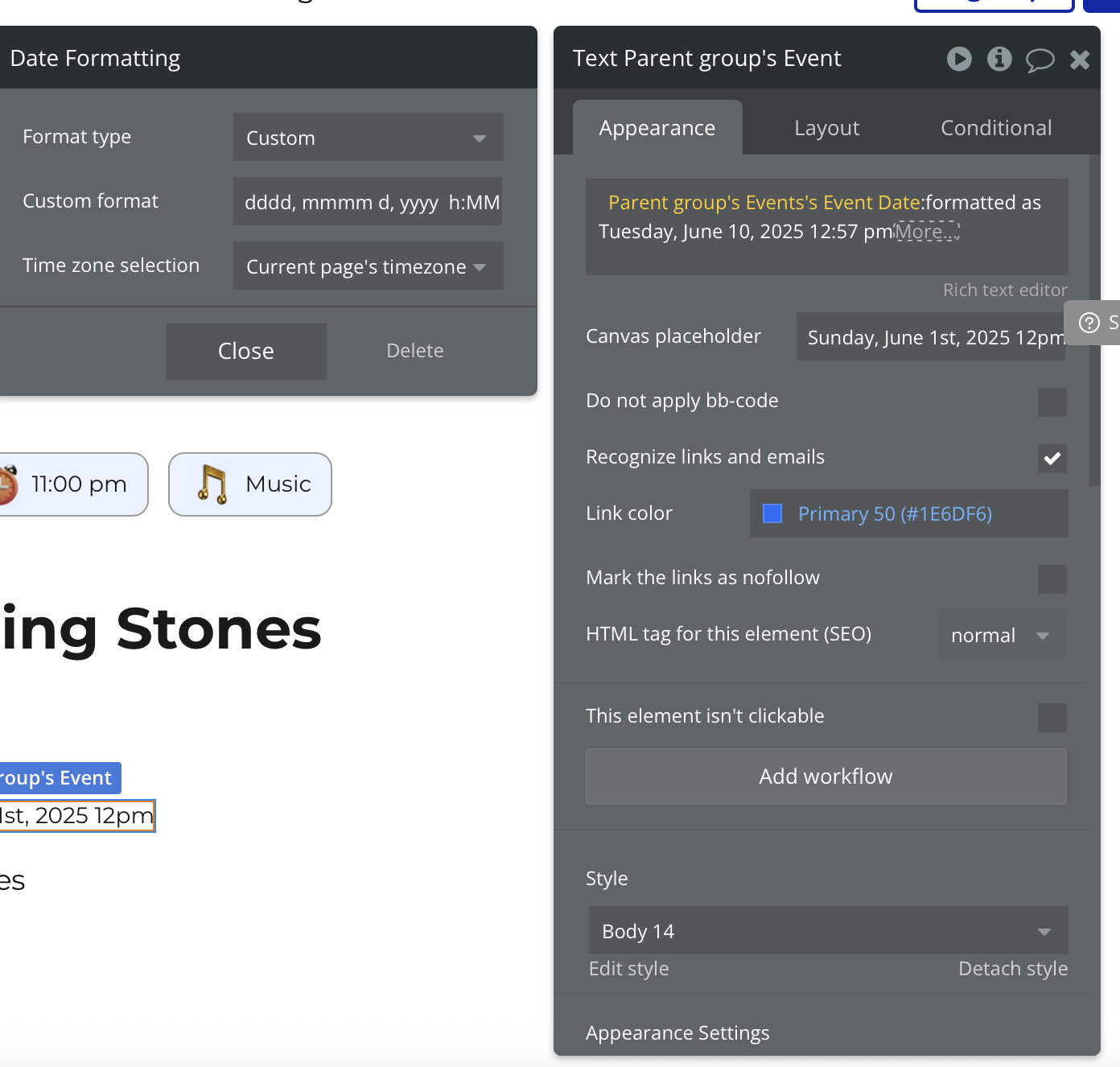
You think it would be easy to set a text element to show a date and time. But no. No it is not. I have a group tied to a table with the type of content set to Date. Then in the group is a text element that I want to show the date AND TIME from the modified field in my table. This should be beyond simple, yet it is not. Ironic considering bubble is a platform to design websites and apps.
Yeah. I’m trying :formatted as. Good to know that’s the right direction, however, how to get that to work to show the date and time (one of the most common use cases) is not intuitive and I cannot figure it out, even with ChatGPT trying to help me.
I’m seeking step by step instructions because it is not working as expected and I have no idea how to get this to work. It only keeps showing just the date.
You can use custom format (last option I think in the dropdown). You will be able to set all you want. But if you don’t use formatted as, by default it will display date and time. But you will need to live with Bubble default formatting.
date formatted as dd MMM yyyy
+
at
+
date formatted as hh:mm a
(I always get the case mixed up so double check it)
and to make my life easier I create a reuseable that I just pass the date into that passes back the formatted date as text
basically I use the reuseable to hold global front end formulas for how I want to process data because I’m lazy and don’t want to repeat the date format logic a hundred times and then have the client say “oh we actually want to use dd MM yy”
If you wanted to get fancy you could even add a dropdone to the reuseable to change how the outputted date was formatted to give you flexibility.
Do not use ChatGPT or other AI models to help with how to build in Bubble. Use the forum, it will be less frustrating as it is more likely that even if another forum member gave you bad advice, another member may step in to correct, or even better, you get good advice from all and they each have their own approach, so you get to learn a lot. In ChatGPT you just have a trained Parrot hallucinating on very strong digital psychedelics giving you usually completely made up answers, with nobody else available to correct it.
In Bubble a Date Object is a combination of the date and time. If you use a date picker with it being date only, that is still going to be a date and time, but the time is just 12:00AM of the timezone set for the date, but if you have date picker to date and time you get to choose the time.
This is because dates are just numbers, which represent in bubble a number of milliseconds since epoch time (Dawn of Time for Computers Jan 1, 1970 12AM GMT/UTC)…so every single time you choose a date, it is just trying to compute how many milliseconds until or after epoch time have passed in order to equal this date.
People will often get confused, as I had too, when they see in Bubble database for a Date field the time associated even if they believe it was supposed to just be a date only.
Due to how dates/times work in computers, Bubble has added the format as operator that allows us to choose from some quick dropdown choices pre-formatted displays or customize our own display.
From the previous replies in this thread, I think you have gotten great advice from 3 users that are not currently on digital hallucinogens.
Hey @bryan.holmes it’s not clear from your posts what you are actually asking for help with. If you could frame the question clearly, we can give you a clear answer.
But I can share some general advice that might help:
How you structure your database makes a big difference. I’ve supported people who get unstuck when they store the date and the time in separate fields, it should generally be stored in the same field. That way you can make the most of Bubble’s dynamic expressions, operators and comparisons.
I find that I can achieve most date/time related functions using “+(seconds/minutes/hours etc)”, “change (seconds/minutes/hours/etc) to…”, round down and extract.
“Formatted As” transforms the field from a date (numeric) value to a (static) text field for display. You could reference the same field in one expression, and only show the date (e.g. d m yy), and then in another expression and only show the time (hh:MM:ss). If you use “CUSTOM” you can put any format in you like. There is even a pre-filled example that shows you all of the options.