Widgets from viral-loops on specific pages aren't working

Hiya all no code/low code bubble creators/developers,

I want to use viral-loops on my bubble website and I want to show a widget to show the share link, a widget to track progress, a widget to show milestones and a social sharing widget on my custom designed dashboard. I have gone through the campaign setup and enabled all those widgets and entered my website and specific pages on it and have added the script to my dashboard page, which is named ai_dashboard_1 and I want to use or show those widgets on it (the script is shown in the attached image below and even thought the script is on a referral sign up page, I am using the same script on both the ai_dashboard_1 and the referral sign up page, named referral), and I have used the initialization code, which is shown in the attached image below for both of those pages in bubble’s workflow to load that code after the page has loaded. The initialization code contains a dynamic value, shown in blue color and it gets the currently logged in user’s email to pass it to the code to initialize it. I have verified that the variable correctly stores a user’s email address and it is not empty by adding using console logs to the code and checking them in the console of those two pages. I have added a HTML element to my dashboard page with the widget code mentioned on this link- https://developers.viral-loops.com/docs/ under “form widget installation” for each of those widgets I mentioned, but I am currently using only the referral url widget, which is shown in the attached image below. Despite setting up everything this way and following that campaign setup on your dashboard and adding that widget HTML code and script on those pages, nothing shows up in the HTML element with the referral url widget in the editor and on the live website. I have tried using incognito mode, deleting cookies, refreshing the dashboard page and checking if the person who is logged in is the same person who has beed added to my participant list and I have tried adding the script only to my bubble’s dashboard of my website to the header and removed the script on those two pages, and after trying that, the HTML element with the referral url widget code was still empty in the editor and in the live website and nothing showed up.

I have also tried wrapping the initialization code in the “.onload” function and other similar ones, which is shown below in case the page was not fully loaded and removed that workflow I mentioned but the HTML element with the referral url widget was empty in the builder and on the live website.

window.onload = function() {
  var userEmail = 'Current User\'s email'; // Insert Bubble dynamic data here
  if (window.ViralLoops) {
    ViralLoops.getCampaign()
      .then(campaign => campaign.identify({ email: userEmail }))
      .catch(error => console.error(error));
  } else {
    console.error("ViralLoops library not loaded");
  }
};

Here is the code that I have also tried but I constantly kept getting the ‘ViralLoops not ready, retrying in 500ms…’ message and viral loops was never ready or initialized and I used this in the bubble’s workflow in the ‘Run custom JS’ plugin after the page is loaded node:

function initializeViralLoops() {
  var userEmail = 'Current User's email'; //dynamic value to get the user's email
console.log("BEFORE INITIALIZATION"+userEmail);
  if (typeof window.ViralLoops !== 'undefined' && window.ViralLoops) {
    window.ViralLoops.getCampaign()
      .then(campaign => campaign.identify({ email: userEmail }))
      .then(() => {
        console.log('ViralLoops initialized successfully for:', userEmail);
      })
      .catch(error => {
        console.error('ViralLoops initialization error:', error);
      });
  } else {
    console.log('ViralLoops not ready, retrying in 500ms...');
    setTimeout(initializeViralLoops, 500);
  }
}
// Start initialization after a short delay to ensure DOM is ready
setTimeout(initializeViralLoops, 1000);

Page header script in page name referral (which is the same on the dashboard page like I said before):


Initialization code in the workflow:


Referral url widget HTML code:
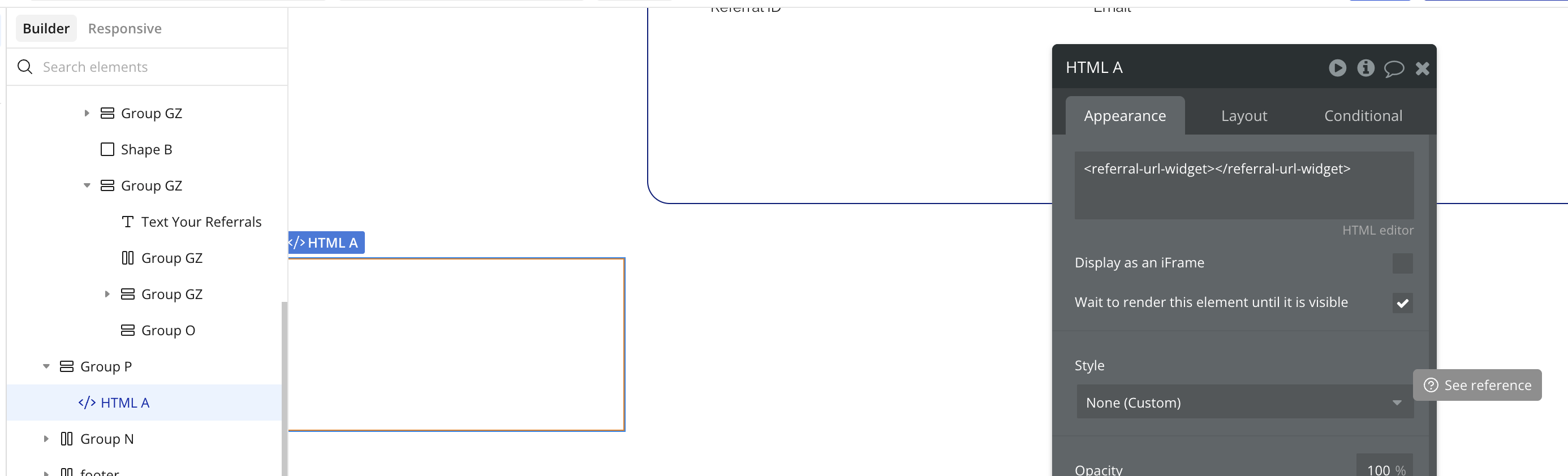
What can I do to make the widgets work correctly on my bubble website?
You should put your JS script into an HTML element, not into a Run Custom JS action. However, you may consider building a plugin instead to have a better integration with Bubble

Thanks for your help and replying. I added JS code into a HTML element the way you’ve mentioned, but I still kept getting the same message of “ViralLoops not ready, retrying in 500ms…“ over and over again.

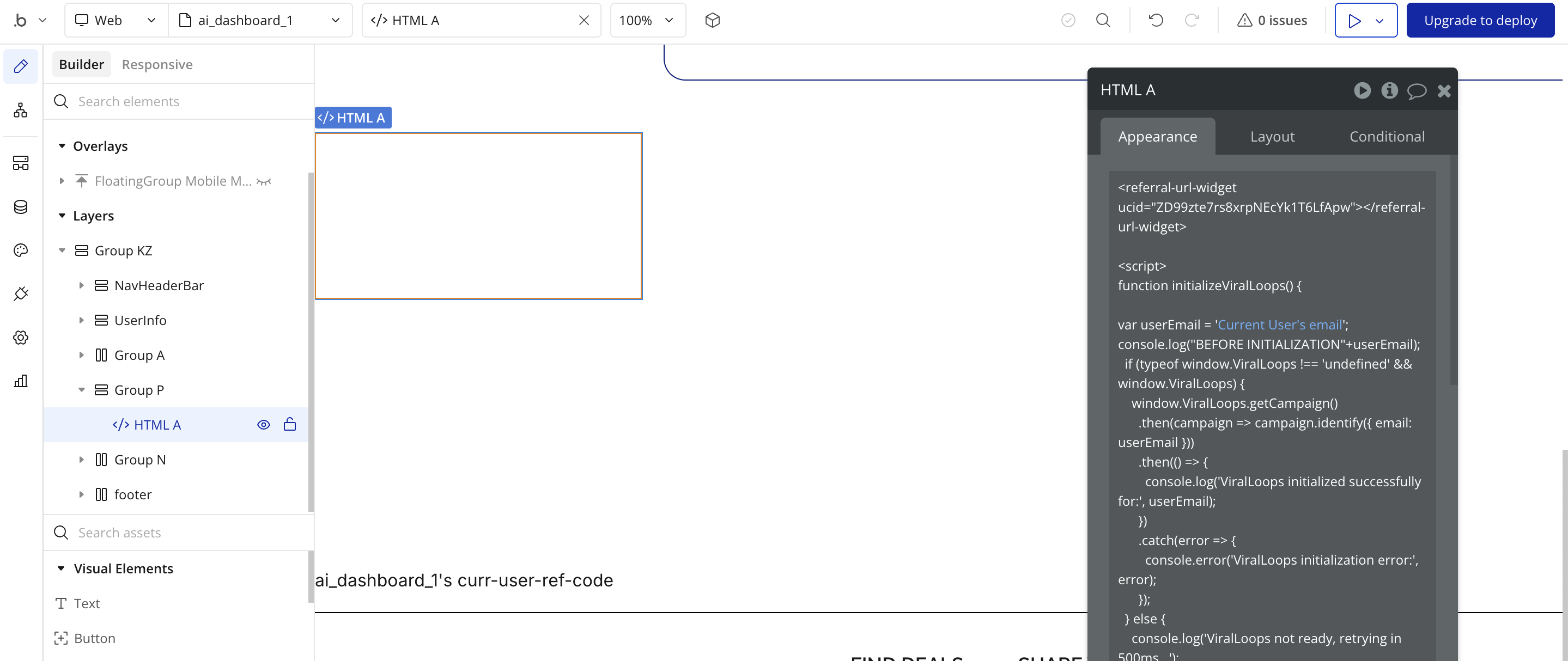
Here is the code in the HTML element for that referral url widget:

<referral-url-widget ucid="ZD99zte7rs8xrpNEcYk1T6LfApw"></referral-url-widget>

<script>
function initializeViralLoops() {

var userEmail = 'Current User's email';
console.log("BEFORE INITIALIZATION"+userEmail);
  if (typeof window.ViralLoops !== 'undefined' && window.ViralLoops) {
    window.ViralLoops.getCampaign()
      .then(campaign => campaign.identify({ email: userEmail }))
      .then(() => {
        console.log('ViralLoops initialized successfully for:', userEmail);
      })
      .catch(error => {
        console.error('ViralLoops initialization error:', error);
      });
  } else {
    console.log('ViralLoops not ready, retrying in 500ms...');
    setTimeout(initializeViralLoops, 500);
  }
}

// Start initialization after a short delay to ensure DOM is ready
setTimeout(initializeViralLoops, 1000);

</script>


I guess you selected embedded in iframe? At this moment in won’t work because the iframe doesn’t load the script. You may need to set everything in HTML element in iframe (so add header and body tags).

I did a few test with just basic instructions (script in header and <referral-url-widget ucid="ZD99zte7rs8xrpNEcYk1T6LfApw"></referral-url-widget> in HTML element (not in iframe) and from browser element inspection, I can see that stuff was added to the HTML element. So I guess this is detected. But nothing show on the page. I don’t have more time to do test, but maybe it will help to find what is the issue

@Jici I didn’t embed the code in an iframe. I used bubble’s HTML element and added the code there and despite there being an option to select “Display as and iFrame“ in that HTML element’s settings, but I left it unchecked. I checked if other elements or anything has been added to that widget in element inspector and even thought the widget itself is showing up, there aren’t any elements within it.


Here is the image of the HTML element and the code I am using in it:


Here is the image of the HTML element with the rest of the code I am using since all code wasn’t visible in the first image:

Please let me know if you need some additional information about this problem with the widgets.

When I say “iframe”, I’m talking about the checkbox available in HTML element.

Did you test just the header and the <referral-url-widget ucid="ZD99zte7rs8xrpNEcYk1T6LfApw"></referral-url-widget> ? Nothing else? I’ve tested with the referal cound widget and was able to see the widget…

But again, for this kind of stuff, if you want to work with the SDK, better to build a plugin

The bubble app needs to be on a paid plan for the Page HTML Header to run :money_bag: :dollar_banknote:

1 Like

@Jici @mishav Thanks for the advice and referring to your last comment @Jici, I have not enabled the iframe checkbox in the HTML element, and I will try this on a test page and I was only using that widget to see if it would show up and work, but I intended to use more widgets and I’ve tested or tried the things I’ve mentioned before, like that code where I kept getting “ViralLoops not ready, retrying in 500ms…“ error over and over again, using this code in “Run CustomJS“ node, using the different script mentioned here- Setting up your site on the page header and on the entire website header in the settings under SE0/metatags , but other than that, I am not exactly sure what you mean by if I only tested the header and that script and nothing else.

I didn’t think that could be the problem @mishav, that’s an interesting point. I might check if that might have been causing this issue when I will subscribe to a paid plan and I will create some test pages to see if the widgets will work then.

Since I didn’t want to waste time dealing with those problems and constantly trying to fix this, even thought I appreciate the help @Jici and @mishav, I have actually switched to using viral-loops’s API a few days ago since after doing some research, I found out that it is possible to use viral-loops’s API to get the same information the widgets would display, so I have created my own layout and connected parts of it, like the numbers and the lists to that API response and using bubble’s API connector and now it works the way I want it to work.

2 Likes