Context:
I want a user of the platform to add a new contact (Stakeholder). This stakeholder will then be displayed as a new contact once they have been added.
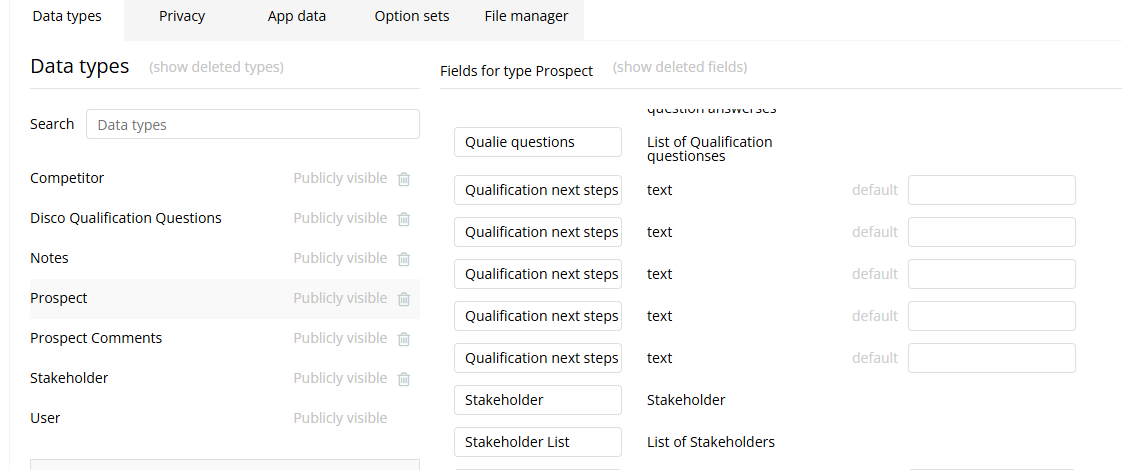
My problem. Using the inputs and workflows below (pictured), the contact info isn’t attached to that specific user under the specific Account. I want to add and display this contact into the CRM once they’ve been added which isn’t working.
You create a new Stakeholder first (with name, Account, title)
You make change to your Current page’s Prospects and select ‘Stakeholder List add “1st step when you created your Stakeholder”’.
That will add for exemple a new Stakeholder in your Stakeholder List. But if you are trying to create a list of Stackholder before to add them, you need to create first Stakeholder, add it to your state with type “Stockholder” as a list and when your list is complete :
You make change to your Current page’s Prospects and select ‘Stakeholder List set list “1st step when you created your Stakeholder”’.
Is that helpfull or I didn’t understand your problem ?
Thank you very much. That worked a treat. I was missing the second part of the ‘Make changes…’.
I’ll mark as solved!
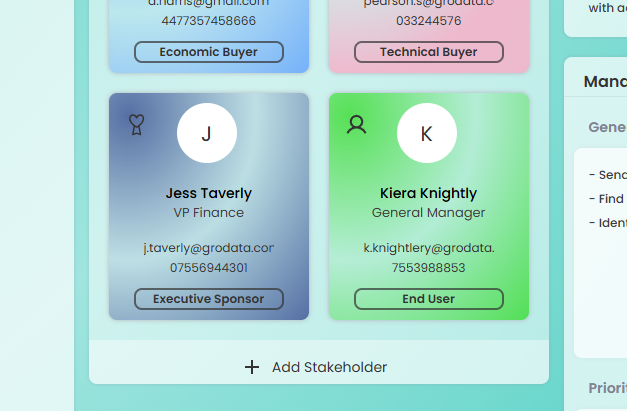
Second question: Once a stakeholder has been added by the user, I want to show that in this section below. Currently I’m using the condition ‘This element is visible if ‘New Stakeholder’ is not empty’. My issue is representing multiple stakeholders. How do I define each ‘card’ (I.e., Current Page’s Prospect Stakeholder A, B, C etc). Do I set the cards data source to be specific to each new stakeholders ‘Unique ID’?