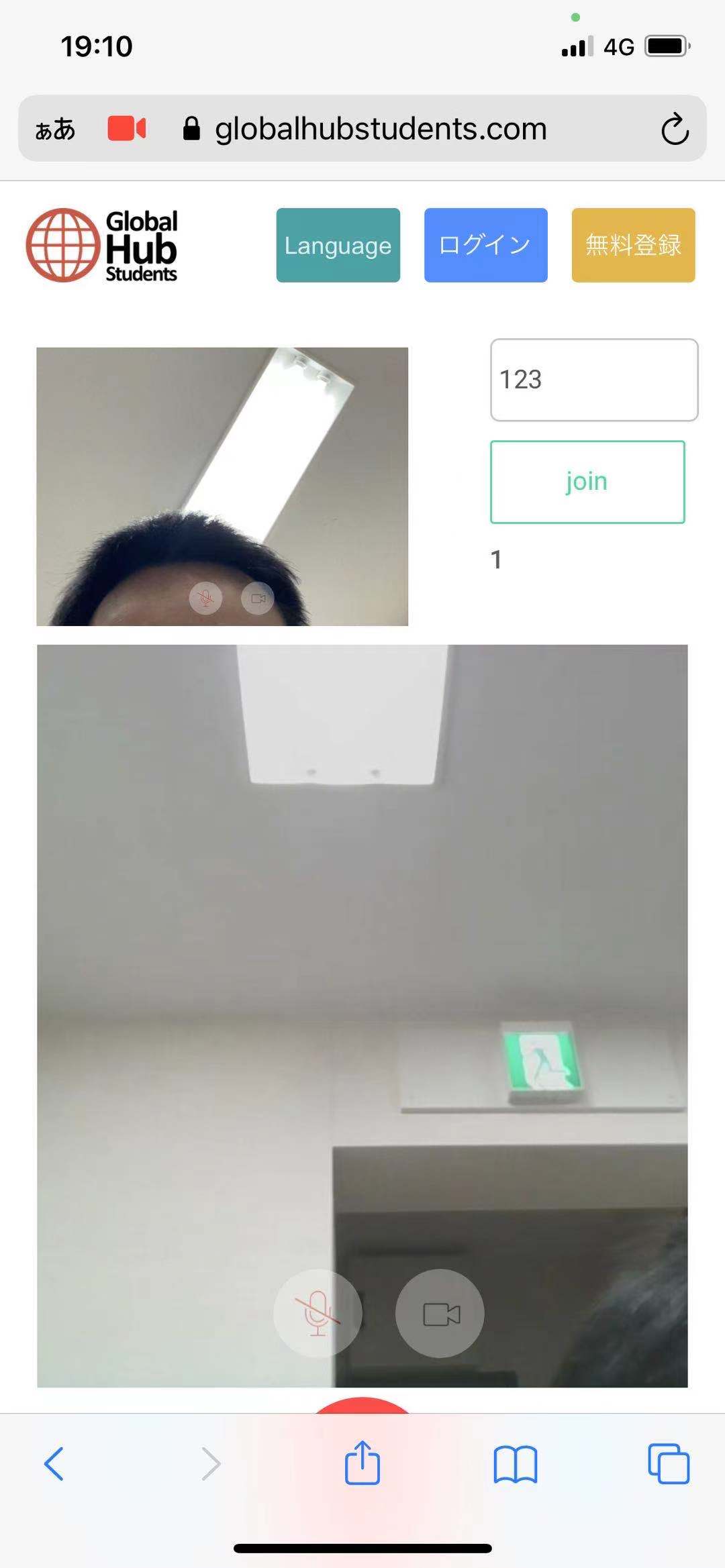
I’m having some compatibility issues with my Agora video chat.
On all Macbooks, whether Safari or Chrome browser everything works great.
On every smartphone tried, Android or iPhone, everything works great.
But, on most Windows 10 machines, all using Chrome with the latest version:
1 - the User cannot see themselves on Agora-local.
2 - they can see the Remote User on Agora-remote.
3 - they can also hear the Remote User on Agora-remote
4 - the Remote User cannot hear them though.
Has anyone else had this issue, or heard of an issue only affecting Windows 10? Any ideas on how to troubleshoot this to find the cause?
The plugin itself is like a tool which connects or gives the possibility to make a call from your app using the Agora. But there can be other factors like Agora library, the internet providers and connection quality, devices and their restriction and others which are beyond our control.
As far as the issue is not reproducing on our side, would be better to contact Agora directly providing the Logs from the dev console and detailed info with regards to the browser/OS. To be able to see the detailed logs you have to use the latest plugin version. Open the dev console (use the keyboard shortcut Ctrl Shift J (on Windows) or Ctrl Option J (on Mac)) and kick off a call.
I think I have the issue determined. I was doing Usability Testing with users over a Zoom video conference call. It seems that the Windows machines don’t like having two systems doing video conferencing at the same time.
I tested 3 Windows 10 PC’s over the weekend all worked flawlessly.
Thanks for you earlier reply (even though i was not polite enough to acknowledge it).
Have the plugin running in my app now, and most of the functions are great. However, when users don’t have a working camera, it would be great if they could just connect with audio. Right now they can hear the other users in the room, but their mics don’t get connected. It seems like a user needs the camera in order for the browser to allow mic access. Am I doing it wrong? Can I resolve this somehow?
Hi there, I can’t find info on the following question anywhere:
Are there any limitations to the number of concurrent 1:1 video chats we can start using this plugin? Either due to the plugin, Agora or even Bubble itself?
For instance, can I have 200 people split off into 100 rooms of 2 via my Bubble app? Do we know what the highest recommended number of simultaneous video chats would be?
Thanks for reaching out!
Could you please describe a bit what do you meant by- when users don’t have a working camera, it would be great if they could just connect with audio? The steps to reproduce your case would be super helpful to understand better what is going on because on our side it is not repoducing. The browser is asking for access to the mic and camera and even if the camera doesn’t work, the mic is working.
You see, the limitation of usage is not quite related to the plugin itself rather than to the Agora capabilities, plans etc. Would be better to contact the Agora directly in order to clarify the subtleties regarding your use case.
Hi thanks for the quick reply. I’ve had quite a few clients that does not have camera on their end (working on stationary computers).
This is what I have done to test this issue on my mac.
I go to Privacy/Integrity settings, choose Camera, and uncheck camera access for Google Chrome. When I then try to run the app, it doesn’t ask for any permissions at all.
The user can hear and see the other room participants, but the mic will not work.
Can you test in the same manner?
Kind regards,
Gustav
We have tested the plugin on different devices and investigated this case. So specifically your case is related to how the Agora GetDevices method works. This method enumerates the available media input and output devices, such as microphones, cameras, headsets, and so on. If this method succeeds, the SDK returns a list of media devices in an array of MediaDeviceInfo objects. Agora, fulfills a request for the media (camera and microphone) that are installed on the devices. The fact is that when a stream connects, Agora sends a media access request to receive audio and video tracks that are not used separately, which means that the stream requests access to both the camera and the microphone. In other words, if access to the camera is denied (as in your case), then access to the microphone will also be denied. We do really understand your case and how important it is for you, but unfortunately, as the authors of the plugin, in this case, cannot influence the requests sent by Agora, sorry. Please check the Agora documentation for the reference: API Reference .
The main thing that may cause this issue is that that plugin doesn’t see where he needs to send the video stream, meaning that he doesn’t find the Stream element on the page.
In this case, please verify if the Group with the Streaming component isn’t hidden by another group whenever you trigger it and give it another try.
If the mentioned above steps will not help you, please share with us the screenshots of your current plugin’s settings and we will investigate your use-case.
@ZeroqodeSupport thank you verymuch for the reply. That part is sorted.
My next question is can we use Dynamic Channel IDs? (My idea to use this is if 2 Hosts stream at the same time, users to find the correct channel).
So I’m using Dynamic channel_id from the database. Since then the Viewer not being able to see the Stream.
I’m having some problems I need your help, I’m on PC with
When I am communicating with my mobile device, a third person appears in the call on the PC side, however I did not let the third person join, I tested with your demo without this error, I have officially purchased your product and tested it, this problem appears and I would like you to tell me what the problem is
I’ve installed and followed the instructions for setting up the streaming component and filled in the required fields (agora id and certificate) , however whenever I place the streaming component on the page and load the page I get this error
x13:6 Element StreamingComponent A - The plugin Agora Streaming & Video Conference / element Streaming Component threw the following error: TypeError: Cannot read property 'split' of null
at eval (PLUGIN_Agora-Streaming---Video-Conference-initialize--Streaming-Component-.js:3:31
and
Element StreamingComponent A - The plugin Agora Streaming & Video Conference / element Streaming Component threw the following error: TypeError: Cannot set property 'client' of undefined
at eval (PLUGIN_Agora-Streaming---Video-Conference-update--Streaming-Component-.js:3:167)
and when I try to generate a token, I get this error Element agora_test - Plugin action Generate Agora Token error: TypeError: Cannot read property 'split' of null
I’ve tested with different projects in agora, just in case I might have misconfigured the keys, but it still happens. So I thought I should check in to see if you guys have might have an idea as to why it’s happening
After analyzing the screenshots of your errors, we assume that the plugin does not see the plugin’s element. First of all, please check if the plugin element is not hidden or not placed in a hidden group/ overlapped by another element.
This information will help us to exclude some possible reasons for mentioned errors.
Looking to hear you soon.
Best regards,
Zeroqode Support Team.