
I know I can search for the fields that “use” a particular field in the database, but wondering if there’s a way to see which actions actually create, edit, or delete data from a particular field (or table)?
You’ve probably tried this as well but the only way I know of is to use “Search by Action Type” --> “Create a New Thing” (for example), then enter the Field Name in the “Contains text” input.
(Then repeat for “Make Changes to a Thing” and “Delete Thing”.) 
1 Like
Hadn’t thought of that either. You’re knocking them out of the park tonight!
1 Like
Aw, nice!  Got a lucky streak going today! Thanks, Scott!
I don’t think it has anything to do with luck!
1 Like
Thanks to you both, but unfortunately, this doesn’t work for me. It doesn’t find any of the ‘Create a new thing’ actions I’m looking for. Is there another way to find these?
Hi @philnauta Can you share some screenshots of your search and the field you are looking for?
Thanks @fayewatson, here you can see I’m searching for creating a new ‘Volunteer Opportunity’. The search finds 2 other things, but not what I’m searching for (you can see what I’m searching for in the ‘Step 1’ action to the left).

It seems the ‘Contains text’ doesn’t find data tables.
@philnauta Hmm, it looks like the search only picks up certain words! I just re-created your setup with “Volunteer Opportunity” and had no results as well:

But when I changed the data type name to something shorter (Volunteer), it works:

Then I thought the field name may need to be one word, so I tried “Volunteeropp”, which didn’t return any results:
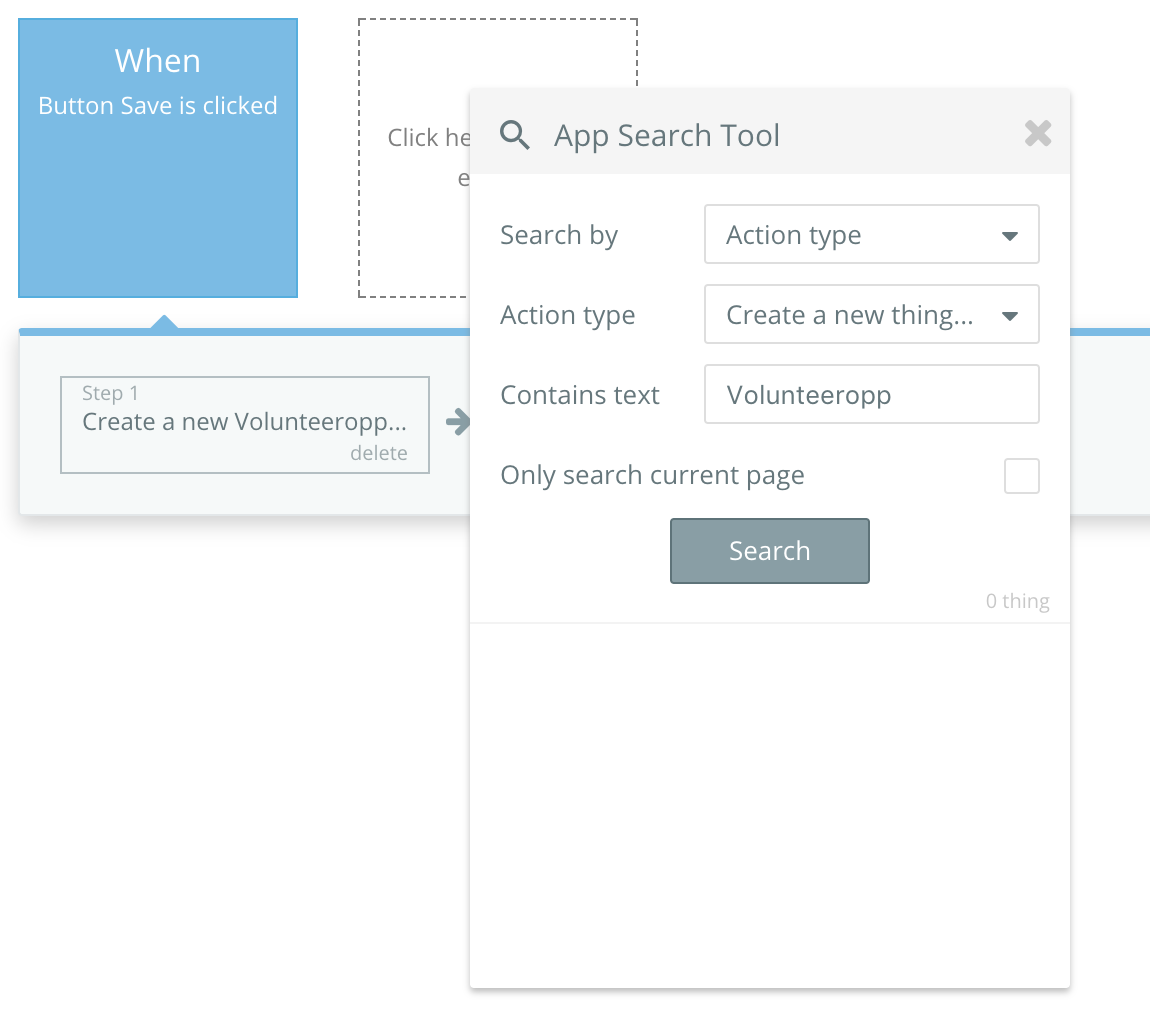
I’m not sure if the app search is meant to work in this way, so it may not be a bug, but it might be worth raising to see if there’s something we’re missing!
Thanks for taking the time @fayewatson. Great testing idea. When I rename the data type to Volunteer, it finds the actions, but I think that’s because the word ‘Volunteer’ is somewhere in the action. When I rename the data type to VolunteerOpp, it doesn’t find anything, and the same when I rename it to something jibberish.
I guess the search functionality isn’t built to find actions on data types, but it should - that’s important when apps get complex!