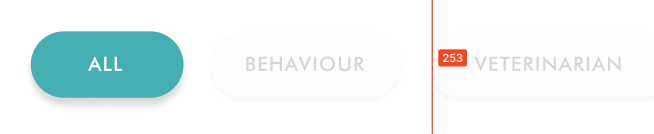
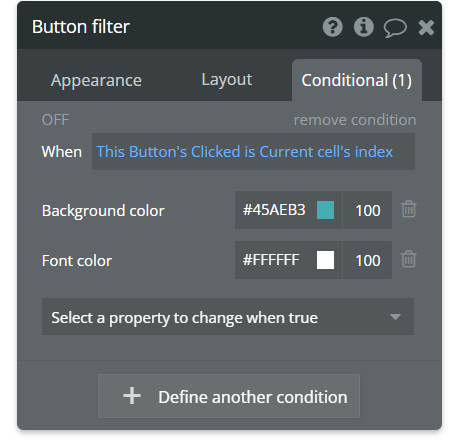
I have a repeating group where each cell has a button, these buttons act as filters. I have assigned a custom state to these buttons and I am changing button background and font colour if the button is pressed.
When a button is pressed, that particular button should be changed. Other buttons should remain unchanged. Again when a second button is clicked the previously clicked button should go back to its initial state.
I am not able to clear the states of buttons which were clicked earlier.
By default ALL is selected and when BEHAVIOUR is selected that should be highlighted, and other buttons should be greyed out.
Is it possible to do this for buttons in repeating groups.
Hi there, @tech16… if I understand your post correctly, it seems like you could achieve the desired result by setting a custom state’s value to the current cell’s index when a button is clicked. Then, put a condition on the buttons that says when the custom state’s value is the current cell’s index, the button should be highlighted.
You have a custom state for each button? If so, don’t do that. Use one custom state (you could put it on the repeating group), and tie everything to that state.