Hello,
I’m trying to display a data in a page, using groups and logins.
So once the user logs in, it will take them to a page which will display their event accreditation card.
But now, it only works when "Run as" is used.
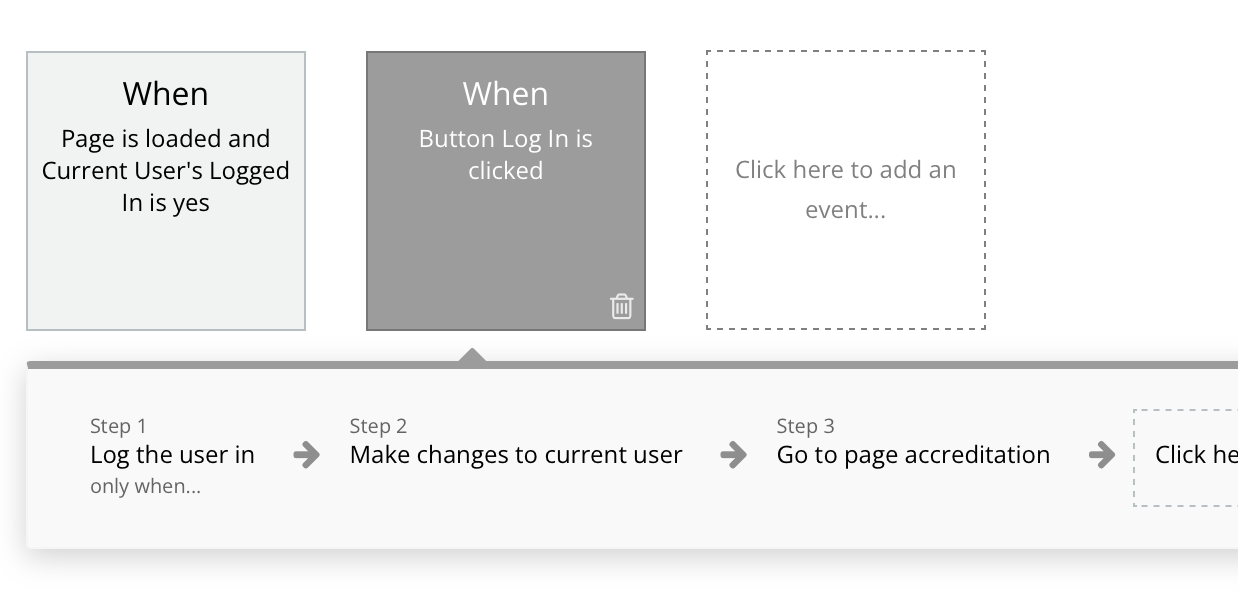
Here is some photos from the data, but I don’t think that it’s from these since it works perfectly fine when using Run as. so not sure what causes this issue.
You can try it yourself with the demo account.
Email : demo1@demo.com
Password : DEMO1234
What do you mean by “it is only work” ?
so when a user logs in, it will take them to another page and it’s supposed to display a image that has been uploaded by us (admins) and it should display it according to their card status.
But it only works when I use “Run as” in the editor and not when a user logs in.
when I use run as, it works perfectly fine with no issues. everything displays properly.
You could test it with the demo version and see what I’m talking about.
You should use the debugger with step by step and also some icon t check if user is well loggin. Check also privacy rles. Demo doesnt help to invesigate
ill give you access. ill send you privately to you to check it out.
A verson test doesnt help, to better help you, you need to learn  not someone else debugging for you… so try to use step by step in the debugger, check the privacy rules or share it there, so anyone can check the solution
I have removed the privacy rules and the debugger looks fine…it works in run as…
Did you check if the user is logged in ? What does you user tabler looks like ?
Must read The debugger | Bubble Docs
shows the user logged in, but the fields are shown as "(empty)"
Can you share a screeshot to show how you confirm the user is loggued in ? Seems to me it is not
I mean screenshot of step by step in the DEBUGER showing the user is logged in. Did you read the mànual ? Did you add on the accreditation page an icon maybe green only if user is logged in ?
Are you sure your password is good? I repeat but I think the user is not loggued in.
Icon turns green when user is logged in. and right now it shows green in the top left but no data.
But in the debugger, "signed up" shows as "no"…which is weird since when a user is created, signed up is set to be changed to "yes".
so maybe this could be making it not to display?
but here’s the thing…if the user was not logged in. the accreditation page would not even have loaded.
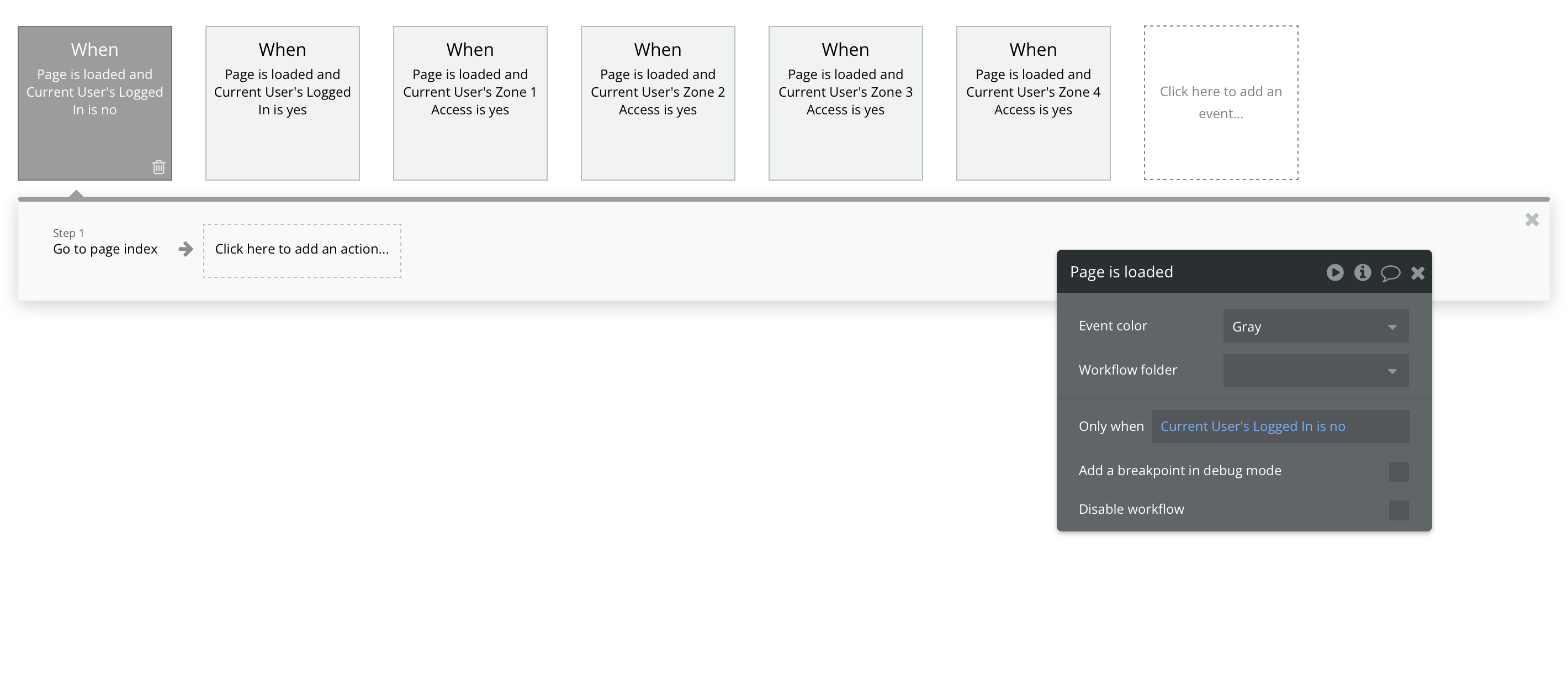
Since I’ve added "when page is loaded and current user's logged is no" - "go to page index"
Check the user id i the debugguer? Is it the id of your demo user ?
More secure on your page instead on page load , use event “when user is logged out” to redirect on index
the unique id is not the same as any user…
when I use “when user is logged out”, it doesn’t open the app and show " failed to load page" and writes “too many redirects”.
Can you show the entire worflow tab for both index and accreditation page?
Is there a log the use out action in the acreditatuon page
Too manyredirect is caused by a loop you made
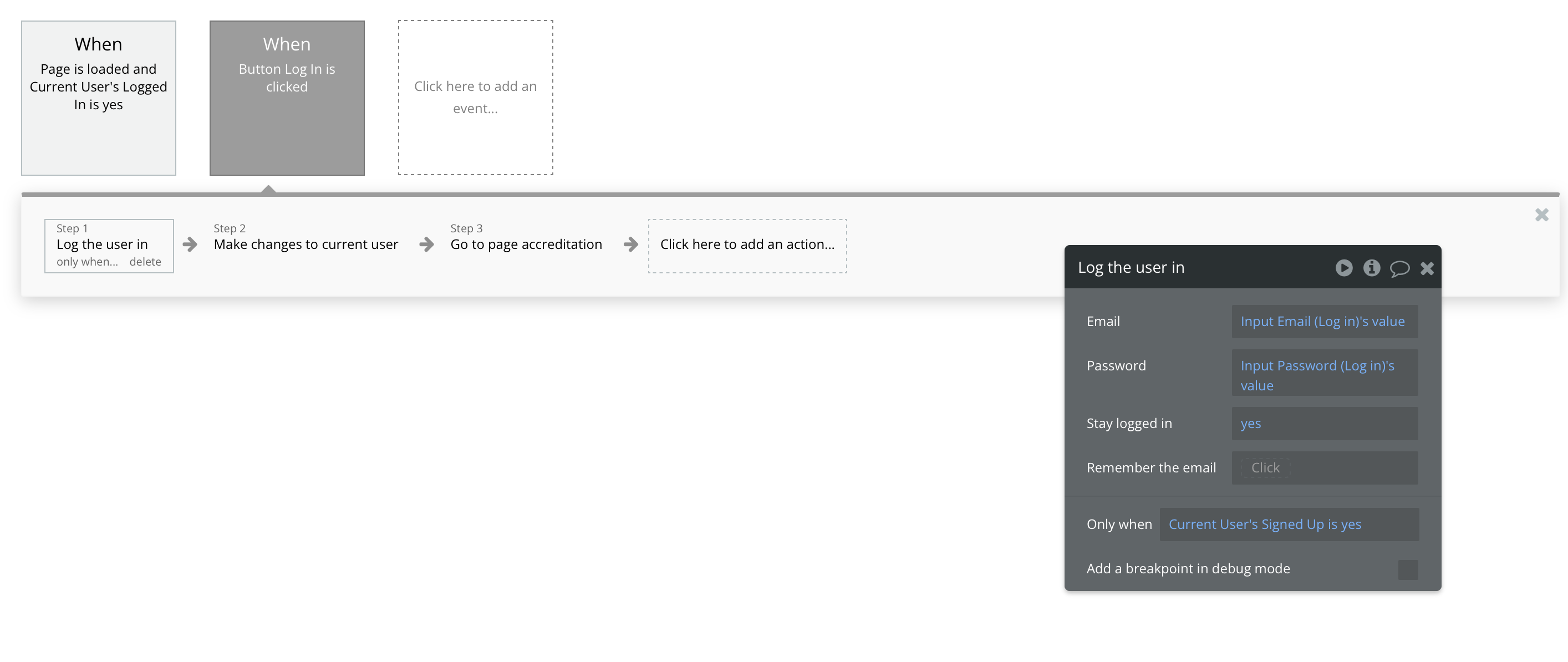
Index Workflows
Accreditation Workflows
The access zone workflow is just a “show” workflow to show a icon, so nothing too crazy.
found the issue…I think.
it was from the “log user in” workflow.
the “current user is signed up” was causing it.
Bravo if you found, and you found by yourself, you are a better bubbler now !
1 Like