Hello Everyone 
I am quite new to Bubble (I even searched this in the forum but i don’t find any information on this)
I have a table like this (Products) 
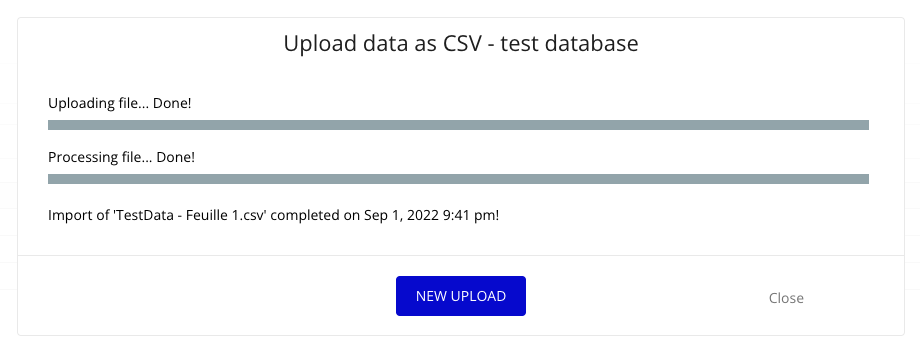
I am trying to upload data from “CSV” all my data is getting imported except my images.
This is my result
Here is my CSV file
What am i missing? Please help me
Thanks for your response 
What does your CSV file look like in an actual text editor?
You will possibly need to add an extra step somewhere to convert to/from base64.
Hi @melbournemarsden 
Yes when i open CSV with my normal text editor those images are empty 
Hi @ZedtronicsAdmin
First of all, you can’t directly upload the image in google CSV file
It will be considered empty…
You need to upload those images in some online space like Google drive, Dropbox etc…
I tried to replicate your example…
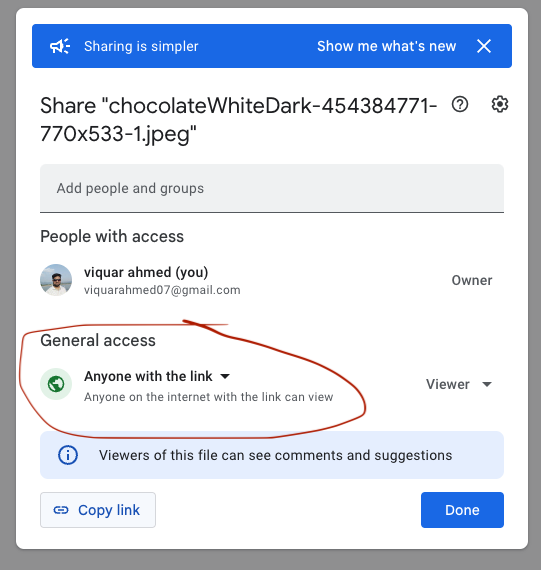
- Upload images in google drive & get the public link (Right click on the image)…
-
Then Copy the link & paste it some where like this
-
Then extract the unique ID of the image & replace with this URL as you see in image
Ex :- https://drive.google.com/uc?id=1nDartECbRWx9cCAiECftiVKz8fuFKDSP
-
Then update this URL in the CSV file
-
** Finally upload the CSV et Voila  **
**
Hope this fix your issue…
Also there can be other ways too but i know only this method…
& @mikeloc @adamhholmes @Jici they are really next level experts i learned a lot from them 
@viquarahmed07 Big Thank you