Hi,
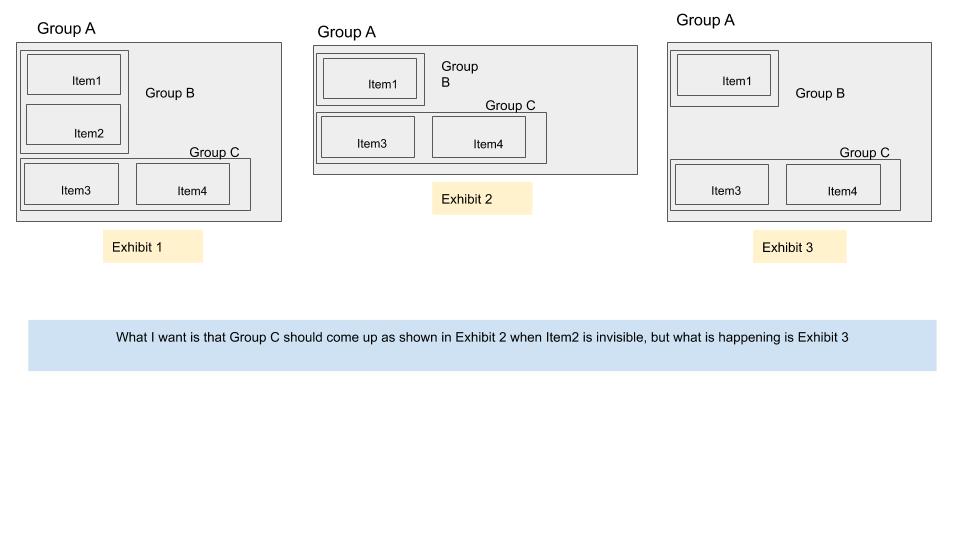
I am trying to get a group move up (reduce its Y) when height of element above it is reduced.
This image depicts what I want and what’s happening.
From this thread I understand that this probably would be solved if Group B and Group C are not part of Group A. But the way Bubble works with respect to responsive and other alignments, grouping is very very essential to make things work.
Is there a better way to achieve what I want to?
Thanks,
Mukesh
Your group B should have the Item2 in its own group…make that group collapse height when element is not visible. Then set the conditionals to make the group not visible the same as you already have for item2. Make sure your groupB also has collapse height when not visible checked.
Thanks. I had mentioned Item1, Item2 etc. for simplicity. Actually I already have them as groups which have various elements in them.
But it doesn’t seem to work. Have you seen it working in your similar cases?
Also, I am having similar issues with width right now. I have mentioned it in this thread. Would be great to have your views on that too.
(I have already tried putting elements in groups in various combinations along with different settings, alignments etc. Not sure which combination am I missing).
Glad to share that solution you suggested has worked. I think there was some other thing wrong with my structure which got fixed while I was tinkering.
Thanks again!
Hello,
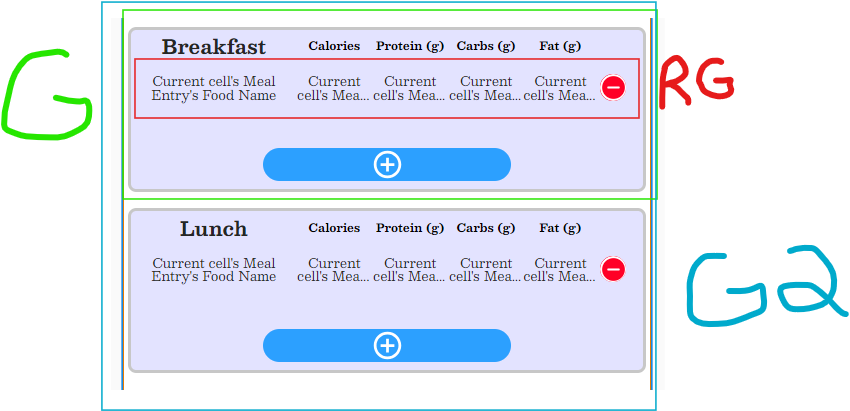
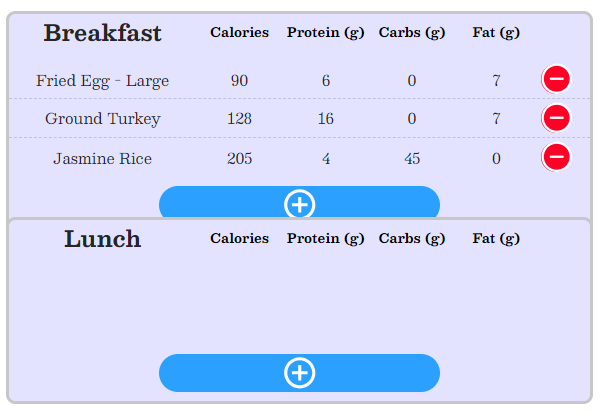
In the picture below I have two groups (identical, identified by G) with repeating groups (identified by RG) inside them. I want to maintain a gap between the two groups. When I add items to the Breakfast group, it extends the group but it does not move the Lunch group down. I have tried putting them both in a group (G2) and linking Breakfast to the top of G2 and linking Lunch to the bottom of G2. This doesn’t work and I still get the result as show in the second image. How can I set it up so that there remains a gap between the two groups when items are added to the Breakfast group? I don’t want to set them fixed height.
make your groups have fit height to content checked, and put a bottom margin on the group to give space between them inside of the rg
Thank you for the response. That is what I currently have but it isn’t working. Both Breakfast and Lunch are their own groups inside another group. Both Breakfast and Lunch have a RG inside their respective groups. Should the Breakfast and Lunch groups be inside a RG instead of an ordinary group?
As I have it, the Breakfast group extends as the RG grows, but the Lunch group does not shift down, so the Breakfast group extends behind/in front of the Lunch group.
Create a group called breakfast container and put inside of it the RG that is to display Breakfast. Make sure the group breakfast container is set to fit height to content. Put a bottom margin on it.
Create another group called lunch container and put inside of it the RG that is to display lunch. Make sure the group lunch container is set to fit height to content.
Hi, this is what I have. Both groups have a bottom margin and aligned to parent (the main page). The breakfast container group will adjust to the height of the RG correctly. The problem is that when the breakfast container group stretches, the lunch container does not move down on the page. So the breakfast container ends up overlapping the lunch container. Is there a way to create a margin between two groups?
Make layout of page column not align to parent