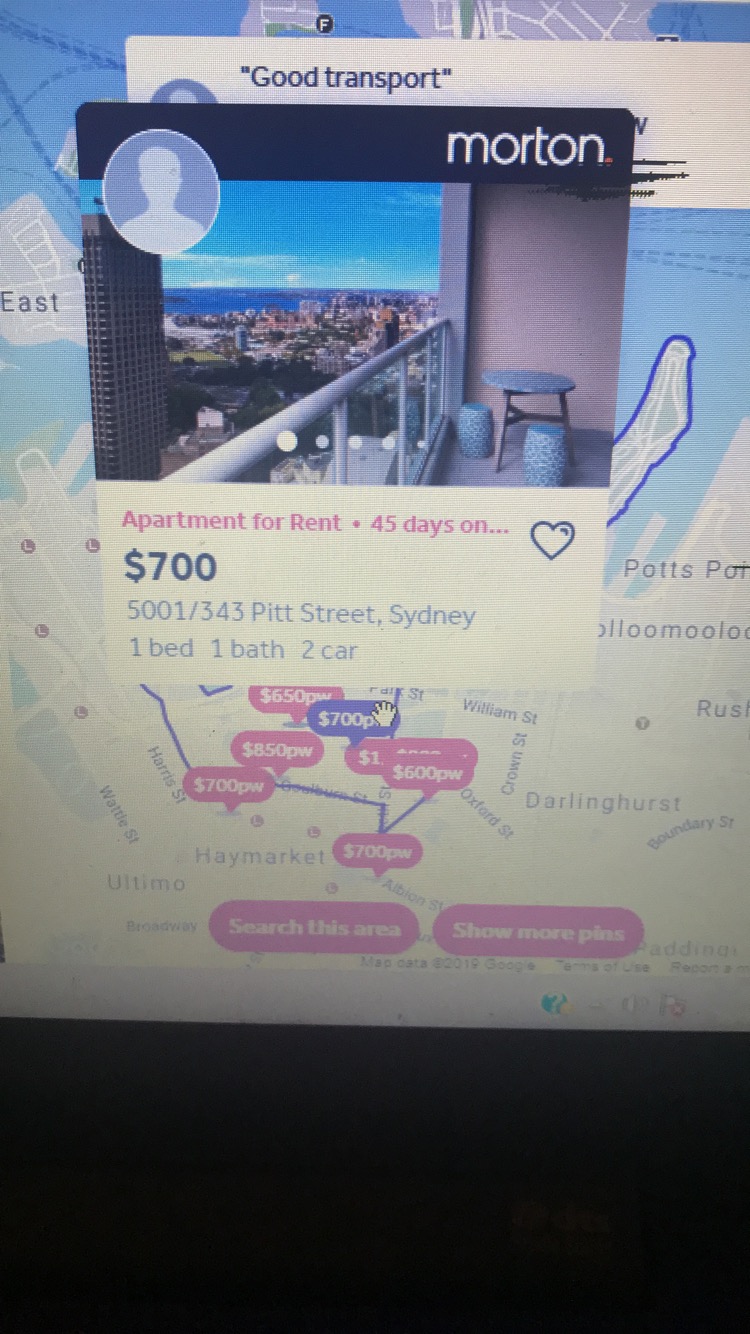
Has anyone managed to get their map to display a caption that has an image attached to it (see below image). I’ve seen multiple old posts concluding it isn’t possible, however, I’m hoping someone has now managed to implement this, either natively or not and that it’s not yet another head-scratching limitation of Bubble.
I know I could use a popup, however, they don’t work well with my current design and causes really annoying UX issues. Additionally, I’m trying to give my application a more contemporary look.
I’m a bit confused. The behavior I see in the link you provided is different from what’s shown in the image of your original post. Initially, I thought this might be what you’re after.
EDIT: Ah, I see now that I’m on mobile. (The behavior is different on desktop.) Also, isn’t there a plugin with enhanced GMap capabilities?
Hi @canadianapps,
Thank you for your response, I may have confused you. I have mentioned in the original post, I can’t use an actual popup, I need to be able to send an image to the map caption (there’s a difference see below link). The last post on this topic was in 2017, and nearly three years on it still doesn’t seem possible.
If you’re still in need, message me, and we can discuss packaging it into a “minimally invasive” plugin, by which I mean the plugin would simply “augment” a Google Map object, and native Bubble techniques would be used to add content (including images) to the marker caption.
did you try the google maps extended plugin. There is a workflow action that allows you to add a marker or list of markers with infowindows that can hold images, text and so on…
Couldn’t really get it to work how I would like and also I want this to be more of a native function rather than adding more workflows to an already complex page of mine, @sudsy has offered an alternative. I’ll get back to this thread with updates
@jamesbond@sudsy@canadianapps Any luck? I am looking for the same exact functionality! I want the end user to take pictures and have the exact address automatically populate on the pic…kinda like instagram, but at the top of the photo, only automatic with the exact address. The user snapping the photo needs to essentially prove the location the photo was taken in a way that can’t be manipulated.
Not sure that’s possible. I think photo metadata can easily be manipulated by someone with a bit of savvy.
Marker Mate doesn’t do anything related to photos, metadata, or uploading specifically. It simply allows HTML in the marker caption window. That HTML can reference images in the database though. You’ll have to decide if it’s suitable for your application.
I figured out a way to do this… its easy to build the html in the marker box… tricky part is getting it to display as html and not text… I used a jquery plugin to detect when marker is inserted in the page (when you click a marker… inserts div with class infowindow-content) Here is the jquery plugin… GitHub - pie6k/jquery.initialize: jQuery plugin for dynamically created elements initialization… then insert jquery code to initialize the object and this function …
$.initialize(“.infowindow-content”, function() {
var wintext=$(document.getElementsByClassName(“infowindow-content”))
document.getElementsByClassName(“infowindow-content”)[0].innerHTML= $.parseHTML(wintext[0].innerHTML)[0].textContent
});
This will convert the text display that bubble maps inserts and converts it to display html! now you can build ANYTHING in your pop up from your bubble thing
I was searching this same thing and came up with a solution.
I am using the “marker mate” plugin.
From the map edit function, under the “marker caption” is where the magic happens. I just inserted html in between the image and end.
See my attached pictures. Now when selecting a pin, the popup opens. When clicking the picture, it will redirect to the specified page with more details.