
In the builder it looks like I want it to, but on the preview it looks much bigger. How can I make it look like it does in the builder? I’ve tried adjusting my height and width settings a lot, on all the layers, but it doesn’t seem to make a difference.

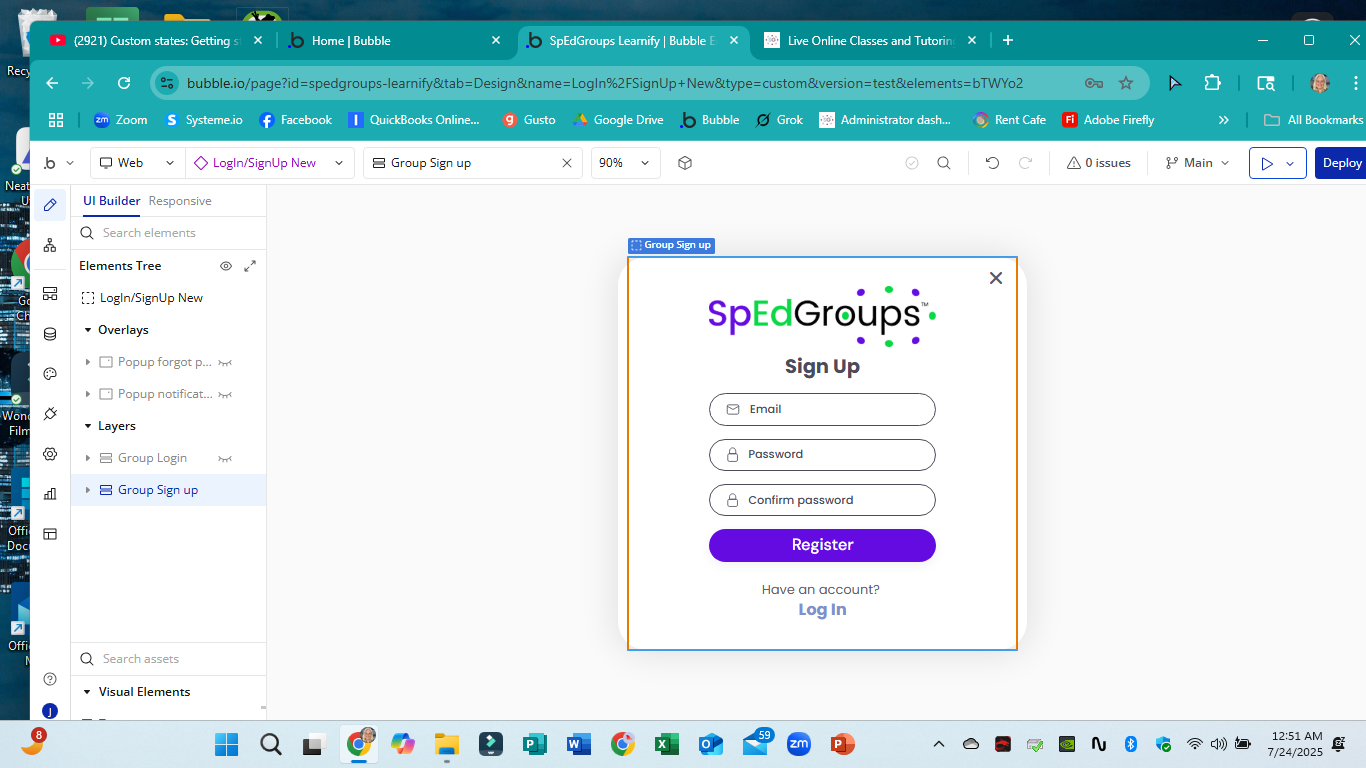

In the Popup property editor, did you try to add padding on left, right and bottom ? Top padding is not required I guess since gap spacing looks good from the top
Also if you have put all the form fields, Register button and Log In link inside a group, define a max width so that the group does not spread out too much
add max width to the popup itself … looks like you are using a reusable element for the popup and so wherever you place it inside another reusable or on a page you need to add the max width settings there because currently you are only doing it on a group contained inside of the popup and not on the popup itself
That’s what sh… I’ll stop myself there.
I don’t know what you were wanting to say, but please feel free to tell me anything. I am brand new at this, so any guidance is helpful.
Popups can get very confusing very quickly. You have the max width on the reusable popup (when you click edit reusable), you have the max width on the actual popup (in your signup page), then you have to deal with the max widths on the inner groups as well. I suspect you haven’t set the max width correctly on the actual placed popup in your page.
I tried adding left padding to test out this idea. It just shifted everything to the right but did not make the overall size any smaller. I have gone through the max width of everything I can find and set it to 480, which should be pretty small, right? I’m not sure if it really needs to be that small, but I’m just trying to figure out how to control it, so I figured 480 would be a noticeable change if what I’m trying works. One reply told me to adjust the width of the popup in the page where it appears. I don’t know how to do that, but I’ll work on that. If anyone can tell me how, that would be awesome!
I found it on my index page and you were right that I had not set the max width correctly on it there, but after I changed it, it still looks the same.
Yes!! It was a reusable inside my reusable header. I opened the property panel there and changed the width and it worked! Thank you!!!
When working with a reusable element that is set as popup, true.
This is another reason why it is a good practice if building a reusable element to make it a group most of the time, and hardly ever a popup or a floating group. Make the reusable a group, then put that reusable into a popup on the page.
Spot on @randomanon