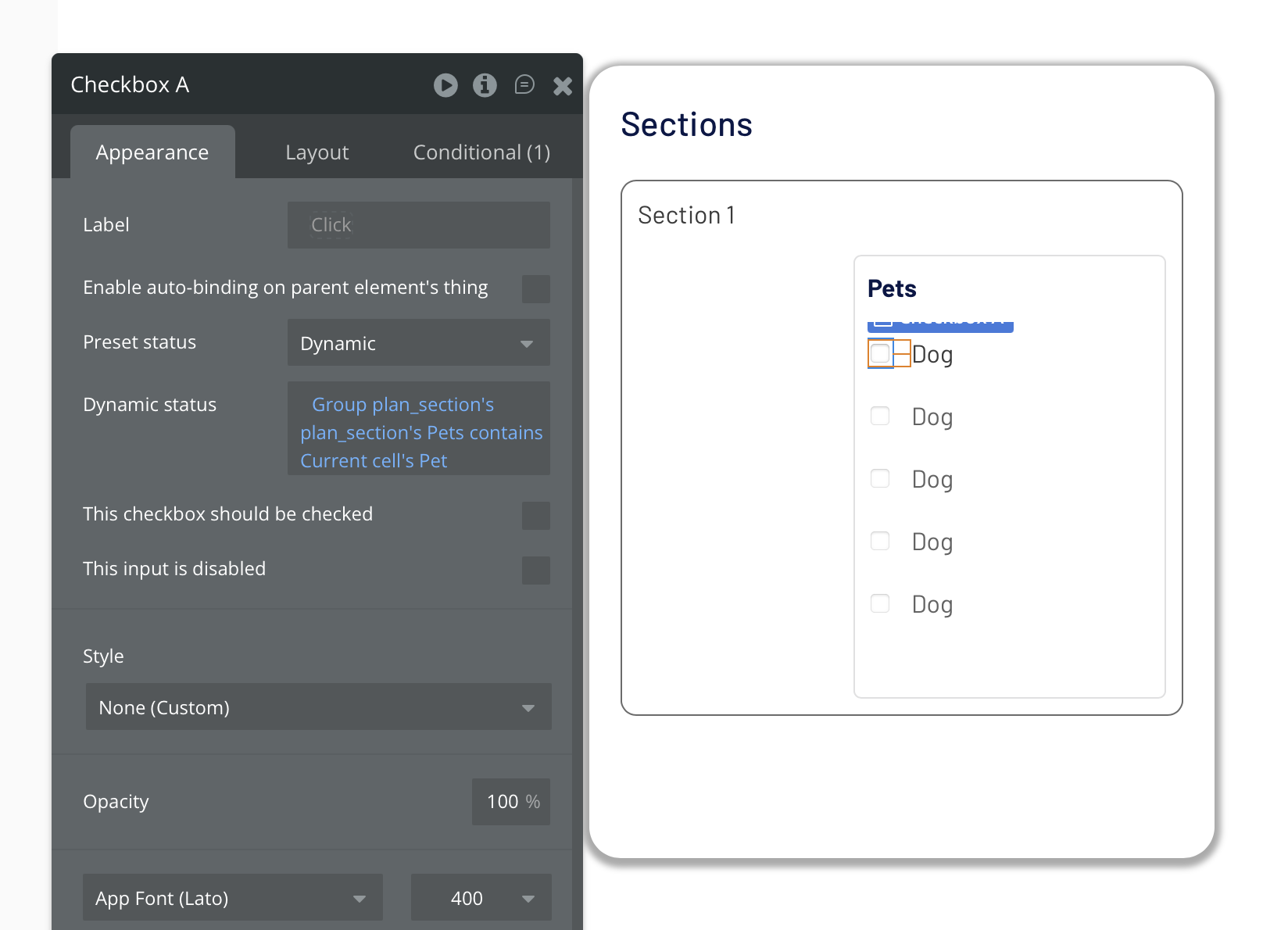
Parent RG with Content Type “Section” (Data Source is a search that returns limited sections)
Child RG with Content Type “Pet” (Data Source is Current Cell’s Section’s Pets).
The elements I place within the child RG cannot reference the parent RG.
Is it possible for an element inside a nested child RG to reference data from the parent RG? In my child/nested RG, my elements data sources are only “Current Cell’s Pet’s thing.” I can’t get above it to be able to select a Section’s thing.
Thank you @adamhholmes. I tried setting it up this way too, but I still can’t seem to be able to access anything from the parent group. Do you see anything here that I’m getting wrong? In that final checkbox, I want to be able to base the dynamic status on whether that Pet is in the parent Section.
That said, it’s not clear exactly what you’re trying to do?
if your nested RG’s datasource is the parent group’s plans pets (as you stated in your original post), then of course those pets will be in the parent group’s plan’s pets (by definition).
If you’ve got a list of Pets on the User as well as the section (as indicated in your more recent screenshot) then, presumably, you shouldn’t be using the Users list of pets as the nested RG datasource? (unless that is your is intention - in which case I don’t know what you’re trying to do).
But if, as I would assume, you have a list of pets on the user, and a list of pets on the section, then the dynamic expression needs to be either:
User’s connected pets contains current cell’s pet
or
Current cell’s pet is in User’s connected pets
e.g. (i’ve used the current user as an example, but it can be whatever user it needs to be)
Thanks again @adamhholmes. I do have a [complete] list of pets on the User and a [partial] list of pets on the Section. I want to the user to be able to easily toggle which of their pets are attached to the Section.
Example: User has a total of 4 pets (1, 2, 3, 4) and Section A will show all 4 pets, but only has the checkbox checked for pets 1 and 2.
So I want my RG to load all of the User’s pets, but the checkboxes to be able to see the Parent RG (for Sections) and have the checkbox checked if the Section includes that pet.
I hope this is making sense. I’m new to Bubble, so still trying to pick up on the terms and how to express what I’m doing. I really appreciate your help with this!
That’s where I’m running into the problem. My nested RG is the owner’s complete list of Pets, but when I’m creating the dynamic expression on the checkbox, how do I reference the associated session’s data? My checkbox dynamic expression is only allowing me to see the Current Cell’s thing which is a pet. I can’t select anything from the Parent RG (Session) on the checkbox element that is in the Child RG (All Pets on User).
I don’t have the “is in” available after I select Current cell’s Pet, only “is” or “is not” are the only operators available. Under “other operators” there are options regarding empty status and the slug, but I have nothing for “is in.”
Your first RG is list of pets, the second RG is list of pets, both will have current cells pet which is easily confusing.
Try putting inside the first RG a group called Pet Selected, make it type Pet and set data to current cells Pet.
Then put inside Selected Pet group a RG. Then anything you reference inside cells of that RG can reference group Selected Pet and know that the current cells pet is for that second RG and not first.
I believe this had been suggested earlier, but sometimes naming conventions can get confusing.