
VERSION 2.0 is here! 
It brings:
-
bug
 fixes
fixes -
easier setup - drag and drop - no more JStoBubble

-
send SMS

-
send email

-
register and receive push notifications
 on Android devices - no more wrapping needed. iOS will follow.
Installation and setup:
-
Search for the plugin: OneSignal Push Notifications PRO (made by Two Bits)
-
Install it (by renting or buying it).
-
Search for the element and drag and drop it onto your page. You can see the DEMO here.
-
You will need two keys and set non-https while setting up OneSignal in OneSignal.com Dashboard
-
In order to get the Player ID for Push Notification/Email/SMS, you will have to create a workflow for each as follows:
-
For the plugin to detect it, it needs to generate one, and that happens only after the user is logged in:
In this example, we trigger the action when the user clicks a button, but you can set it to run automatically on page load, or in any other circumstance you may see fit, but only when the user is signed in!
The same goes for email/sms prompt! User must be logged in first! -
You will need to paste in your APP ID Key in every workflow that will send a push/email/sms message.


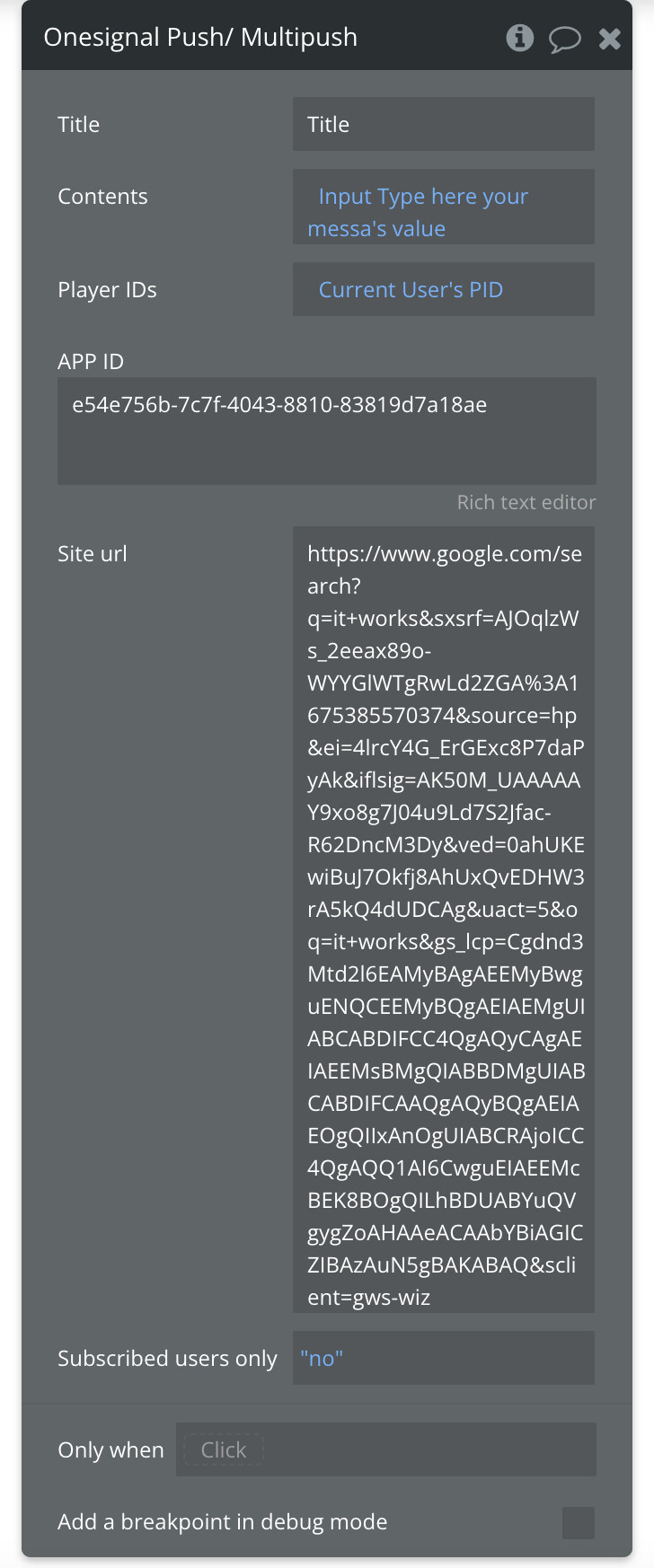
Please note the option “Subscribed users only” that translates to: send to current user list of PIDs or EVERY user that is registered in the OneSignal Dashboard. So a mass-campaign.
SMS PROOF:

PUSH NOTIFICATION PROOF:

Email PROOF:
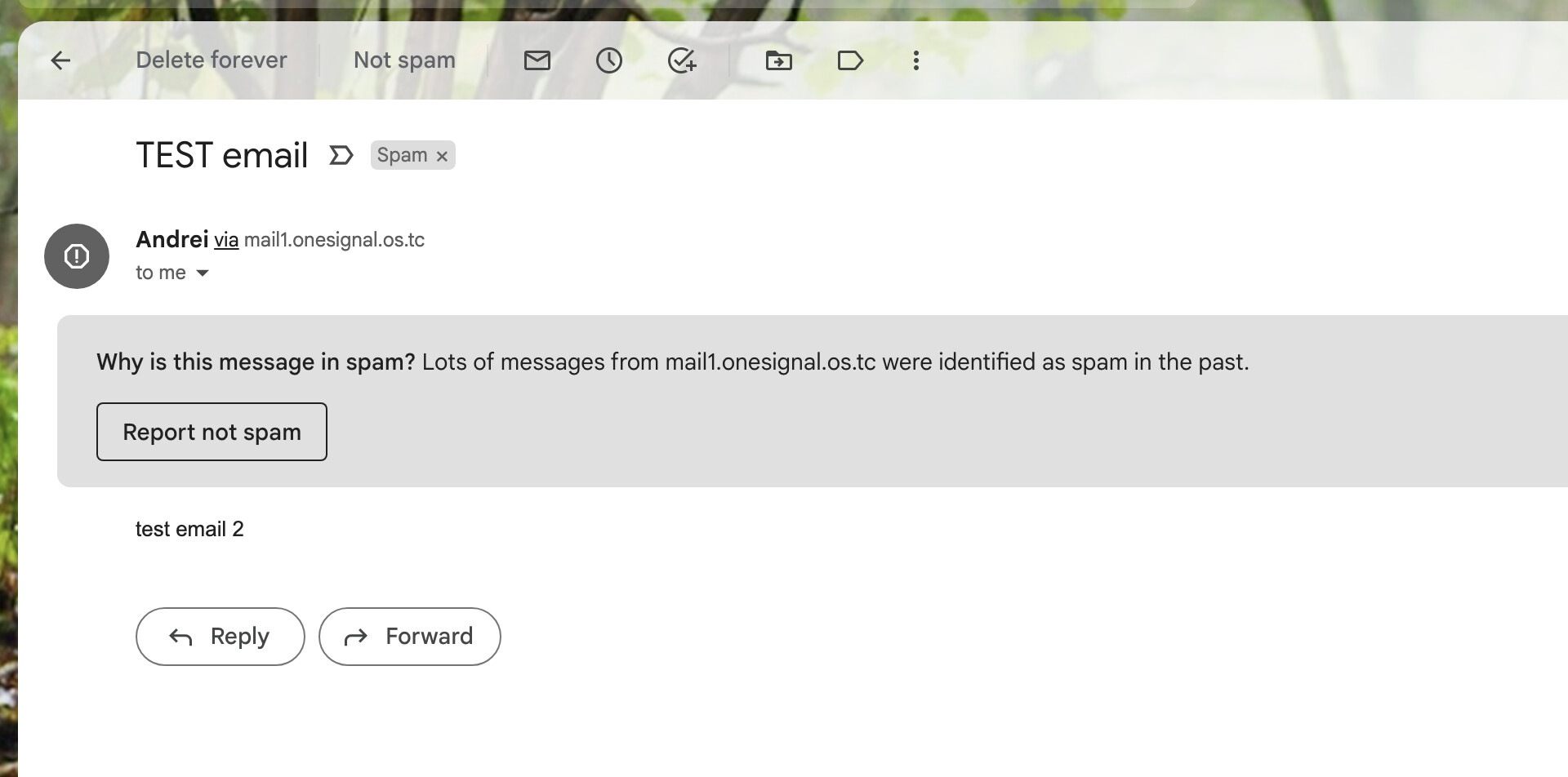
NOTE Read THIS
to avoid issues with your emails being marked as SPAM or never reaching their destination. You can also use 3rd party services:

Thank you for using OneSignal PRO Plugin and I hope you enjoy this update.
Looking forward to your feedback!