Introducing the Phone Number Input Mobile Free plugin - an easy way to add an international phone input to your Bubble Native (mobile) app with built-in formatting and validation.
Key Features:
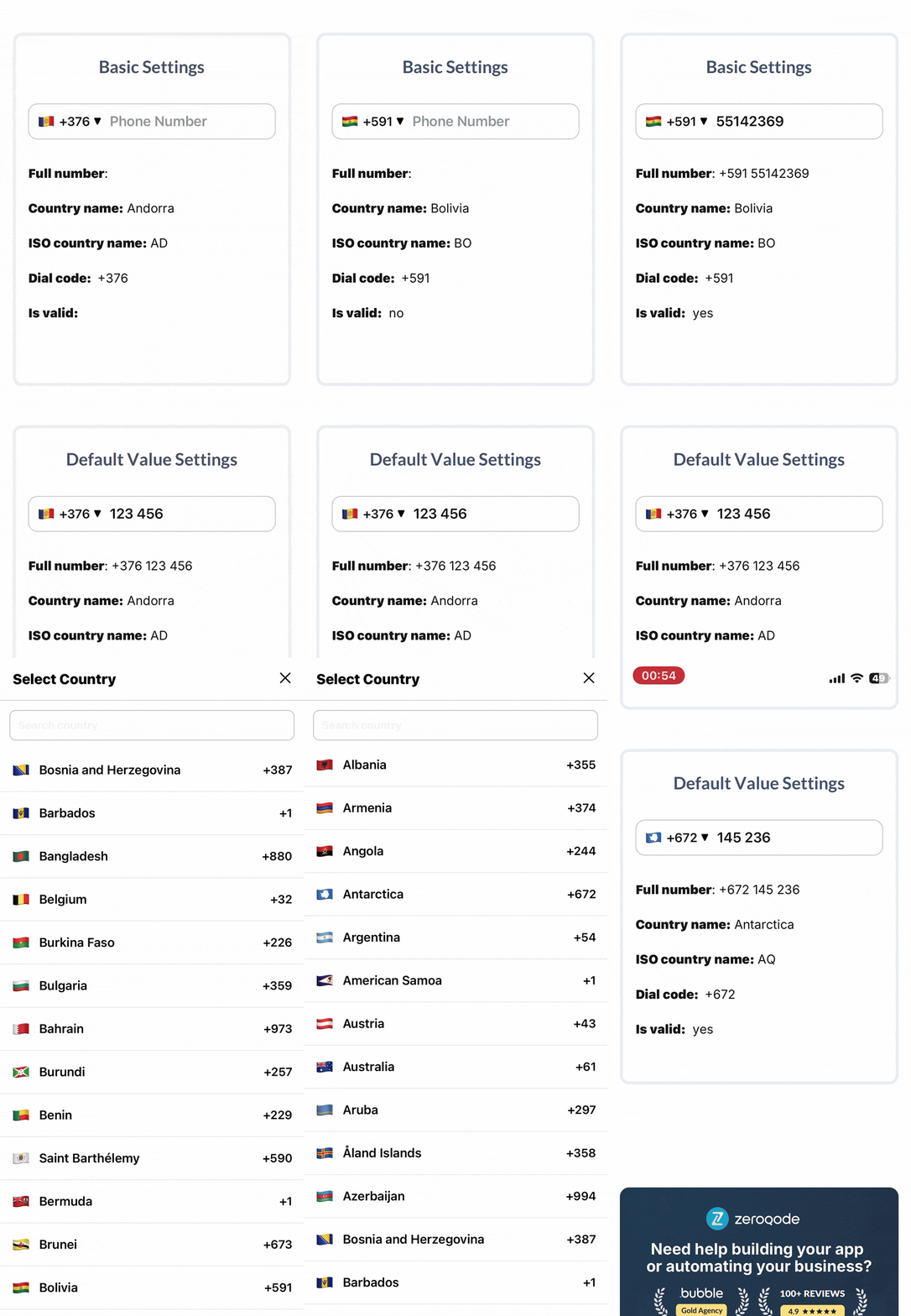
Country Selector: Let users choose a country from a dropdown with flags and dial codes.
Dial Code Display: Show or hide international prefixes like +1 or +93.
Validation States: Instantly detect whether the entered phone number is valid.
Ideal for onboarding flows and user forms that rely on accurate international phone number input.
Hello @ZeroqodeSupport , I think there are some bugs with this plugin.
First bug: when you place an input field in a sheet, the sheet doesn’t scroll up with the keyboard, making the input field invisible under the keyboard.
Second bug: when you click to choose the country, it opens a page that takes up the entire screen, even the safe area, preventing you from closing the page using the icons at the top.
Third bug: the default fields ISO Country Name and Default Value don’t work when you enter a default value.
Could you please take the necessary steps to resolve these bugs, especially since I see on the plugin’s bubble page that other people have complained about the same bug.
I was able to confirm issues #1 and #2 on my end, and I’ve forwarded those details to our dev team for review. Once they confirm whether these are bugs (or if there’s a recommended workaround/bypass), I’ll circle back with next steps.
For #3, I’m not able to reproduce it in my setup yet. Could you please share:
The plugin version you’re using
Screenshots of your Bubble editor setup for that field (the element properties and any relevant workflow steps)
If possible, a short list of steps to reproduce (or a screen recording)
Once I have that, I’ll try again to reproduce and we’ll take it from there.
Hi @Alexandre1605 — thanks again for the detailed report and for your patience.
Input inside a Sheet not moving up with the keyboard
After testing, this appears to be a Bubble Sheet behavior/limitation, not something caused by the plugin itself. So there isn’t a plugin-side fix we can apply for that specific scrolling/keyboard interaction.
Country selector opening full-screen / safe-area (notch) overlap
We’ve implemented an adjustment on our side: added extra top spacing at the beginning of the country selector screen so it respects the safe area better
If you can, please update the plugin to the latest version and re-test the country selector on your device(s).
If you’ve been enjoying our plugins, we’d love to hear your thoughts! Your feedback not only makes our day but also helps others in the Bubble community discover the best tools for their projects.
Leaving a quick 5-star review takes just a minute and makes a world of difference. Simply head to the Plugins tab in the Bubble editor, search for the plugin, and rate it!
Want to help even more? Share your experience on: Zeroqode Reviews G2 Clutch Trustpilot
If you run into anything else or have any questions down the road, don’t hesitate to reach out. Happy to help anytime!


 Key Features:


