I’m excited to share two new plugins designed to make thermal printing easy, flexible, and fully customizable directly from your Bubble app.
These plugins are built for printing via USB or Bluetooth using commands, giving you full control over the output.
Thermal Printer – USB (ESC/POS)
Print directly via a connected USB thermal printer using ESC/POS commands.
Features:
Supports ESC/POS thermal printers
Connect via USB
Use the print action with space-separated ESC/POS commands
Add images, titles, tables, totals, barcodes, and QR codes
New Action: Print Element
You can now print the content of any visual element on your Bubble page by simply providing its HTML element ID. This action captures the element as an image and sends it directly to your thermal printer, making the process easier, more flexible, and highly customizable.
Benefits:
No need to manually build command strings.
Print exactly what you see on screen, including text, images, tables, QR codes, and more.
Fully customizable using Bubble’s design tools and CSS.
Supports SVGs, icons, and rich HTML content.
How to Use:
Just add the Print Element action in your workflow, input the element’s ID, and print — it’s that simple.
What a cool plugin! I’m always amazed at the use cases people have
If I was you, I’d price it much higher!
You look to be really knowledgable on this topic, have put a lot of effort into creating a great plugin and I (perhaps incorrectly) assume there is a relatively small percentage of Bubble users building applications that use thermal printers.
I would quadruple it at a minimum. Especially for something that is transaction /POS adjacent and for something you’re simplifying so much for the user. Check out Stripe Connect - Marketplace Plugin | Bubble from @alexcooney5 as an example of great pricing.
Thank you so much for the price suggestion; I’ll keep it in mind. These plugins came from my work on a Bubble app where I needed to print tickets with a thermal printer.
Hi ,
I subscribed your plugin for my app . It is meeting my requirement but not fully. So need your help.
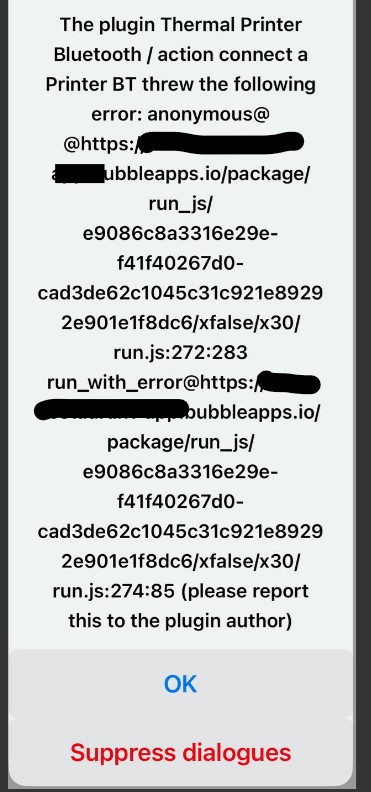
a. While I am able print on BT thermal printer from Chrome in Windows m/c, it throws error on Chrome browser in mobile ( currently checked with iOS).
b. Also tried - New action : Print element but not able to configure it . While print instructions like line(‘my name is john’); is working but dynamic command as Group mode’s office’s name is not work. I did not find details of doing this setup as i want to print exactly what is on the screen popup. Can you please help advise. Thanks you. @josealex170702
Will this plugin work with Brother QL Thermal Label Printers? Is it printing via raster, because if so won’t this require windows users to convert their drivers to libusb?
I have no way to test the plugin on iOS because I have only tested it on Android using Chrome Browser, and it works. I’m going to look for a way to test it on iOS since I don’t have an Apple phone. For dynamic commands, it should work, check the demo again, I added an example for that.
You should be able to connect it via USB to the computer using the printer’s own driver without needing to switch to the libusb driver. The only requirement is to share the printer with the name “ESC-POS” and have the ESCPosPrinter program open at the time of printing

 Thermal Printer – USB (ESC/POS)
 Features:
 Plugin Page (USB) : Thermal Printer USB ESC-POS Plugin | Bubble
 Thermal Printer – Bluetooth
 You have complete freedom to create the receipt structure:
 Let your Bubble app print beautifully and easily with ESC/POS!
 Changelog – v1.1 (Thermal Printer USB ESC-POS)
 New Action: Print Element
 How to Use: