
Hi everyone,
Whenever I needed to print something from a Bubble app, the browser print dialog would end up disrupting the workflow, especially in scenarios like POS systems, delivery apps, or receipt printing.
After searching for solutions and not finding anything that properly addressed this problem, I developed Print Fast.
Print Fast allows Bubble applications to perform local thermal printing on Windows, using 58mm and 80mm thermal printers, without opening the browser print dialog. Printing can be triggered either manually by the user or automatically through workflows.
 How it works
The solution is composed of:
- Bubble plugin
- Google Chrome extension
- Windows application
These components enable direct communication with the thermal printer via COM port, running on the user’s machine.
 Features:
-
Regular and bold text
-
Left, center, and right alignment
-
Images
-
QR Codes
-
Layout optimized for 58mm and 80mm thermal paper
 Important:
 Compatible only with thermal printers installed via COM port on Windows
 Does not work with USB-only printers without a virtual COM port
 Automatic printing requires N8N
 Self-hosted N8N is recommended to avoid higher costs
 Manual printing demonstration:
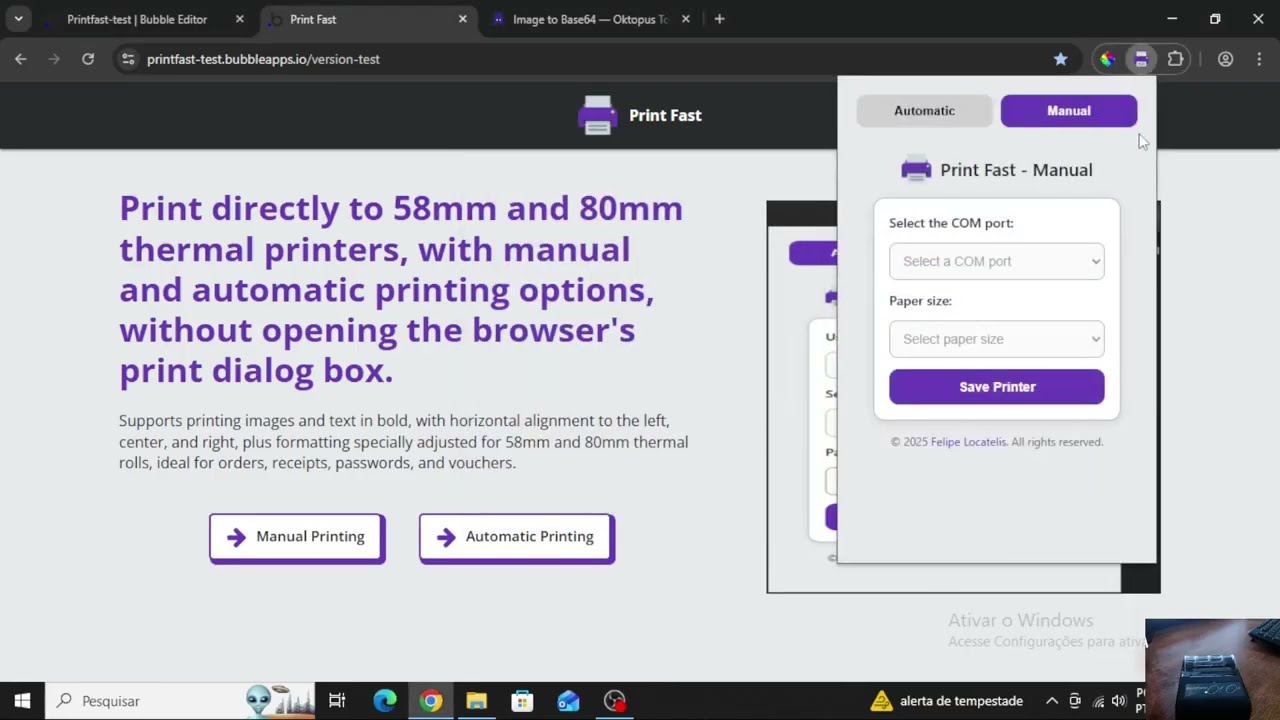
 Plugin Link: Print Fast - Plugin
Official Website: https://printfast.app
Chrome Extension: Print Fast - Chrome Web Store