
I’m using this video player, and it works fine when I’m displaying a video at a 1920 x 900 aspect ratio. However when I play a video at a 480 x 360 aspect ratio it is totally zoomed in on the video. I tried adjusting the player to do 100% width of the page and it’s still zooming in completely on the 480p video. Any ideas?
video {
object-fit: contain !important;
background: #000; /* optional: black bars instead of white space */
}
Try aobve css Maybe it’s works for you.
Hi @mylominime,
Thanks for raising this!
From your description, it sounds like the video is being cropped due to the Aspect Ratio and Crop Video settings inside the plugin element. If the aspect ratio is set (for example, 9:16) and Crop Video is enabled, the player will try to fill all available space, which can cause zooming when the actual video has a different ratio (like 480×360 at 4:3).
Could you please check in your editor whether:
- The Aspect Ratio field is filled or left blank,
- The Crop Video option is enabled or disabled.
If you leave Aspect Ratio empty and uncheck Crop Video, the player should default to the video’s native dimensions without zooming in.
To better assist, could you also share:
- A link to a minimal test page (with
?debug_mode=true), - A screenshot of your plugin element settings,
- The type of video source you’re using (MP4 file, Vimeo, YouTube, etc.)?
This will help us reproduce the case more accurately and advise you on the exact setup.
Best regards,
Support Team
Browse all Zeroqode Plugins for Bubble

In these screenshots, the aspect ratio is empty and crop video is unchecked. When I load the page and my browser is stretched to fit the screen the video height is expanded beyond the bottom of the page. This is because the video is a 4:3 aspect ratio and the width is stretching to fit the width of the browser, and it’s maintaining that aspect ratio throughout so the height is stretched beyond the bottom of the page because the page is wide. It’s not as noticable with a 16:9 aspect ratio because a browser window is about that same ratio when its opened all the way. You can see when I make the width of the browser shorter it goes back to a more normal aspect ratio.

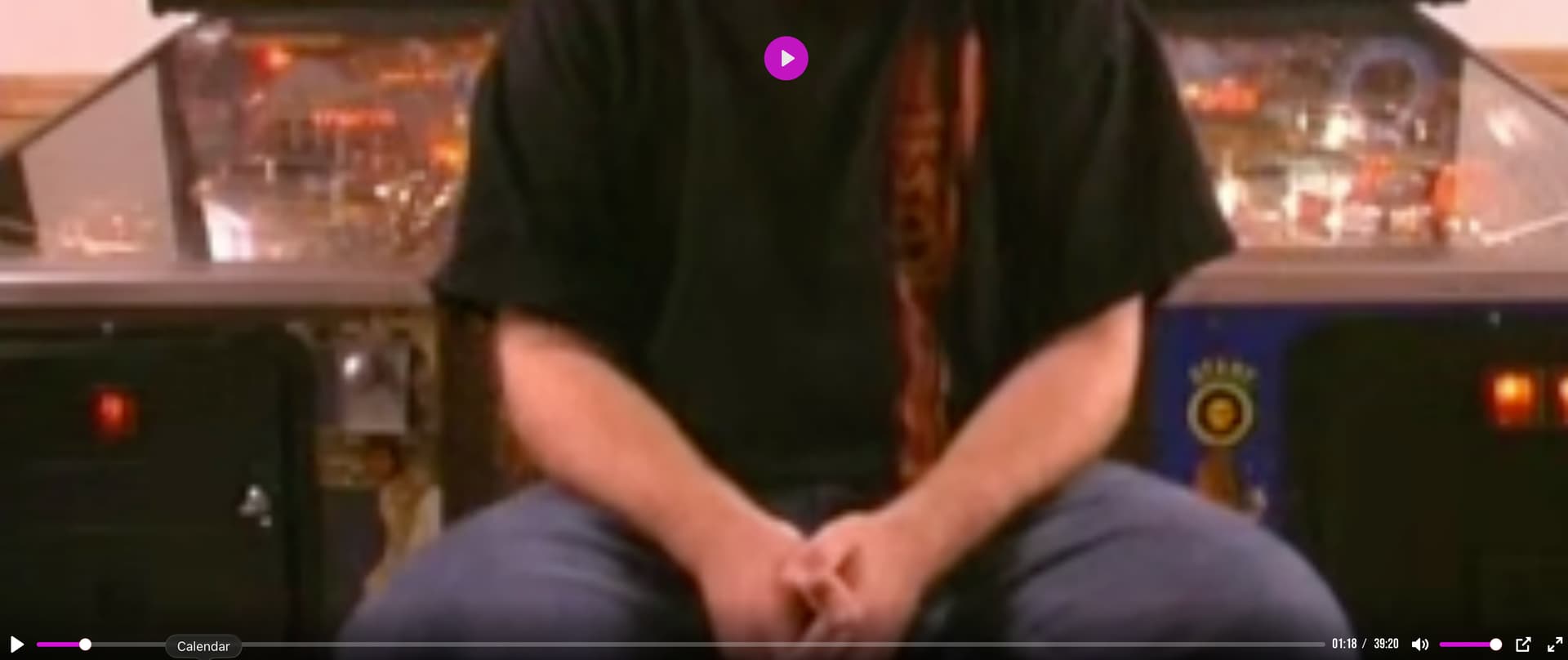

What we want is the height of the video to be the height of the browser, and we should see black bars on the side of the video if it’s 4:3 such as in the screenshot below.
In the screenshot below, I set the aspect ratio to 2.13:1 on the video player and when the browser is stretched across the screen we get those black bars on the side of the video. However when I utilize an aspect ratio, the video player stops and goes back to the beginning of the video every time I resize the screen. It doesn’t do that when there is not an aspect ratio – when there isn’t an aspect ratio set I can stretch and change the size of the browser window and the video will keep playing. It is also not changing the height based on the size of the browser window in this example.

The video sources in this case are all MP4 files. I’m not sure how to link to a test page 
Hi @mylominime,
Thanks a lot for the extra details and screenshots - very helpful 
From what you describe, the issue comes down to how the plugin handles the Aspect Ratio setting vs. when it’s left empty:
- With Aspect Ratio empty & Crop unchecked → the player respects the video’s native 4:3 ratio, but since the container is stretched to the browser width, the video height expands and overflows the page (no black bars on the sides).
- With Aspect Ratio filled (e.g. 21:3) → you do get the expected black bars, but playback resets every time the browser window is resized.
To better understand and reproduce this on our side, could you share:
- The exact container setup of the video element (width/height settings in Bubble’s responsive editor).
- Whether the player is inside a group with a fixed height or inside a responsive layout (row/column container).
- A link to a small test page where the video is embedded (even a stripped-down copy of your current setup would work).
To share the link: simply copy the page URL from your app in preview mode and add ?debug_mode=true at the end (for example: https://yourapp.bubbleapps.io/version-test/video_test?debug_mode=true). That lets us open your test page directly with debug information.
This will help us pinpoint whether the behavior comes from the plugin scaling logic or from the parent container’s responsive rules.
Once we have the details of your setup, we’ll be able to confirm if this is the best approach or if a plugin-side adjustment is needed.
Best regards,
Support Team
Browse all Zeroqode Plugins for Bubble
Here is a link to a test page: HotBox Films
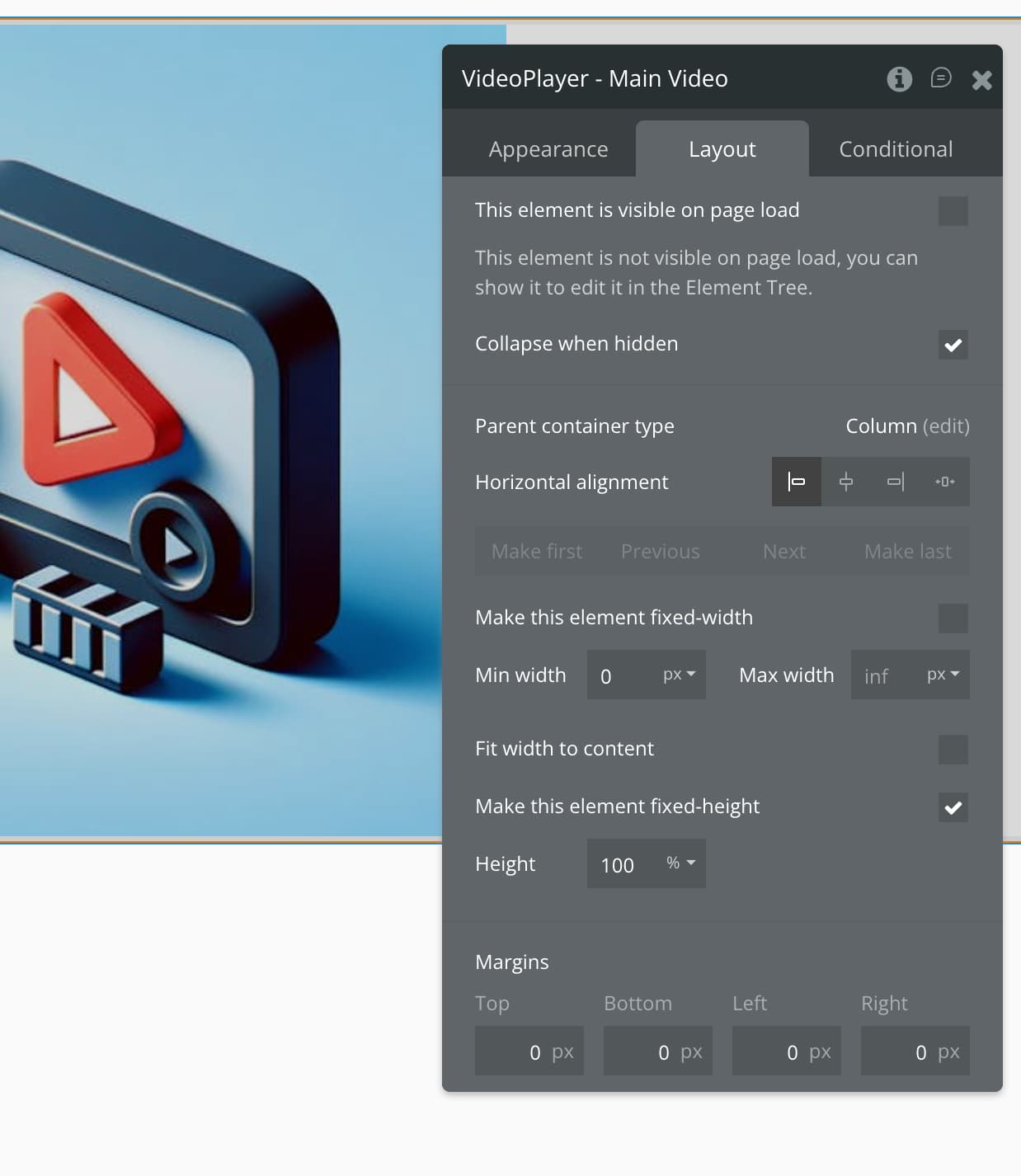
These are the settings below. For the video player element, height is set to 100% of the page. The video player is in a group and the group has the same settings set to 100% height of the page. I’ve tried it with and without it inside a group and its still overflowing below the page.



Hi @mylominime,
Thanks a lot for sharing the test page and the screenshots  They’re really helpful.
From what we see in your setup, both the video element and its parent group are set to 100% height of the page and marked as fixed-height.
In Bubble, that combination can cause the player to stretch vertically with the browser width when no aspect ratio is defined, which explains why your 4:3 video is overflowing below the viewport.
Here are a few adjustments you can try:
- Uncheck “Fixed height” on both the video element and its parent group. Let the responsive engine calculate the height dynamically.
- Keep the Aspect Ratio field empty and Crop Video unchecked so the video can use its native ratio without being zoomed or cropped.
- If you need a consistent layout, you could also try wrapping the player inside a responsive container (for example, a group that manages aspect ratio) instead of tying it directly to 100% page height.
Could you test unchecking the fixed-height option and let us know if that resolves the overflow issue?
If the problem still persists after these changes, please add us as a collaborator to your app so we can inspect the setup directly.
You can do this by going to your app’s Settings → Collaboration tab and inviting support@zeroqode.com.
Best regards,
Support Team
Browse all Zeroqode Plugins for Bubble
Hi @mylominime,
Just checking in to see if you had a chance to test unchecking the fixed-height option and the other adjustments we suggested. Did that help with the overflow issue?
If it’s still giving you trouble, please feel free to add us as collaborators (support@zeroqode.com) so we can take a closer look directly in your app.
Best regards,
Support Team
Browse all Zeroqode Plugins for Bubble
Hi, I sent you folks a collaboration invite
Hi @mylominime,
Thanks for the invite - we’ve received it 
I’ve shared your test setup and results with our dev team after trying a few general fixes.
We’ll review it in detail, and I’ll get back to you as soon as there are any updates.
Thanks a lot for your patience while we’re looking into this
Best regards,
Support Team
Browse all Zeroqode Plugins for Bubble
1 Like
Hi @mylominime,
Thanks a lot for your patience while we tested this
After reviewing everything with our dev team, it turns out this behavior comes from Bubble’s rendering logic. The video element re-renders whenever its width or height is modified - this is how Bubble’s responsive engine recalculates dimensions for proper display.
In other words, when the browser or container is resized, Bubble triggers a re-render to maintain consistency across devices, which is why the video restarts or adjusts visually in your setup.
Unfortunately, this is expected behavior on Bubble’s side, not something controlled directly by the plugin.
We really appreciate your detailed feedback and the time you took to test this with us
If you have any additional questions, we’re always happy to help.
Best regards,
Support Team
Browse all Zeroqode Plugins for Bubble