How can i restrict the access to the confirmation page which is opened by clicking the link from the email? This page, http://noah-watch.com/version-test/confirmation should only be available for users who’s link comes from the email received.
You could run a workflow on page load that checks if the parameter sent to the page in the URL contains a valid ID? I’m not sure what this ID refers to, but it’s probably to a “User” object. So you could do a search for Users with that unique ID and only allow the page to be displayed if the user exists.
I know it’s been a while but this is still valid and I’ve been testing this out, with a few problems and a workaround.
The email confirmation link from the email goes to a “behind the scenes thing” that confirms the user’s email then redirects to the page specified in the initial action (ie “send confirmation email” in login page for example). So for this example, I created a page “setup” as the redirect page after email confirmation.
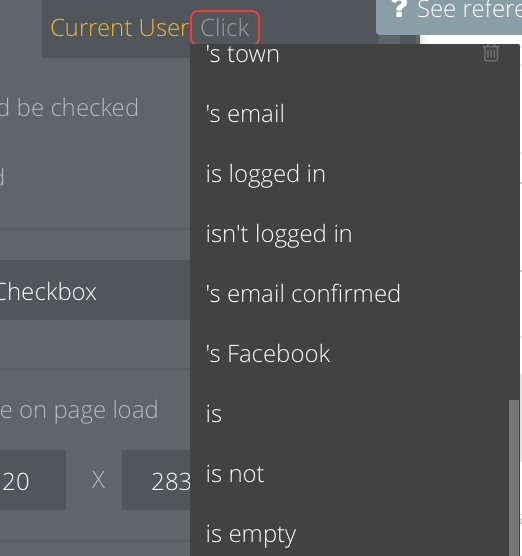
Problem is, after bubble updates the “email confirmed” flag on the user and redirects to page “setup”, it takes some time for the “Current User” object to reflect the confirmed email status. And so when the “status” page is loaded and the “Page Loaded” event fires, the flag still says the user’s email is not confirmed.
One solution is to add an event “Do every x seconds…” to trigger your workflow. Put all your steps into a custom event and trigger that when the email confirmed flag on the current user is true. In my test, it was taking between 4 and10 seconds for this to fire.
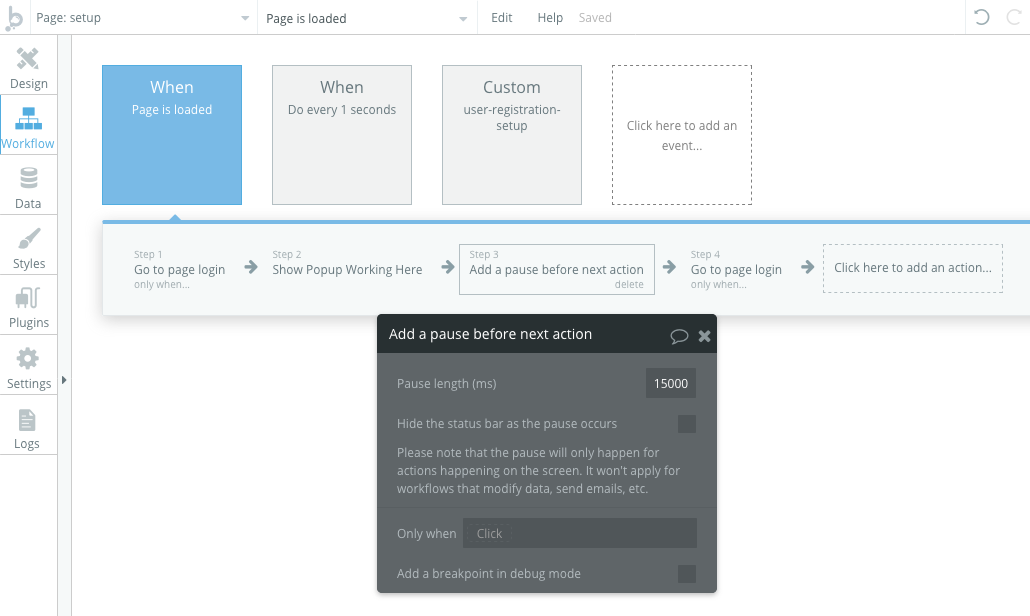
So I ended up with 3 Workflow events:
Custom Event with the steps I want to run when a user confirms their email
“Do every 1 second” event with a single action that triggers the custom event only when the current user’s email confirmed flag is true
“Page is loaded” event with a 15 second wait time before redirecting back to the login page.