In order to assist you further with your use case and to better understand the issue you are facing, we kindly request that you provide us with a screencast of your workflow setup, as well as a detailed description of the plugin action you are using and the steps involved (here or via DM). This will allow us to check with our development team and provide you with the most accurate solution.
We appreciate your cooperation and look forward to hearing back from you soon.
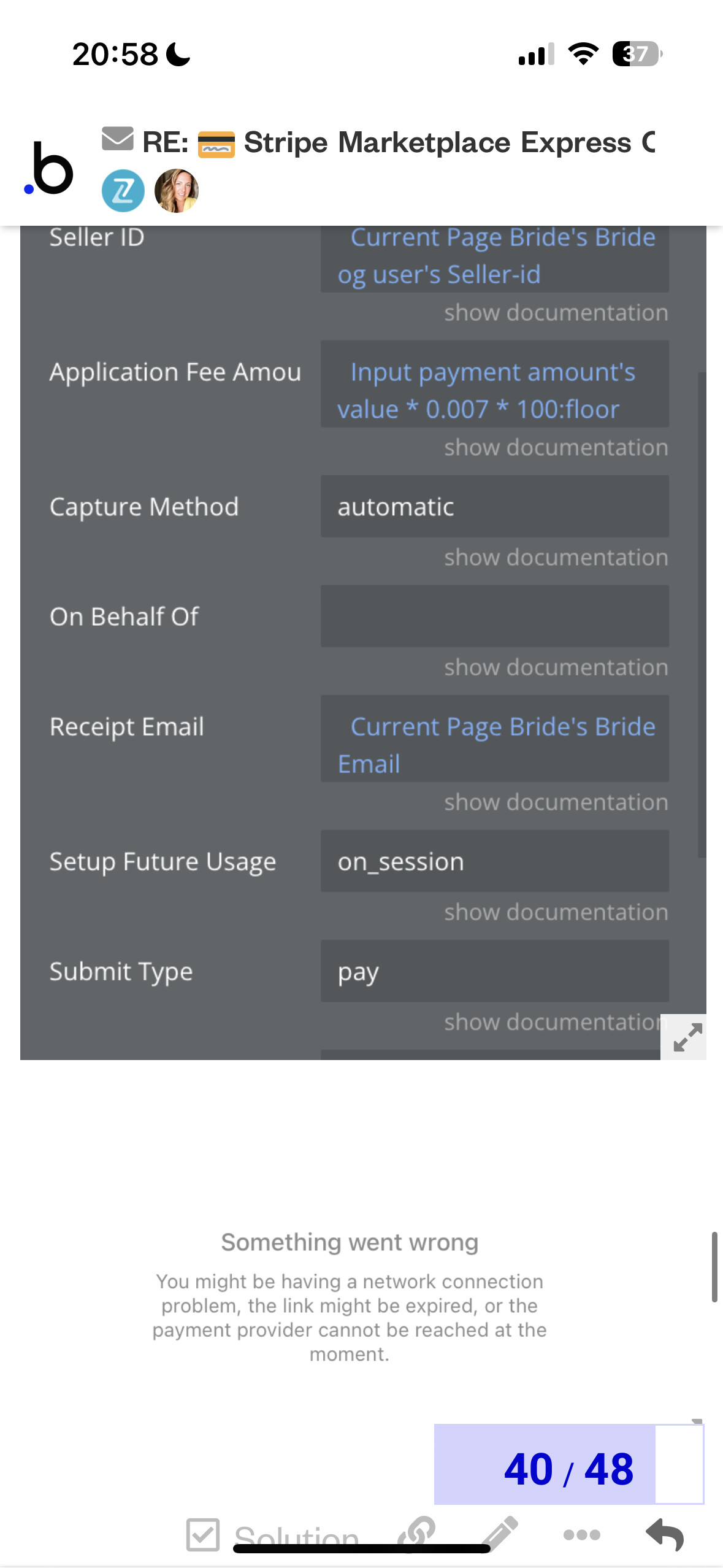
Has anyone successfully setup the marketplace payments with SCA? The support guys have been super helpful but haven’t heard from them for a couple of days so reaching out here to see if anyone can help…
When I add Stripes seller-id in this field I get this error show.
We apologize for any inconvenience caused by this issue. It appears to be a bug on our end and our development team is actively working on resolving it. We understand the importance of having a quick resolution, and we’re doing our best to find a solution as soon as possible. We’ll make sure to keep you updated once the issue has been fixed. Thank you for your patience and understanding.
Just wanted to let you know that our plugin developer is still working on your issue. The investigation takes a lot of time due to the plugin developer’s workload and the complexity of the case. We apologize for the inconvenience and thank you for your patience
i am trying to implement invoicing in my app using this plugin
but it is giving me an error below
The service Stripe marketplace - Create an invoice just returned an error (HTTP 400). Please contact the plugin author directly for feedback. Raw error:
{
“error”: {
“message”: “You can only specify ‘due_date’ or ‘days_until_due’ if invoice collection method is ‘send_invoice’.”,
“request_log_url”: “Stripe Login | Sign in to the Stripe Dashboard”,
“type”: “invalid_request_error”
}
}
Hi @karan_trivedi248,
Sorry for taking some time to get back to you on that and thank you for your patience.
We’ve tested the create an invoice action but unfortunately, the issue you reported is not reproducing on our end.
We would like to recommend you create an invoice item first and then the invoice. Screenshot by Lightshot
In this case, you can leave the “invoice” field empty in the create an invoice item action since it will be added to the upcoming invoice anyway. Screenshot by Lightshot
Also, please try removing the collection_method and days_until_due fields and adding them again.
If the issue still persists, we have to investigate the error message you have shown and the plugin within your app for a better understanding of the root cause of it.
Would it be convenient for you to add our support@zeroqode.com email to the list of your app collaborators?
We will do our best to assist you to resolve this issue.
We apologize for any confusion our previous message may have caused. To clarify, you will need to use the “send an invoice” action. The screenshot we provided was intended to show the sequence of steps for creating an invoice item and creating an invoice action, so we did not include the “send an invoice” in the screenshot.
We also suggested removing and adding the “collection_method” and “days_until_due” fields because there may be a space in the “collection_method” field that is causing an error. We recommend filling this field with “send_invoice” again to ensure that the data is properly processed.
Please let us know if you need any clarification on this point or if you have more questions.
Hello, I am getting the following error and I can’t find out where does it come from:
The plugin Stripe Marketplace Express / action Go to checkout a SCA threw the following error: construct@[native code]
n@https://js.stripe.com/v3/:1:474868
construct@[native code] (please report this to the plugin author)
Hello @valleealexis24,
We appreciate your message and thank you for using our plugins.
We need to review your setup, workflow steps, and configuration to assist you and determine the issue with our plugin in your application. This information will enable us to replicate the error message and investigate it with the development team.
We suggest reviewing our plugin’s live demo page for further guidance and workflow examples. You can find the link here: (Zeroqode-demo-19 | Bubble Editor)
Please refer to the attached screenshots:
Could you please share a video recording showing the issue in step-by-step mode and your entire setup? This will allow us to identify any possible cause much faster.
I’ve integrated this app in my workflows to create seller Connect Express accounts. However, the plugin only seems to work for Standard Accounts and not for Express Accounts. When creating an Express account, I am directed to the Stripe onboarding url, but get a browser error:
{“error”:{“message”:“Cannot onboard via express oauth due to gated access.”,“code”:“forbidden”}}
In troubleshooting, I found out that Oauth for Express accounts has been deprecated, see Using OAuth with Express accounts | Stripe Documentation. Is this an update to the plugin that is necessary, or is there another step required for Express accounts that I’m missing? My Stripe dashboard only has a toggle to allow Oauth for Standard Accounts, no options for Express Accounts.
We acknowledge the recent changes regarding express accounts in Stripe. Our development team is actively investigating potential solutions to address this. We’ll reach out to you with updates as soon as we have news to share. Your patience is highly appreciated while we work on this matter.
Sorry for taking some time to get back to you on this.
We’ve updated the plugin and added a new Create express/standard/custom account action. Could you please upgrade your plugin to the latest version and give it a try? We will also update our documentation accordingly but here is an example in the meantime: