Swiper is the most modern free mobile touch slider with hardware accelerated transitions and amazing native behavior. It is intended to be used in mobile websites, mobile web apps, and mobile native/hybrid apps. The plugin has 5 effects, different pagination types, autoplay mode, and many other features.
@ZeroqodeSupport I just purchased this plugin for $20, thinking it would save me a lot of time and headache trying to implement something similar. I thoroughly went through your demo and what documentation and forum posts were available before actually buying. That said, now that I have it installed, I have a couple of big problems that I’m hoping you can help me solve.
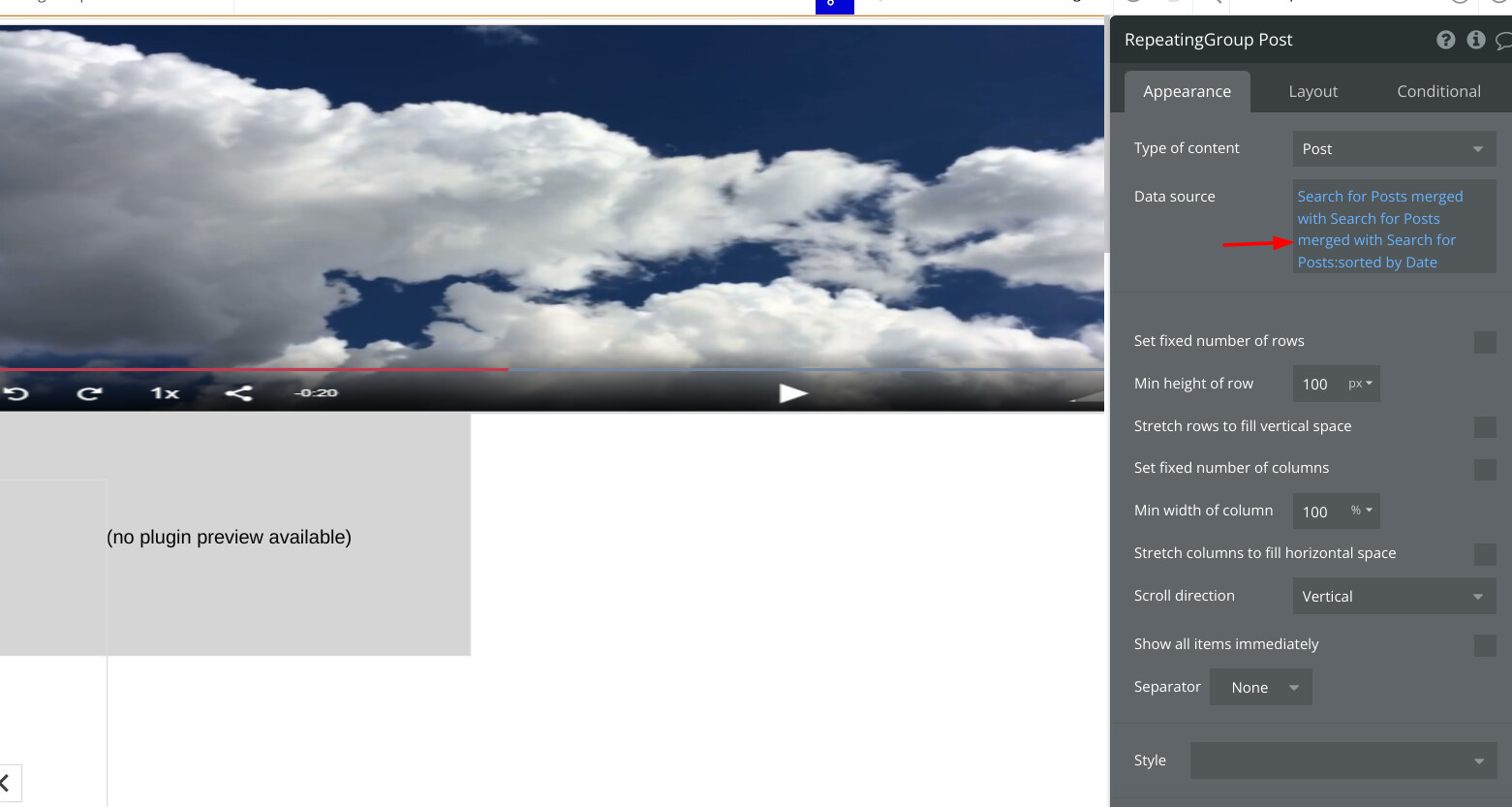
First, it seems like the plugin is overriding the responsive settings of my repeating group. I have it set currently to a minimum column width of 100 percent, because I don’t want any part of the next cell showing. Mysteriously, once I’ve applied the swiper to this repeating group, the column no longer takes up the full width of the RG, but rather the edge of the next cell is visible. This is not at all intuitive, nor is it advertised on the plugin page. Is there a way to overcome this?
Second, and more concerning, I find the “autoplay” feature quite confusing. When I leave the box unchecked, I find that it autoplays (which would be the opposite of the expected behavior). When I check the box, it no longer autoplays on desktop. However, it then autoplays rapidly on mobile.
As is, I find the plugin to be totally unusable. Hoping you can help me understand if there is something I’m doing wrong or, if not, offer me a refund.
Quick update here: The more I dig into this plugin, the more problems I’m finding. Just attempted to use the “fade” effect but find that it results in weird overlapping behavior with text elements from one cell to the next?
May you provide an example of how the plugin is overriding the settings of your repeating group? If possible, also show the settings of your repeating group and how you are using the plugin to implement your use case.
Regarding. the autoplay feature, we will definitely check this issue and see what might have gone wrong. As for the issue with the “fade” effect, does the text overlap only when selecting the fade effect? Please provide a bit more details on your setup(plugin element settings, repeating group layout), this information can help us to investigate your case and replicate the mentioned issues on our end.
Would you mind sharing your setup and what are exactly are you struggling with? Please share the screenshots or the video recording and we’ll be happy to assist.
Due to the fact that we have some additional questions regarding your settings, can you please add our Support Team email to the list of collaborators to your application and provide me a link to your application? This will allow us to check your settings and run some tests to fix the mentioned problem.
To add our Support Team as a collaborator, you need to do the following steps in the Bubble Editor:
Unfortunately, we can’t seem to access your app, as it looks like the access has been revoked @anon72265436. Would you mind adding us again and providing a link to your app?
We’ve checked your app and found a couple of issues that might be affecting how the plugin works.
The app is not updated and has 46 errors on the page, this makes the app difficult to navigate and certain groups do not have a data source that might affect the work of the plugin.
Swiper element plugin ID should match only with the Repeating group ID, there can’t be multiple groups having the same ID. Please remove the “swipe” ID name from other groups (leave the ID only for the plugin and RG).
Thanks for your email. I adjusted to your suggestions. Still not getting it to work. I noticed that I am getting an error stating that “swiper effects” is not installed. Please see attached.
Currently, you do not have any images that could be swiped, also from your set up you are not doing a Search for images, therefore it does not show any data, and there are lots of repeating groups on top of each other.
Please create a datatype, with an image field, and add couple of images there.
Remove unnecessary groups/repeating groups from the place where you would like the swiper to work. Only have one repeating group, and one regular group. For the repeating group, set data source, Search for Image slides(or whatever you called it), type of content should be the same as the data source. RG settings:Screenshot by Lightshot, Inside Group settings: Screenshot by Lightshot. Please replicate these two groups in the exact way.
Place the swiper element on the page(visible). Match the ID of RG, with ID you put in the swiper element, do not have any other ID’s in the other elements. Swiper element ID: Screenshot by Lightshot, RG element ID: Screenshot by Lightshot.
Hi Team,
I do have images coming from a data source from it’s parent.
Yes I do have other groups, that show other media, which is shown conditionally.
I do have buttons which I am able to cycle through the images but not swipe through.
Hi @anon72265436,
Thank you for your message and sorry for the late reply due to the weekend.
We did carefully look into your app and besides the fact that you have three Swipe Plugins installed there is none of the plugin elements on the index page and any workflow set up that would use the plugin events and actions.
Can you please provide short step-by-step instructions that will help us look into the reported issue?
As well we tried to sign-up with a new account but unfortunately, the sign-up button is disabled and does nothing.
Hi Team,
I made a test page for you as I referred to in a previous response. Looks like you are looking at a different page. Your swipe element in a group. Does an additional element need to be added to the page in order for it to work?


 130+ Bubble Templates
 25+ Bubble Courses
 300+ Bubble Plugins
 Convert Bubble app to iOS & Android
 No-code Development Services