I can’t find a way to include 2 fields from the database in a single search constraint in “Do a search for”. This means I need to use :filtered/Advanced, which sends unnecessary amount of data from server to browser, as :filtered is done client-side. I’m wondering if anyone else has had to work around this, and how it was possible to do it?
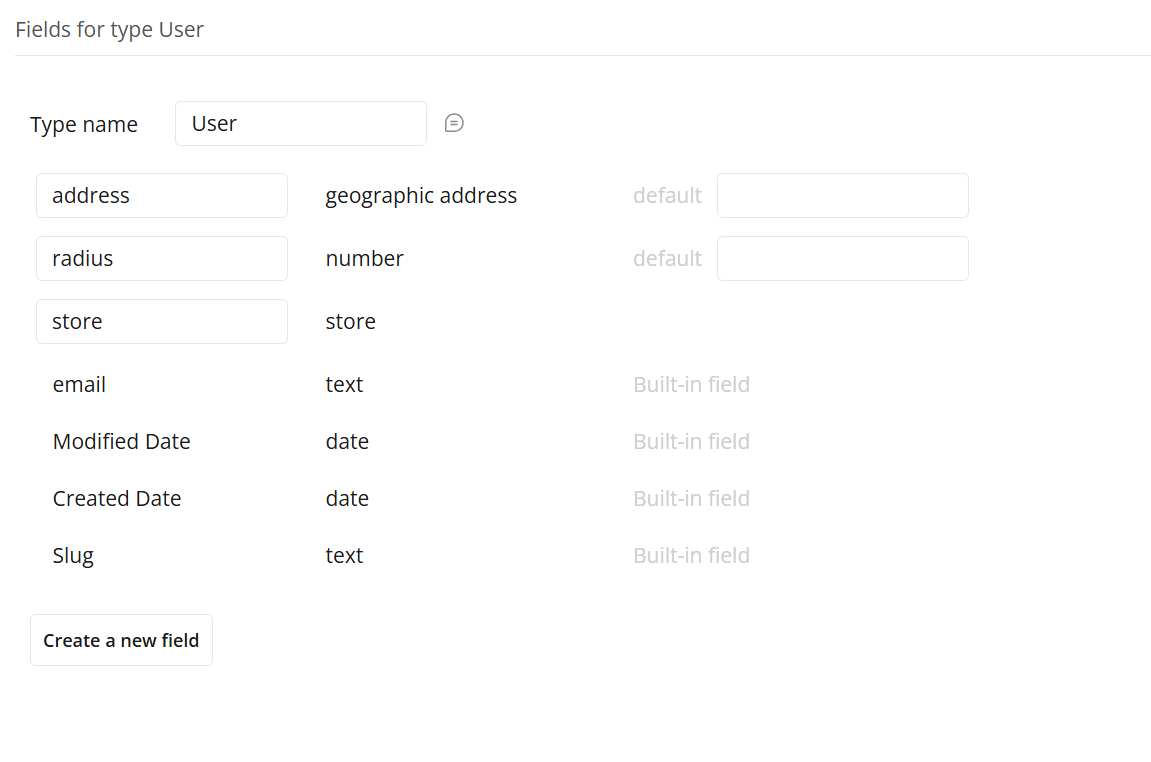
In the database, I have two fields: “Location” (address) and “Radius” (number). Users search for other users by using “Property address” (address).
The ideal search constraint would be:
“Location” is within “Radius” km/mi of “Property address”; or
“Radius” > distance between “Location and “Property Address”;
or anything similar… basically 2 fields from the database used in single search constraint…
Any recommendations or ideas would be greatly appreacited!!
Just use Search condition 1 : merged with Search condition 2 (you can merges as many searches as you want)
Also, I remember reading something along the lines of :filtered not being a client side action from @georgecollier. Can’t really find the post right now. Is this true, @georgecollier?
I do not think you need to do any advanced filters or merged searches. I think all you want is to use the stored ‘radius’ numerical value and the stored ‘address’ value to find locations that are within the radius and address of the user.
There’s still no way to do this properly for the Searchbox element right? You have to literally just create a separate data type with the fields merged together into a single “combo” field?
Currently, “Location” and “Radius” are saved under a data type “AR”. This is because users can create unlimited “AR”s, each with their specific Locations and Radiuses (each AR can have up to 10 locations and 10 respective radiuses). I was thinking of moving these two fields to User, but because theoretically there could be unlimited inputs I’m not sure how to manage them. So ideally they remain in the database under each AR.
The “Do a search for” is done in a RG, so each constraint needs to reference each thing’s fields.
Maybe there is calculation which can be done in each search constraint, to calculate the distance between “Location” and “Property address”, which can be then written in the search constraint as “Radius” > “distance(calculation)”? Then I could apply :merged with (to merge 10 “Do a search for”s, each for a different location)
That is fine, just look at the answer I provided and ignore that the data type is current user and instead reference your AR. It shows how to save the two fields onto a data type and how to use them in the search constraint for distance.
Sorry, I’m still quite new at this! This is exactly what I’m trying to do, however unfortunately the options don’t let me pick “This AR”. This is probably because the search is within a repeating group. These are the options I can see:
Yeah, this isn’t possible in Bubble directly on the DB query - it’s one of the limitations of Bubble’s search capabilities. (you can’t ‘self-reference’ items in searches).
To do this properly you’d need to use an external DB running PostGis.
You can do it in Bubble, but only with client-side filtering.
So the best solution (in Bubble) is:
first find the largest radius of all ARs matching the other criteria (this is just an agg search, so it’s no big deal).
Then do a search for all ARs within that radius of the SearchBox’s location
Then use an advanced filter, where This AR’s Location’s distance from SearchBoxLocation ≤ This AR’s Radius.
It’s not ideal (especially if there is a lot of data and/or variance in stored Radiuses), but it’s the only way to do it in Bubble.
I will investigate PostGis. It will probably come down to how much data they will store and data being in two places (Bubble + PostGis), so it might need to be the Advanced filter with client-side filtering…