Hi everyone!
I’m Ben, the founder and developer of SimplePDF.eu, and today I’d like to showcase SimplePDF for Bubble!
(This is my first plugin for Bubble and no-code apps in general!)
PDF Editor and filler – plugin link
Can I see how it looks?
I strongly believe in “show, don’t tell”, so have a look and play around!
See the plugin in action
What can you do with the plugin?
-
Allow users to pick files from their computer or specify the document directly
-
All of the features of SimplePDF: add text, checkboxes, pictures, signatures, rotate, add, delete pages and merge PDFs.
-
Automatically collect customers submissions (the button “Download” is replaced with a “Submit”) if you have your own SimplePDF account
Why is it free?
For the same reason as for the SimplePDF editor itself: most people don’t edit PDFs for fun, but rather by necessity for the everyday life. Charging doesn’t seem right: it has been my philosophy all along (I started building SimplePDF 4 years ago).
OK, it’s free, but how do you maintain and improve it?
There’s a set of features that are paid (such as using your own logo, collecting the form submissions automatically, connecting to your Bubble backend) - they pay the bills so that the editor can remain free (this plugin included).
This question comes up very often, so I have written a dedicated article about it
Questions?
Feel free to ask any questions here, whether it’s comments, feedback: the code of the plugin is open-source, so I’m happy to learn about it could be improved, tips and tricks.
You can also reach out to me directly via the bubble@simplepdf.eu email address
The 1.5 release is out!
Many of you have asked to upload documents directly from the plugin and it’s now available!
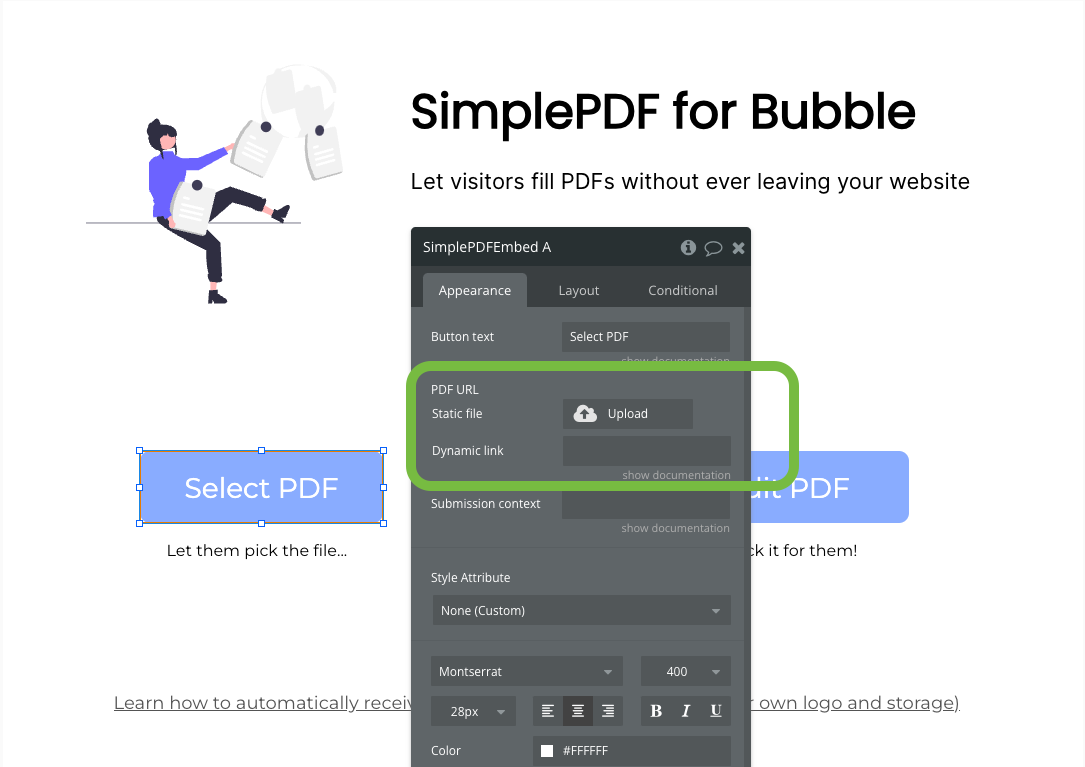
You can now specify the document to open by:
- Specifying the URL of the document
- Uploading the document (it will then use the Bubble storage link under the hood)
 Live demo
 Plugin link
Bubble Editor not properly displaying the text inside the buttons
It appears that the Bubble preview is having issues: as a result the text is not displayed properly in the preview inside the SimplePDF buttons.
I reached out to Bubble support to let them know about the issue – to all SimplePDF plugin users: I apologise for the inconvenience!
I will update my message once the preview is working again
Hi everyone!
The Bubble team got back to me: they pushed a fix for the preview and I confirmed that the editor now properly renders the preview.
I apologise again for the inconvenience and hope that it wasn’t too big of a hindrance
Have a great end of week everyone,
Ben
Hi everyone!
We just released a new feature: inline mode!
Inline mode?
Up until now, the plugin allowed you to create a button or element that needed to be clicked to display the PDF (in a modal).
Starting with version 1.6.2 you can now choose to display the PDF just like any other visual element, right there, in any page!
As the adage says…
A picture is worth a thousand words
Have a great end of weekend!
Ben
SimplePDF founder
Hello, is there a function to add easily a “stamp” refused or accepted (or other things) but without let the users to add a dedicate area for that. For exemple, a worksheet order must be validate by 2 persons I want them to have 2 buttons (accept or refuse) and this action only add on the PDF (refused by xx and the date)
Hey @saloon-esquiver0t!
While you cannot have two people contribute to the same PDF, you can easily turn any PDF into a non-editable form (just to be filled)
I created a form using a design tool with your order example: SimplePDF - A free PDF editor to easily edit documents and fill in forms
I then positioned the fields in SimplePDF and locked them to be fill-only
This PDF form contains:
- Two check boxes (accepted / refused)
- A text input
- A signature input
None of the fields above can be modified except by me (the “owner” of the form)
You could also add a picture field to allow your users to add the stamp, however they would need to have the picture of the stamp on their computer
The version 1.7 is here!
Plugin page
NEW: Multi-language support
You can now choose to display the editor in the following languages:
- English
- German
- Portuguese
- Spanish
- French
- Italian
Have a beautiful weekend,
Benjamin Andre-Micolon
SimplePDF Founder
Many of you have requested it:
We just released a step by step article for saving the filled PDFs to your Bubble database
Have a great weekend everyone!
Benjamin Andre-Micolon
SimplePDF Founder
New update!
While the editor interface is available in 6 languages (english, german, italian, french, spanish and portuguese), the editor itself supports many more languages, such as latin, cyrillic, hebrew, han, greek.
Adding today to this list tamil and hindi!
Benjamin Andre-Micolon
SimplePDF Founder
BIG Update for 1.8.0!
Field detection, content extraction and print!
Big editor update! We’re shipping 3 new features at once: automatic field detection, content extraction, and print.
Field detection: stop placing fields by hand. SimplePDF finds them for you, right in your browser.
Pro and Premium customers can configure automatic field detection from their dashboard.
Extract content: pull the content out of any PDF as clean Markdown, built for knowledge workers who need what’s inside.
Print: heavily requested, and now here 
As usual, let me know if you have any questions or comments!