šŸ Sign in with Apple - New Plugin from Zeroqode

Hi @zerocodesupport

As I mentioned in my last post, after I started to assign a value to the custom state password I’m able to log in with the apple account and have the user logged in.
But now I have a new problem. Please watch the videos below.

If I login with apple account using chrome or safari on windows or android or ios, everything works correctly:
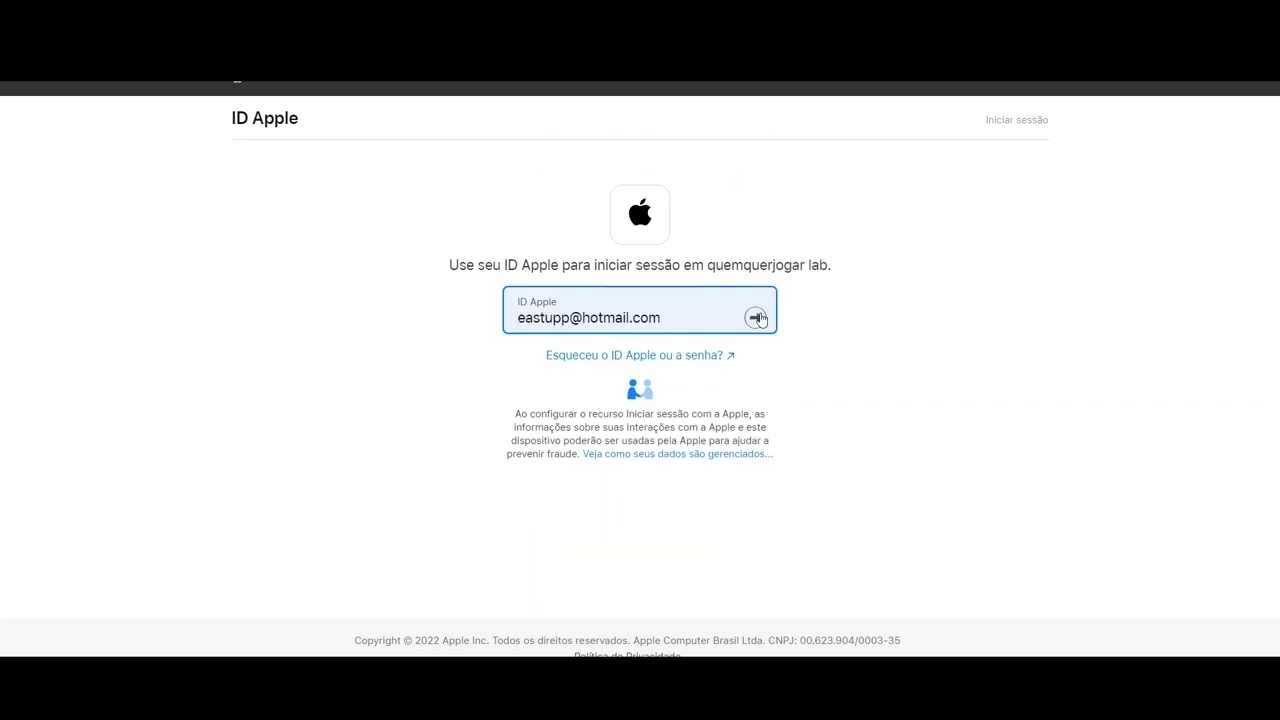
But according to Apple’s validation team feedback, and as I can see on Xcode using an ios simulator , if I log in with the apple account, it appears that the app tries to access the apple login screen but goes back to the login screen of my app.
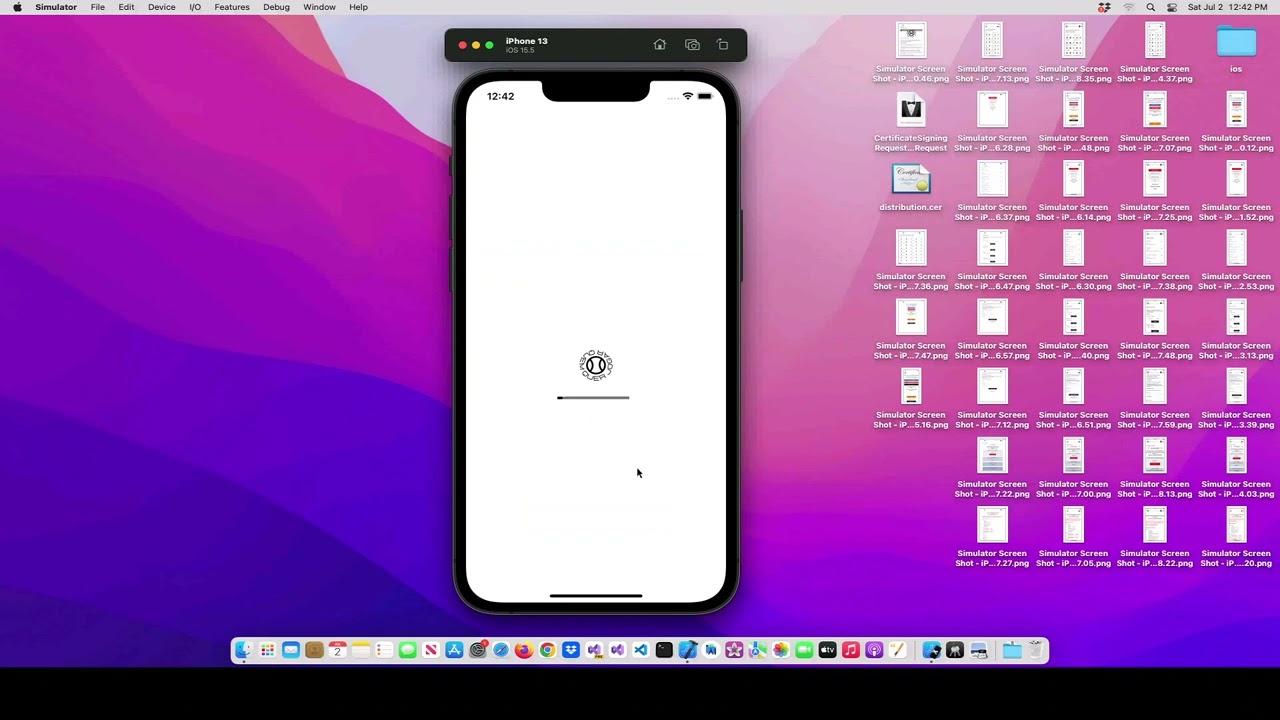
This is the Apple Team feedback:

We discovered one or more bugs in your app. Specifically, the Sign In with Apple option was not functional and it returned to the main screen of the app. Please review the details below and complete the next steps.

Review device details:

  • Device type: iPad
  • OS version: iOS 15.5

Next Steps

Please run your app on a device to reproduce the issues, then revise and submit your app for review. If at first you’re unable to reproduce the issue, try the following:

  • For new apps, uninstall all previous versions of your app from a device, then install and follow the steps to reproduce.
  • For app updates, install the new version as an update to the previous version, then follow the steps to reproduce.

If we misunderstood the intended behaviour of your app, please reply to this message in App Store Connect to provide information on how these features were intended to work.

Can you help me with this?

Thanks.
Best Regards.

Hello, @jdubbya
Thanks for your patience and sorry for the inconvenience you faced.

Due to the fact that we have some additional questions regarding your settings and URL, used on your side, can you please add our Support Team email to the list of collaborators to your application? This will allow us to check your settings and run some tests to fix the mentioned problem.

To add our Support Team as a collaborator, you need to do the following steps in the Bubble Editor:

Settings > Collaboration > Add email support@zeroqode.com

Note: avoid the warning message regarding the plan, as we are an agency and you can easily add us to your collaborators.

Looking to hear you soon.
Best regards,

Hi @zerocodesupport,

You didn’t get back to me about my issue - Plugin button not clickable on chrome mobile. video-1656924731.mp4 - VEED

You still have editor rights, so could you please have a look?

Thank you,

Hello, @eastupp
Thanks for all your replies.

Please find below responces on each of your questions here:

Please note that the Default value of the password is not an obligatory field and moreover, you can’t set the default value in case the password should be changed for any new user.
Thus, the blank field cannot be a root cause of the issue.

Settings the password from one user as a default value could reproduce the issue in using the plugin further.

It is not the error in the redirect URL, since we using exactly this URL for each element and Apple Developer console. Yes, there is a mistake in the word"applesingin", but we use exactly this one and it doesn’t reproduce the error.

In order to test your application and catch the error, that appeared on your side, can you please share the link to your application, so we would be able to sign in there?

Looking to hearing from you soon.
Best regards,
Zeroqode Support Team

Hello, @ZeroqodeSupport
thanks for the help and attention.

I invited support@zeroqode.com to collaborate on my bubble app. The link for my bubble application is:
Eastupp401 | Bubble Editor

The website url is:
www.quemquerjogar.com.br

Please note that the login error with the apple account is not occurring when I access my application on Bubble or on the url www.quemquerjogar.com.br . The error is being reported by the apple review team, and when I run the app inside Xcode, on an iOS simulator for windows (I’m using Macincloud.com).

Only today I found out that Zerocode has a solution to convert Bubble app to android and ios, Air Native.
For my application I am using PWABuilder.
Is it possible that there is some incompatibility between the Zerocode plugin and PWABuilder?

If you need anything else, please let me know.

Thank you.
Regards,
Emerson

Cool, thanks for the reply, I’ve added you as a collab on my app. I think you get an emailed link to the dev environment, but let me know if not. Thank you!

Hello, @jdubbya
Thanks for adding our team as a collaborator to your app.

We kindly ask you to provide us not read-only rights, since it prevents us from playing around with the settings for the plugin and initializing this plugin from the beginning by us.
If it would be convenient for you, can you provide us with edit rights?

Looking to hearing from you soon.
Best regards,
Zeroqode Support Team

Hi @zerocodesupport

Could you please help on this.

I’m asking you the same question for several weeks now.

Thank you,

Hello, @haddad.anthony26
Thanks for your patience.

As it was noted previously, our team have tested your application from different devices and different browsers, including the Chrome (latest versions).
Please find below videos, which were recorded right now from your application in version-test and version-live in the Chrome browser:

Your application was tested with the iPhone 13 and iPhone XR, and the button is clickable with both of them.
Thus, please note that the issue is not related to the plugin. In case of a problem with the plugin, all other users would not be able to use the button either.

However, after reaching the information, we found out that the same issue was encountered by other users:
https://discussions.apple.com/thread/253599285

The best solution for this case would be to reach the Apple Support Team and let them know that you have encountered it.

We are really sorry for this inconvenience, but please try it and let us know about the result.

Best regards,
Zeroqode Support Team

Hello, @eastupp
Thanks for the details.

We have tested your application and indeed, it works on Bubble. We were able to sign in with success.

As for these resources, please note that we are not able to control that, unfortunately.
Allow us to highlight that all our products (both templates and plugins) are web products first, so they work properly in web applications. There is no guarantee that any plugin will work with foreign services.

For this reason, the strange behavior of the plugin on some devices could be reproduced by incompatibility.
Xcode is a complete developer toolset for creating apps for Mac, iPhone, iPad, Apple Watch, and Apple TV . Xcode brings user interface design, coding, testing, debugging, and submitting to the App Store into a unified workflow, thus we are not able to provide you an exact answer about the reasons for the error there.
We can’t know what exactly you are building and the elements and tools you are using.

Allow us to mention once again, that are web products first, and we can guarantee that it will work only in case of wrapping your application with our Air native service:

This solution allows you to use the Native plugin , which will help you boost the native experience of your Bubble app, so it feels as close to an Android and iOS app as possible. The Air Native Plugin allows you to implement the native features within your Bubble editor, so any plugin will work properly in your app.

Indeed, it is possible for the reasons mentioned above :pray:

In case we can help you with any additional information - let us know.

Best regards,
Zeroqode Support team

Sure - updated - thanks!

Hello, @jdubbya
Thanks for the update!

In order to make it easier and proceed with the configuration of the plugin on our side, can you please enter here your private key:

You can download your key here:

Also, please share one more time the list of Redirect URLs you are using in the Apple developer console, so we will check them and will advise which should be removed.

We are looking to hearing from you soon.
Best regards,
Zeroqode Support Team

Thanks @ZeroqodeSupport, I’ve added the key in that workflow step, see below for the domains and return URLs:
Domains:

Return URLs:

Hello, @jdubbya
Thanks for the provided details.

Please allow us to check your application once again and revert with an update in the nearest time.
In case we will have any additional questions - we will definitely let you know.

Best regards,
Zeroqode Support Team

Hello, @jdubbya

Please enter your Apple Dashboard and remove all the links from the Domain and Redirect URLs.
After it, please put there only the next links:

Do not forget to save this information. After it, try to initialise the button once again.

We are looking to hearing from you soon.
Best regards,
Zeroqode Support Team

Yep. Did all the steps, still getting the same error. By the way, these settings you had me revert back to were the ones I had originally that didn’t work. Again, pretty sure it’s because the urls do not match between Bubble and Apple, because the plugin doesn’t take into account custom domains. We seem to have made no progress. Please advise. You still have access to my dev environment.

Hello, @jdubbya

Please allow us to ensure you that the custom domain and the URL detected by the plugin don’t reproduce an error.
Almost every user uses its custom domain, which was added before or after installing the plugin.

To fix this issue at the nearest time and provide you with an exact reason for your issue, we would like to ask you for access to your Apple Console.
It will allow us to sign in there and verify all the links ( both in your app and console).

If you agree with it, please share with us the credentials of your console and after it, the verification code, which should be sent to your phone or laptop ( the code should be sent immediately since it is valid for a few minutes only.

We are looking to hearing from you soon.
Best regards,

I’d love to be proven wrong regarding the custom domain! All I want is for this to work :). I emailed you login credentials for my Apple console, looking forward to your response.

Hello, @jdubbya

We are currently trying to access your Apple Developer Console and need to receive a TFA code sent to your mobile number.
Please share it with us as soon as possible.

We are looking to hearing from you soon.
Best regards,
Zeroqode Support Team

Hello - sent to you via email but I don’t think this will work since our time zones seem to be very different; it’s 3am my time when you’re attempting to log in. Do you want me to provide screen shots of any settings/data?