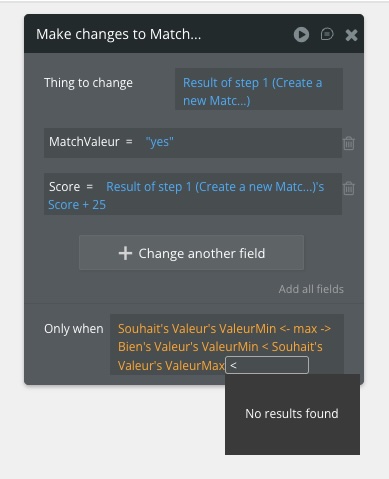
I need to execute a workflow only if two value ranges overlap.
I have a Wish with a Min and Max values. And a Good with also Min and Max values. The workflow must be executed when the following formula evaluates to Yes:
max(Wish Value Min, Good Value Min) < min(Wish Value Max, Good Value Max)
In Bubble, the formula should be like this:
Souhait’s Valeur’s ValeurMin ← max → Bien’s Valeur’s ValeurMin < Souhait’s Valeur’s ValeurMax ← min → Bien’s Valeur’s ValeurMax
But the field doesn’t allow me to enter this formula. Im not able to enter the second part of the formula. The ← min → doesn’t appear. See screenshot.