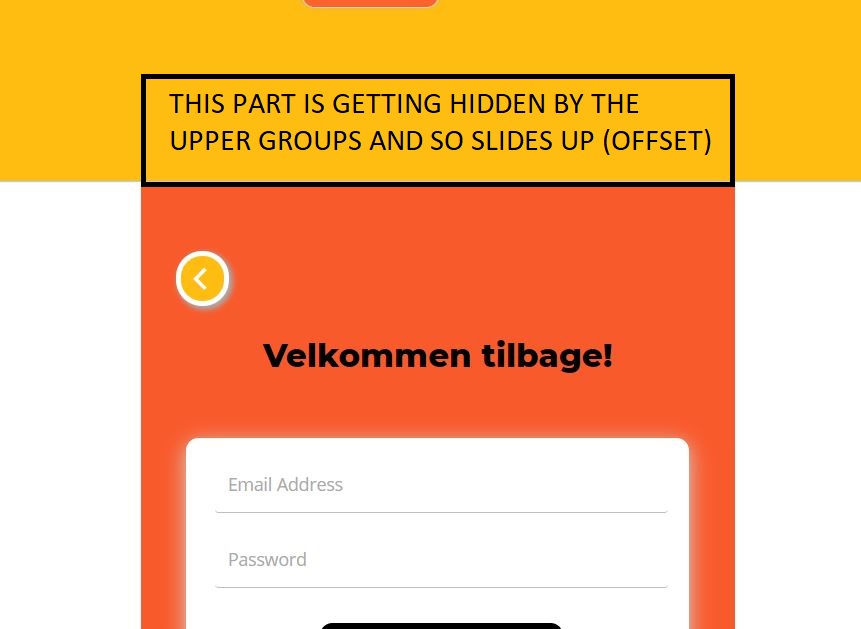
At my wits end…
I have a native app with BDK wrapper but I have one huge problem:
there is a white box under every element… I’ve tried everything for 2 days
If I make the elements higher, the white box is just replaced with the element… Why is there this “scroll element”?
Try putting all this in a floating group that floats relative to both the top and the bottom, and set the height of the FG the same as the page height.
Also maybe you can simply set the page background color to match the showing groups’s background color conditionally. That should fix your UI in minutes until you figure out what’s the actual issue
OK I found the problem. Ignore what I said about the FG. What’s happening here is that the group above the login group partially overlaps with the login group. The vertical stacking of the groups needs to be perfect - there should be no overlap, or no spaces, between vertically stacked groups. As a result, the login group is getting shifted up.
Group 1
Group 2
Group 2
…
should be vertically stacked, not overlap, and have no space between.
This fixed the cutted element completey. Thank you so much
Do you have any idea why there is a white “scroll able” box under every element? Is this because they are not long enough? It still happens If i inspect it as small screen…
Highly appreciated your taking your time to help me