
It seems like the error is because you don’t have the date in some row or column in your database. Do you already tried to use the calendar with just a few entries??
Works fine on previous versions so I don’t think it’s my database.
Was working fine (after going to a previous version), added a workflow to show a popup when an event was clicked. Now have a new error

Thanks for the update! Word wrap seems to be fixed!
Unfortunately, no custom color is displaying in the list view. I’m seeing an error in the bottom left hand corner of the calendar that there’s an invalid key and some more standard settings like font, day color and borders don’t seem to be honored when I upgrade but begin worked correctly as soon as I downgrade again.
Hey folks!
We have made another plugin update 
2.7.0: Fixed any issues after updating the library. Added possibility to import events from Google Calendar and possibility to change touch delay for mobile devices.
What was done:
 fixed: colors changed in settings now work
fixed: information message in the left corner is removed
fixed: before the update, the color of the circle in the list view was taken by the color of the borders. now, if no border color is assigned to the event, the default color of the event will be used.
 added: possibility to import events from google calendar. instruction how to get API key and calendar id: events from Google Calendar - Docs | FullCalendar
added: possibility to change press delay for mobile devices.
In order to see the changes, please upgrade your plugin to the latest version and refresh the editor.
https://docs.zeroqode.com/plugins/air-calendar-full-calendar#changelogs
Hope you enjoy it. 
Regards,
Zeroqode Support Team
Thanks for the updates here! Really great stuff.
One remaining weird behavior I’m seeing. Before updating, the calendar doesn’t have outer borders which I love for it’s minimalism. After the update, there’s lines in between each day in the header and a noticeable line above the days and down the left edge of the calendar. Can we have those removed? Also, one thing you’ll notice in these two screenshots is that before, my text could flow out of sight in the calendar view if it was long. I prefer this because all the events will be the same size in the monthly calendar. In the new version, the text itself is forced to wrap which could potentially make the events all different sizes and not look very pretty.
Before:

After:

I’m also seeing some discrepancy with how ‘Today’ is visually represented between the two versions.
Before:

After:
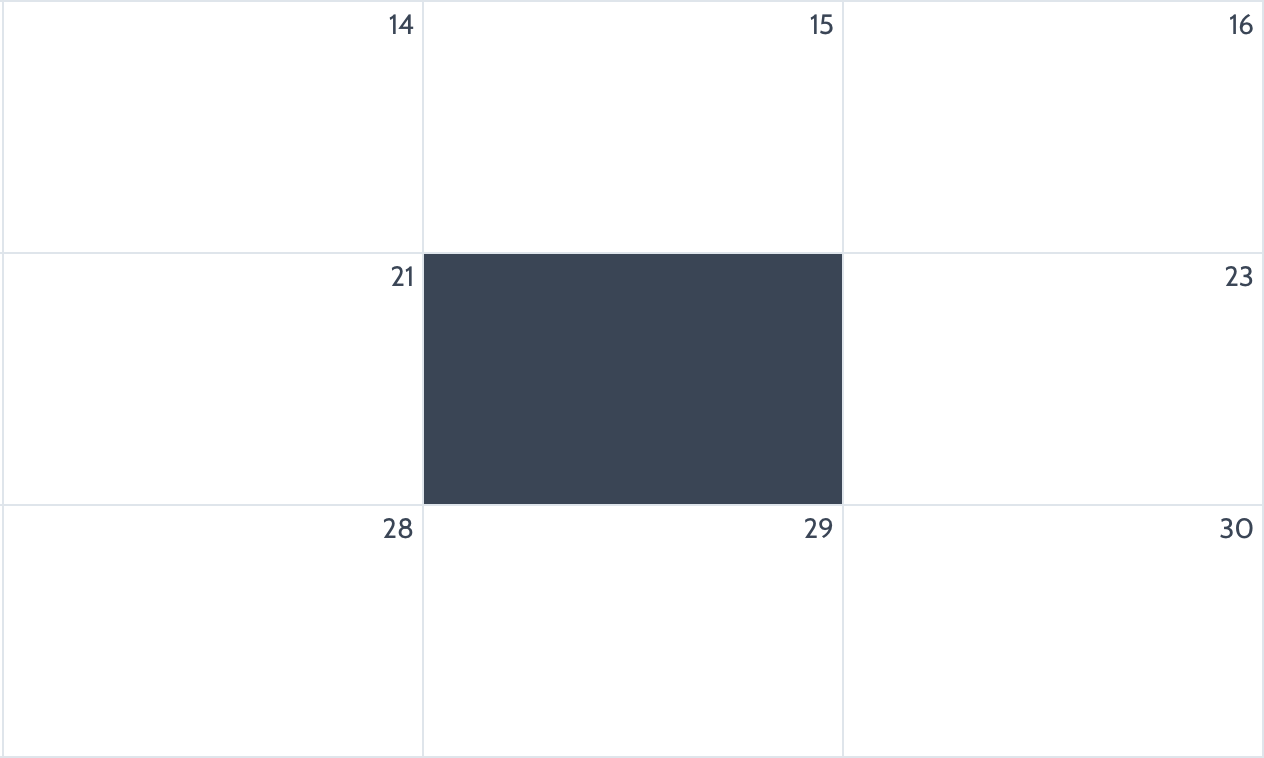
Finally, a feature request. Please consider a way to dynamically put something into each day of the calendar. In my case, you’ll notice how events on my calendars have a number of cameras associated with them. What I would love to do is dynamically show, in the top left corner of each day, the total number of cameras scheduled for each day. I know this feels like a niche request, but I could also see this being very useful for people who want to show the weather for each day, a predicted temperature or something else. Would be very useful.
I’ve gotten this feature up and running in a custom repeating group calendar, but would prefer to accomplish this with your plugin if possible. Here’s what it looks like.

I was looking exactly for this as well… +1
I have a lot of bookings in a day and, for me, the most important information to be displayed in the month view is “how much bookings do I have in my days”.
Other thing that will be awesome is the possibility to pick colors dynamicly. It will be sick if I could have a database with some category colors and the plugin gives me the possibility to check the category of the event and bring me the right color of it…
Btw, i am really impressed with what you did with the calendar. Would you consider to help me with those customizations and styling? I would pay you, of course. Congrats for the job…
- 1 for me as well - my users would benefit from seeing the number of appointments/appointment types for day/week
@rpetribu if I understand you correctly, you can dynamically choose the calendar event colour. I have the HEX stored in my database against event type and call that in. Under event settings you have background/border/text colour settings.

I also would like the old settings with ‘today’ and the event title as @avern87 mentioned 
Looking forward to testing out the google calendar events - does this allow for google calendar events AND my database events? @ZeroqodeSupport
And thank you for updating colour settings - I am now seeing these displayed correctly
I agree with the new design changes, they look less and less minimalistic. It’s even worse in TimeGreedWeek view in my opinion.
This is how it looks now, with the pretty ugly fill color for Today:

This is how it looked in 2.6
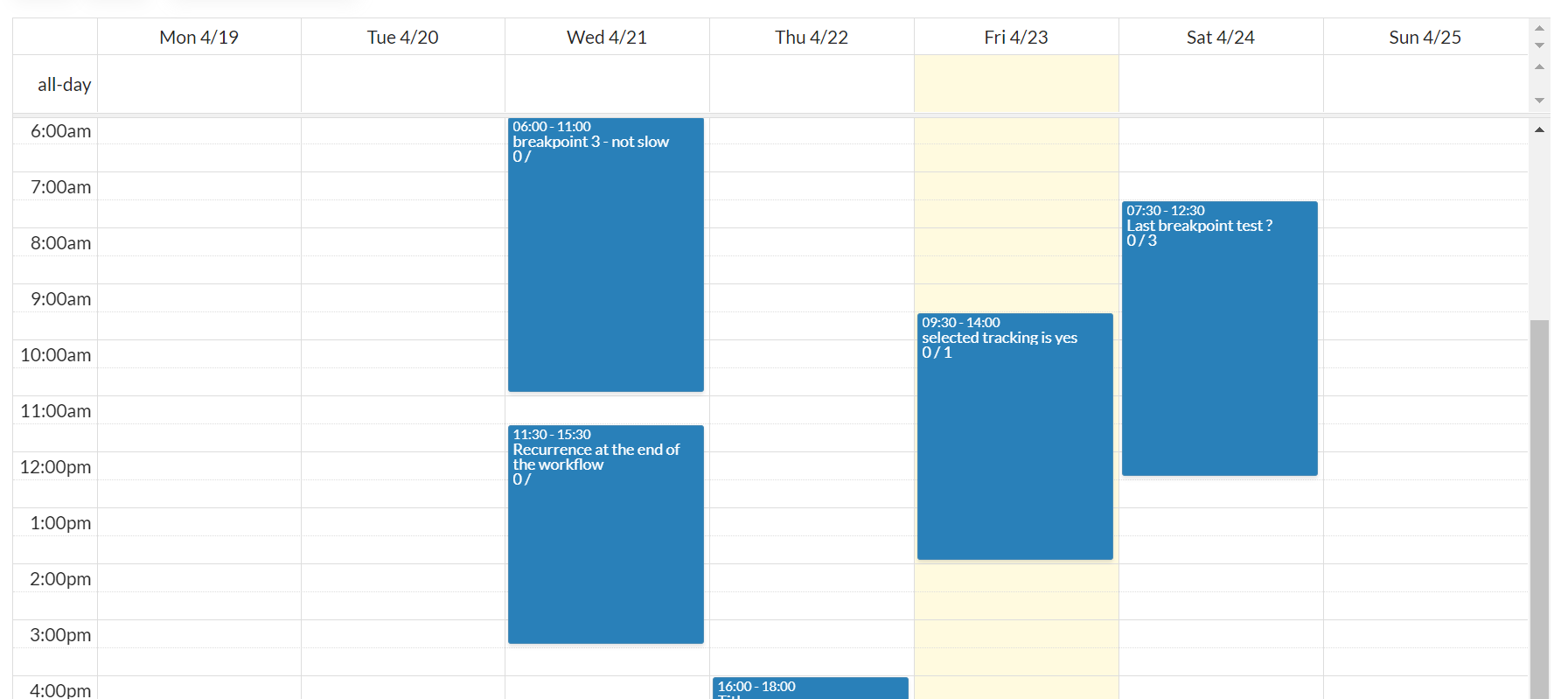
And this is how it looked before the zeroqode updates ! So much cleaner ! Less gray lines over which we have little control, too.

(don’t know what made the events disappear when rolling back to a previous version though)
I imagine this has something to do with the FullCalendar library update, but I hope we can come back to a more refined design soon.
I’m using the scheduler. I’m trying to allow my resources to set their available hours (start time and end time) Has anyone done this successfully?
Hello @ZeroqodeSupport !
I seem to have a constant issue where, after updating to any new version with new library, AirCalendar never render itself on page.
I tried also to create a new fresh page on the app with basic settings on AirCalendar, but it does not render no matter what I try to do.
Any idea of what can cause the issue and what I should look for?
Thanks for the help!
EDIT: I also tried to remove the plugin and reinstall, remove the element and recreate a new one.
Hello, friends! Thanks a ton for your feedback. 
@avern87 ,
Ok, noted. Thanks!
Noted, thanks!
Also, @rpetribu , @equibodyapp - noted. We will investigate the possibility of adding this feature and let you know once any progress appear.
This feature is already included in the plugin. You may use the default colors (here), or dynamic (here).
Apologies, but we do not provide plugin customization/setup services. I may recommend you checking the plugin documentation carefully and playing around with the plugin element settings.
Yup, we are working on it and in the next plugin update, the Google Caneldar events functionality will be implemented. 
You can change the day background color on your own. For example, you can make it more transparent:

Regarding the “current day”/week view - noted. We will check what we can do.
Please make sure you are using the correct plugin element and the latest version. I’m afraid, we are not seeing an alike issue on our side. Also, if you provide a video record (Loom) of reproducing your issue with the maximum of details - it will be super appreciated. Thanks!
Thank you all for your feedback, friends 
Regards,
Zeroqode Support Team
I can’t speak for @rpetribu, but I realized I have a different idea of “dynamically” than what is provided in the plugin. This is going to be more of a big overhaul than a feature request, so please bear with me.
What I’d like to be able to do for defining how events look, is to refer to “This Event” in a dynamic statement instead of pointing at a field. For example in my app, Events are created within their Groups, and the color field would be in the Group element rather than the Event element. So ideally in the color setting of AirCalendar I would enter “This Event’s Group’s Color”.
Right now, I can only point to an Event’s field or apply the same color to every event, which feels limiting. Updating color fields for every event in the database each time is burdensome, and it doesn’t allow for things like users choosing their own user-specific color for an event group.
I think that’s why people keep asking for dynamic color picking even though you can technically have the color be determined by a dynamic statement.
Ideally, this ability to refer to “This Event” would also be available for other styling aspect. Ie, I could have the description of my event be the name of their Group if I wanted.
I hope I’m being clear. Please note that the plugin is still fine without it, it would just add a lot more flexibility.
thanks !
That is what I was talking about too… 
@ZeroqodeSupport Have noticed the last couple of weeks that the calendar is painfully slow to load. Like, 15-20 seconds of a blank screen before any parts of the calendar loads. It didn’t use to be this way. Can we please address? Have gotten a few emails about it just today from paying users of mine.
In this video, I show the load time twice and in between, I hit my jobs list which is loading the same type of data as the calendar to show the difference in load time. As you can see, this doesn’t appear to be any sort of database issue and the delay has only recently appeared. Can you help?
Awesome! Really looking forward to this! @ZeroqodeSupport
Do you have rough estimation on when this will be released?
Just so you know, I had a similar problem :
http://forum.bubble.io/t/aircalendar-slow-load-times/147229/3
What worked for me was changing my Data source statement to a “Search for” where before it was like “This User’s Groups’ Events”. Calendar now loads in a second like it used to.
I don’t know if AirCalendar has trouble with these particular statements or if it’s a new Bubble issue. I personnally always thought Search was slower but I’m not up-to-date on optimization practices.
Unrelated, what kind of view are you using for this calendar ? It doesn’t look like the default list style.


Thanks! Great news!