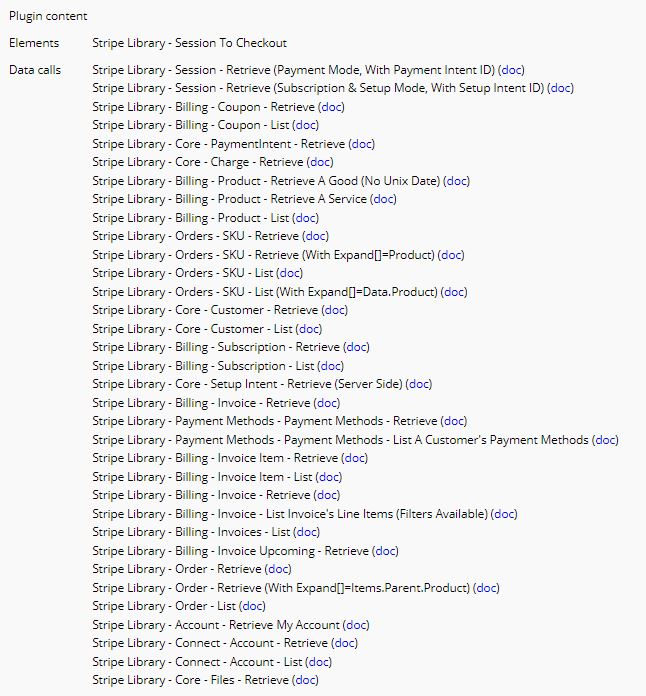
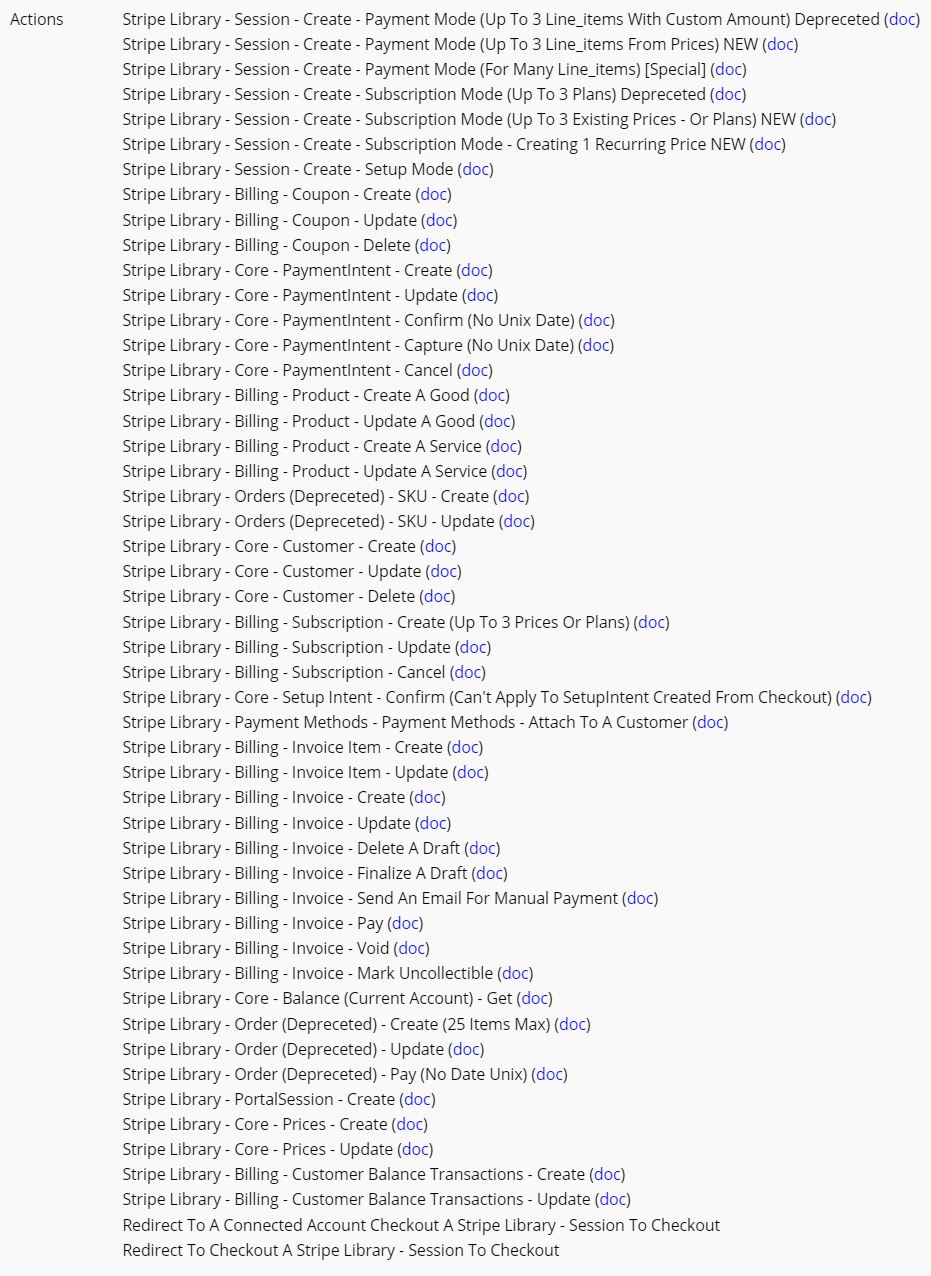
Stripe is a very powerful service. Using its maximum potential save valuable time and enable to build very robust application. As I could not find the API calls I needed, I started to build my own library of calls. This plugin is now at the core of all my apps and has been enhanced months after months.
All calls are complete, with all available fields + documentation. No need to buy extra courses or private lessons to understand what you should do !
As said in the notion note for more details, there is the Stripe-Account header parameter to run a call on behalf of connected accounts. So you can use each call either for your own Stripe account, either for a marketplace with Connect. Payment Intent are integrated, but not Transfers yet (needed for one-to-many payment - see the doc)
Love the plugin! I am getting a “This Plugin API call is not properly initalized, please contact the plugin author to report the problem.” when using the “Billing - Product - Update Service” call. The product is being updated in Stripe but I am getting the error.
I am using this to update attributes of a service upon clicking a save button on a popup form.
Wow! This is what I have been looking for after Stripe JS plugin lacked many API calls. Had to build many Stripe calls myself. Will try this out as well.
Thank you! Also, is there an option to add/update pricing plans for a product? I couldn’t seem to find it but I may not know exactly what to look for as this is somewhat new to me.
The API call is well initialized. The issue must come from the attributes. With Bubble, only values can be dynamic, not the keys. So if products’ attributes are important for you, the best is to create/initiate your own API calls.
@nicolas_dap Loving the plugin and it solves many of my problems that the basic stripe plug does not, as well as cutting down on time studying and tinkering with the stripe.js plugin (your is much easier to navigate and understand)
I was wondering if you could please add the “application_fee_amount” parameter to the “Stripe Library - Session - Create - Payment mode” action? It would be great for Connect accounts to charge a fee from our marketplace users. Or am I completely ignorant about some kind of easy workaround to solve this? Thanks!
Hello @zala.dominykas
Glad this plugin is helpful for other people.
Stripe plan is to improve more and more this hosted checkout. Soon with Orders, more complicated Subscriptions, etc. So adding “Payment intent data”'s parameters for Creating a Session would be good start !
Session - Get list of checkouts. This API call has been well initialized with custom line items, plans, and SKUs
Updated
Session - Create (all)
Add metadata for the Checkout. Keys can’t be changed (Bubble plugin editor limitation). Names are checkout_metadata1, checkout_metadata2, checkout_metadata3
Billing - Prices (create, update, retrieve, list). Prices define how much and how often to charge for products. Prices replaces Plans “You can now model subscriptions more flexibly using the Prices API. It replaces the Plans API and is backwards compatible to simplify your migration.”
Session - Create checkout in Payment mode and Subscription mode using Prices. Instead of plans, SKUs, and ad-hoc line items, every item is now a Price. Checkout integration get easier
Hey @nicolas_dap. Great plugin. Thank you for this.
I think I’m running into a really confusing bug. I’m using this plugin to redirect users to Stripe checkout.
For the most part, everything works fine. Occasionally, though, I get an error from Stripe telling me that the “price_id” I’m referencing with my request doesn’t exist.
I’m loading the price id’s dynamically from option sets depending on the subscription tier for each user. The strangest thing is that when I get this error, the price ID that Stripe is upset about doesn’t exist ANYWHERE – not in my option sets, and of course, not on Stripe. It’s not a dev vs live version either. The price ID that is being sent in my request doesn’t exist in either the dev or live environment.
It’s as if the plugin is inventing a price id out of thin air and putting that into my request. Any ideas here?
Hello,
Have you checked in your Stripe’s Logs ? Which price id do your read ?
Be aware of this : /!\ API calls - initial parameters applied when empty
If your price id is not set on your side (for any reason), it will be replaced by the price id I used during the initialization of the plugin !